Home / Guides / AI Video Generator
Best YouTube to Shorts AI Tools in 2026
The best YouTube to Shorts AI tools in 2026, compared. Start lean with 2Short, then see when Klap, Vizard or Opus Pro is worth it, with pricing notes.
 Eimantas Kazėnas Marketing & Tech
 - Updated
- 9 min read
On this page Who this workflow is for
- Who this workflow is for
- How YouTube to Shorts AI works (the real pipeline)
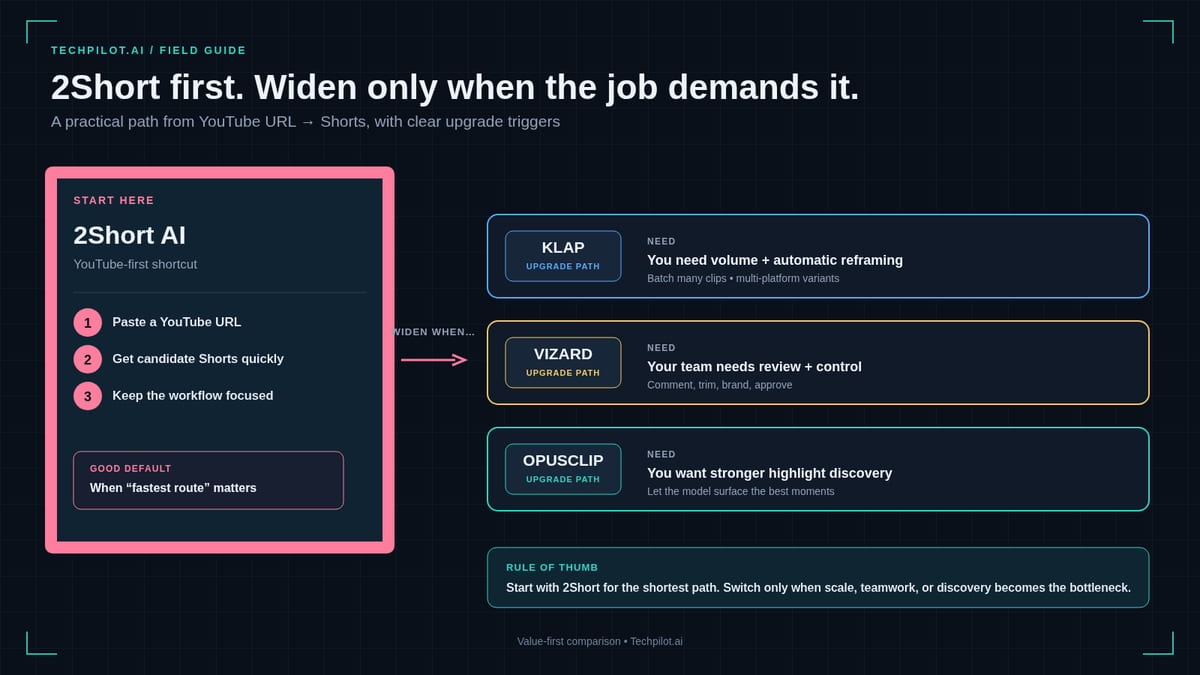
- Quick pick ladder (start lean, widen only if needed)
- 1. 2Short AI — lead pick for YouTube-link Shorts
- 2. Klap AI — YouTube Shorts with reframe polish
- 3. Vizard AI — YouTube URLs plus team workflow
- 4. Opus Pro — when YouTube is step one, not the whole map
- 5. CapCut — always-on polish for Shorts exports
- 6. Ssemble — simple budget runner-up
- Workflow playbooks
- What “good” looks like on a YouTube-to-Shorts pass
- Pricing honesty (approx Sep 2026 — verify)
- Mistakes that kill YouTube to Shorts AI results
- Rights, YouTube policy, and Shorts packaging
- Frequently asked questions
- TechPilot.ai verdict
Independent and reader-supported. Some links may earn us a commission; it never changes our rankings. Editorial policy
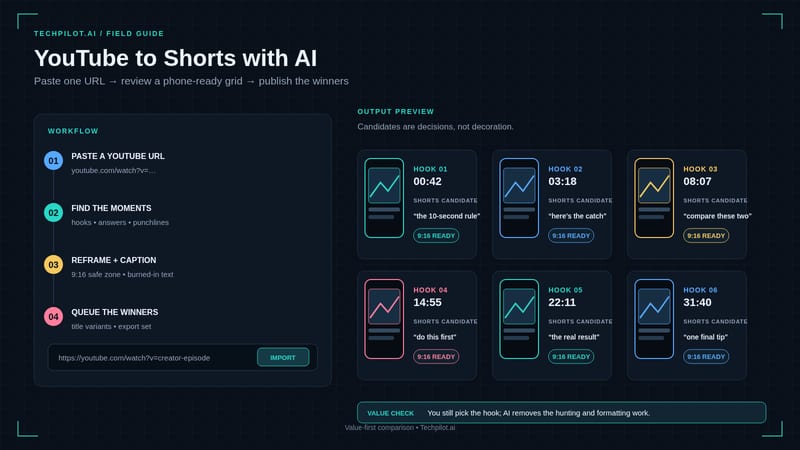
YouTube to Shorts AI is the fastest path from a finished long video to a week of vertical discovery: paste a YouTube link, let the model find hooks, reframe to 9:16, burn captions, and export Shorts (plus TikTok/Reels-ready files). You are not generating new footage — you are mining the upload you already published.
This roundup leads with 2Short AI for lean YouTube-native volume, then covers multi-source clippers that still crush YouTube URLs — Klap, Vizard, and Opus Pro — with CapCut as the free polish bay. Pricing is approx Sep 2026 — verify. For the full long to short category map, see Best AI Video Clippers 2026. If you are only asking “what replaces Opus,” use Opus Pro alternatives instead of re-reading a switcher table here.
Who this workflow is for
Use YouTube to Shorts AI when:
- Your source of truth is a YouTube channel (not Zoom dumps or Drive folders).
- You already ship long-form and need discovery Shorts without re-editing every cut.
- You want auto captions + vertical reframes, not a Premiere career change.
Skip pure clippers (and open generators instead) when you have no long video yet — that is Stage 3 in our faceless YouTube stack, not this page.
How YouTube to Shorts AI works (the real pipeline)
- Publish or unlisted-upload the long video on YouTube.
- Paste the URL into a clipper (2Short, Klap, Vizard, Opus, or Ssemble).
- Review AI clip suggestions — keep hooks with clear cold opens; kill soft mid-roll.
- Check reframe and captions — faces in frame, readable type, no subtitle collisions.
- Export 9:16 (optional CapCut polish) → upload as Shorts → schedule 4–7 posts.
- Read retention on both long-form and Shorts before buying a second seat.
That loop is the product category. Marketing pages that promise “viral on autopilot” still fail if your long video has no quotable moments.
Quick pick ladder (start lean, widen only if needed)
| Priority | Tool | Why start here | Approx entry (Sep 2026) |
|---|---|---|---|
| 1st | 2Short AI | Cheapest serious YouTube-link pipeline | From ~$9.90/mo |
| 2nd | Klap AI | Better reframe/dubbing/4K when polish matters | Basic ~$14/mo annual |
| 3rd | Vizard AI | Text edit, templates, teams, schedule | Free ~60 credits; Creator ~$14.50/mo annual |
| 4th | Opus Pro | Multi-platform virality + non-YouTube sources later | Free ~60 credits; paid from ~$15/mo |
| Polish | CapCut | Free captions/templates after any AI draft | Free / Pro regional |
| Budget alt | Ssemble | Simple AI Shorts from long-form | From ~$9/mo |
1. 2Short AI — lead pick for YouTube-link Shorts
Job: Paste YouTube URL to Shorts / TikTok-style clips with transcripts.
2Short AI is purpose-built for YouTube to Shorts AI workflows. It analyzes the linked video, finds pivotal snippets, generates transcripts, and outputs vertical clips without forcing a timeline. For a tighter Opus head-to-head, see Opus Clip vs 2Short — this page focuses on the YouTube-first operating rhythm, not a full alternatives matrix.
Who it is for: YouTubers, educators, and faceless channels whose backlog lives on the channel.
Pros: True link-in workflow; fast transcripts; lean pricing; low learning curve.
Cons: YouTube links only — webinar/Zoom libraries need Opus or Vizard; edit depth is basic vs CapCut.
Pricing (approx Sep 2026 — verify): From ~$9.90/mo. Trial one of your own videos before annual.
Verdict: Start here if YouTube is the only serious source and you want maximum Shorts per dollar.
2. Klap AI — YouTube Shorts with reframe polish
Job: YouTube / long upload to Shorts with scene-aware reframes and optional dubbing.
Klap AI is the upgrade when 2Short’s clips are “correct” but the vertical frame feels clumsy — Reframe 2 layouts, Virality Score, and Pro paths for dubbing/4K matter for branded Shorts.
Who it is for: Creators who post the same cut to Shorts, TikTok, and Reels and care how faces track in 9:16.
Pros: Aesthetic reframe; localization options on Pro; clear clip-oriented plans.
Cons: Slightly higher entry than 2Short (Basic often ~$14/mo annual — verify); still needs a human pass on hooks.
Verdict: Second pick when packaging quality — not just clip count — is the bottleneck.
3. Vizard AI — YouTube URLs plus team workflow
Job: Link or upload to many clips with transcript editing and schedule/publish.
Vizard AI accepts YouTube-centric work while stretching into meetings, webinars, and brand-kit teams. Text-based editing, caption translation, templates, and in-app social calendar make it the “ops” clipper.
Who it is for: Small teams shipping a content calendar; educators who edit by transcript.
Pros: Free credit floor (~60/mo) to test hit-rate; Creator ~$14.50/mo annual (verify); broader sources when you outgrow YouTube-only.
Cons: Solo creators who only paste channel links may not need team features on day one.
Verdict: Choose Vizard when schedule/publish and text edit beat raw YouTube price wars.
4. Opus Pro — when YouTube is step one, not the whole map
Job: Multi-source long to short with virality triage and multi-platform publish.
Opus Pro still eats YouTube links for breakfast — but its advantage shows when next month’s backlog includes podcasts, webinars, and Drive files. Virality scoring, ClipAnything, and schedulers keep it the category heavyweight. Stay here if you already like the ecosystem; switch peers via Opus Pro alternatives only when credits or job-fit push you out.
Who it is for: Multi-platform creators and agencies who refuse to maintain three clippers.
Pros: Strong detection + publish breadth; free ~60 credits to stress-test; mature product surface.
Cons: Credit math on long episodes (often ~1 credit ≈ 1 minute of source); overkill if you will never leave YouTube links.
Pricing (approx Sep 2026 — verify): Free floor; paid often from ~$15/mo.
Verdict: Fourth on a YouTube-only ladder; first when sources diversify. Category context: AI video clippers Best-of.
5. CapCut — always-on polish for Shorts exports
Job: Free/assisted finish after any YouTube to Shorts AI draft.
CapCut is not a YouTube-link miner. It is where you fix caption fonts, jump cuts, beat sync, and thumbnail-adjacent end cards. Keep it in every stack. CapCut Commerce Pro is for product UGC ads — different JTBD than channel Shorts.
Verdict: Do not skip CapCut for brand polish; do not buy it hoping it will detect hooks in a 40-minute essay as well as 2Short or Opus.
Practical tip: Export AI clips with burned-in captions or clean plates — then restyle once in CapCut with your brand kit so every Short looks like the same channel, not six different tools.
6. Ssemble — simple budget runner-up
Job: Long-form to Shorts with light manual cleanup.
Ssemble (often from ~$9/mo — verify) is a friendly budget path when you want AI Shorts without learning credit systems. Feature depth trails 2Short/Klap/Vizard/Opus — treat it as a trial lane, not the final agency stack.
Workflow playbooks
Playbook A — Solo YouTuber (lean)
- Upload long-form Monday.
- Paste URL into 2Short Tuesday morning.
- Keep top 5–7 clips; CapCut polish two hero Shorts.
- Schedule Shorts Tue–Sat; review CTR/retention Sunday.
Budget ballpark: ~$10–$20/mo (2Short + optional CapCut Pro).
For caption-heavy finishing after clipping, try Submagic.
Playbook B — Brand / multi-platform
- Long-form on YouTube + podcast RSS.
- Klap or Vizard for YouTube episode; Opus when non-YouTube sources appear.
- Brand caption templates; schedule Shorts + Reels + TikTok.
- Monthly credit audit before renewing annual.
Budget ballpark: ~$15–$40/mo depending on volume.
Playbook C — Faceless automation channel
- Generate long-form in your faceless stack.
- Clip with 2Short (YouTube-only) or Vizard/Klap/Opus.
- Never buy a clipper before you can finish one 10-minute video.
What “good” looks like on a YouTube-to-Shorts pass
- Cold open in under 1.5 seconds — no “hey guys welcome back” dead air.
- One idea per Short — do not compress a 12-minute argument into mush.
- Readable captions — high contrast; avoid covering faces/products.
- Native end CTA — subscribe / watch full video / next Short — without spam density.
- Honest packaging — Shorts titles and covers that match the clip (trust > clickbait).
Pricing honesty (approx Sep 2026 — verify)
| Tool | Model flavor | Entry ballpark | Watch-out |
|---|---|---|---|
| 2Short | Subscription / usage lean | ~$9.90/mo | YouTube-only ceiling |
| Ssemble | Monthly plans | ~$9/mo | Shallower features |
| Klap | Clip-oriented plans | ~$14/mo annual Basic | Forecast weekly Shorts count |
| Vizard | Credits + Creator | Free ~60; ~$14.50/mo annual | Team features vs solo need |
| Opus Pro | Credits | Free ~60; from ~$15/mo | Long episode burn |
| CapCut | Free / Pro | $0+ | Manual time, not detector |
Always re-check vendor pages at publish — tiers move.
Mistakes that kill YouTube to Shorts AI results
Clipping private drafts that never ship. Shorts that cannot deep-link to a public long video waste discovery.
Buying Opus + 2Short + Klap on week one. One primary clipper + CapCut until retention data exists.
Ignoring niche hooks. Virality scores are priors; your audience still decides.
Exporting without a human trim. AI overcuts mid-joke and mid-number constantly.
Treating Shorts as the only funnel. Use Shorts to feed long-form watch time — especially on faceless channels.
Rights, YouTube policy, and Shorts packaging
Only clip what you own or are licensed to use. Pasting someone else’s public URL into a clipper and republishing as your Shorts is a policy and copyright risk — not a growth hack. Brand partners should confirm usage rights in writing.
YouTube Shorts packaging still matters. AI can cut the moment; you still choose the cover frame, Shorts title, and whether the clip teases the full video without spoiling the payoff. Weak packaging makes strong AI cuts look average.
Music and third-party clips inside your long-form can break Shorts monetization or cause claims when sliced. Prefer original VO and cleared assets before you scale a weekly Shorts calendar.
Disclosure and trust. If your channel is heavily AI-assisted (faceless VO + auto clips), follow platform disclosure norms where required and keep claims accurate — especially in finance, health, and news niches.
Frequently asked questions
What is the best YouTube to Shorts AI tool in 2026?
For most YouTube-only creators: 2Short AI. Upgrade to Klap for reframe/dubbing polish, Vizard for teams/schedule, or Opus Pro when sources expand beyond YouTube.
Can AI turn any YouTube video into Shorts?
Only if the video has clear spoken hooks and visual focus. Silent B-roll essays and music-only uploads clip poorly. Rights: only clip videos you own or are licensed to repurpose.
Is YouTube to Shorts AI free?
Opus and Vizard offer free credit floors; CapCut is free for polish. Serious weekly volume usually needs a paid clipper (~$10–$15/mo entry).
2Short vs Opus for Shorts?
2Short wins lean YouTube-link volume and price. Opus wins multi-source + multi-platform ecosystems. Details: Opus Clip vs 2Short and Opus alternatives.
Do I still need CapCut?
Usually yes for brand fonts, pacing, and last-mile fixes — even when 2Short or Klap drafts are strong.
How many Shorts should I cut per long video?
Start with 4–7 high-confidence hooks. Flooding 20 weak clips trains the algorithm on noise.
TechPilot.ai verdict
YouTube to Shorts AI is a workflow, not a magic button. Lead with 2Short AI for the cheapest serious link-to-Shorts lane; step up to Klap for reframe and dubbing, Vizard for team text-edit calendars, and Opus Pro when your backlog leaves YouTube. Polish in CapCut, measure retention, and only then expand seats.
For the broader long to short category (podcasts, webinars, mixed sources), read Best AI Video Clippers in 2026. For full faceless production stages above clipping, use the faceless YouTube automation guide. More reviews live on the tools hub.
Found this useful? Share it with someone comparing AI tools.
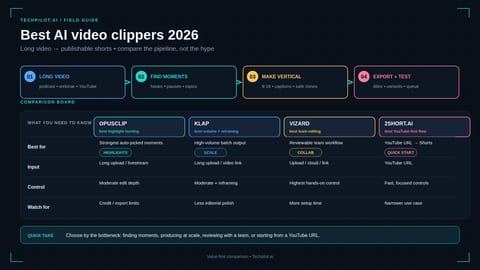
Best AI Video Clippers in 2026 (Long to Short)
Which AI video clipper fits your content in 2026? Compare Opus Pro, Vizard, Klap, 2Short, Ssemble and CapCut by source type, pricing and best use…
 Eimantas Kazėnas · 9 min read
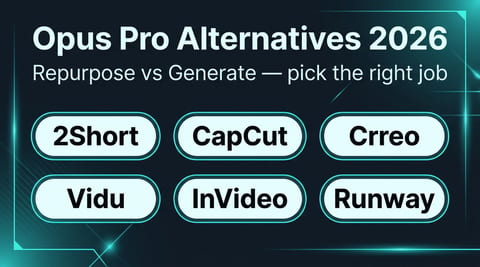
Best Opus Pro Alternatives for AI Short Clips (2026)
Compare the best Opus Pro alternatives for 2026 by job. See when 2Short or CapCut beats Opus, when Vidu or Runway fits better, and when to stay put.
Eimantas Kazėnas · 10 min read