Home / Guides / Video Editing
Translate Video AI Free: 6 Options Compared
 Eimantas Kazėnas Marketing & Tech
- Published
- 5 min read
On this page First decide: subtitles or a dub?
Independent and reader-supported. Some links may earn us a commission; it never changes our rankings. Editorial policy
Translate video AI free options compared: what YouTube, CapCut, Synthesia, HeyGen, Kapwing and Rask give you before you pay, and when subtitles beat a dub.
Quick answer: If you only need translated subtitles, you can do it free with almost no limits: YouTube creates automatic captions and auto-dubs eligible videos, and CapCut translates subtitles in its free editor. Free AI dubbing, where a voice speaks the new language, is always capped. Synthesia translates your first minute free with voice cloning and lip sync, HeyGen allows 3 watermarked videos a month up to 1 minute each, and Rask offers a 7-day trial. All limits below come from each tool’s official page on November 26, 2026.
First decide: subtitles or a dub?
This one choice decides whether “free” is realistic. Subtitles are cheap to produce because the AI only transcribes and translates text, so several tools give them away. A dub has to generate a new voice track, often clone the speaker and sometimes re-sync the lips, which costs real compute. That is why every free dubbing offer is measured in minutes or a handful of videos.
- Pick subtitles for tutorials, talks, social clips watched on mute, and anything longer than a few minutes.
- Pick a dub for short ads, course intros, product demos and videos where the speaker’s face carries the message.
- Mix both: translate subtitles for every video, then dub only the one or two clips that already perform well.
How much free translation each tool gives
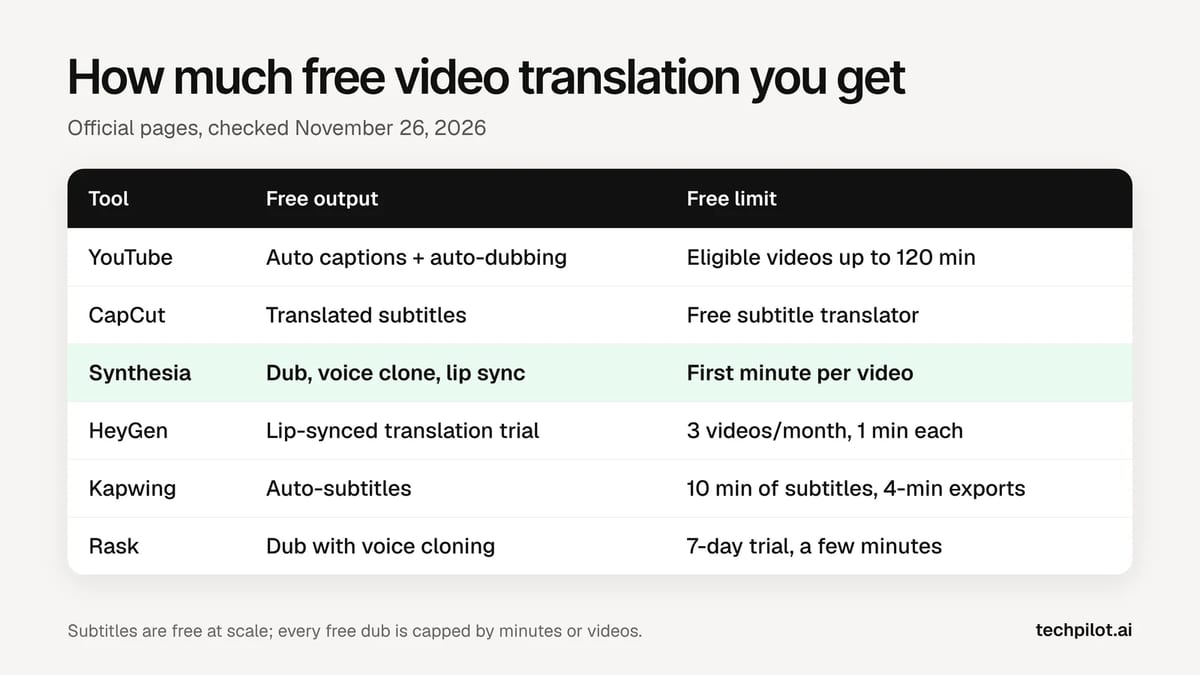
| Tool | Free output | Free limit | Watermark | First paid step |
|---|---|---|---|---|
| YouTube | Automatic captions and auto-dubbing | Auto-dubbing for eligible videos up to 120 minutes | No | Free |
| CapCut | Translated subtitles | Free subtitle translator; page lists over 27 languages | Not stated | Paid plans for premium features |
| Synthesia | Dub with voice cloning and lip sync | First minute of each video; longer videos are trimmed | Not stated | Paid plans for longer videos |
| HeyGen | Lip-synced video translation (limited trial) | 3 videos a month, up to 1 minute each | Yes | Creator $29/month |
| Kapwing | Auto-subtitles | 10 credits: up to 10 minutes of subtitles, exports up to 4 minutes, 720p | Yes | Pro adds dubbing (up to 50 minutes a month) |
| Rask | Dub with voice cloning | 7-day trial, no card, a few minutes included | Not stated | Creator $28/month billed yearly ($329) |
The free options, one by one
1. YouTube: free if the video lives on YouTube
If you publish on YouTube, start here. YouTube generates automatic captions with speech recognition, and its automatic dubbing creates translated audio tracks for eligible creators, marked “auto-dubbed” so viewers can switch back to the original. Videos over 120 minutes, music-only videos and very fast speech are not eligible, and you can choose to review dubs before they publish. The catch is that both stay on YouTube; you cannot export a translated file for TikTok or a course platform.
2. CapCut: free translated subtitles you can edit
CapCut’s video translator recognizes the spoken language, generates subtitles and translates them, and you can edit or replace any line before exporting. It is the easiest free route for short-form creators who already edit in CapCut. It translates subtitles, not voices, so pair it with a dubbing tool if you need audio.
3. Synthesia: the best free one-minute dub
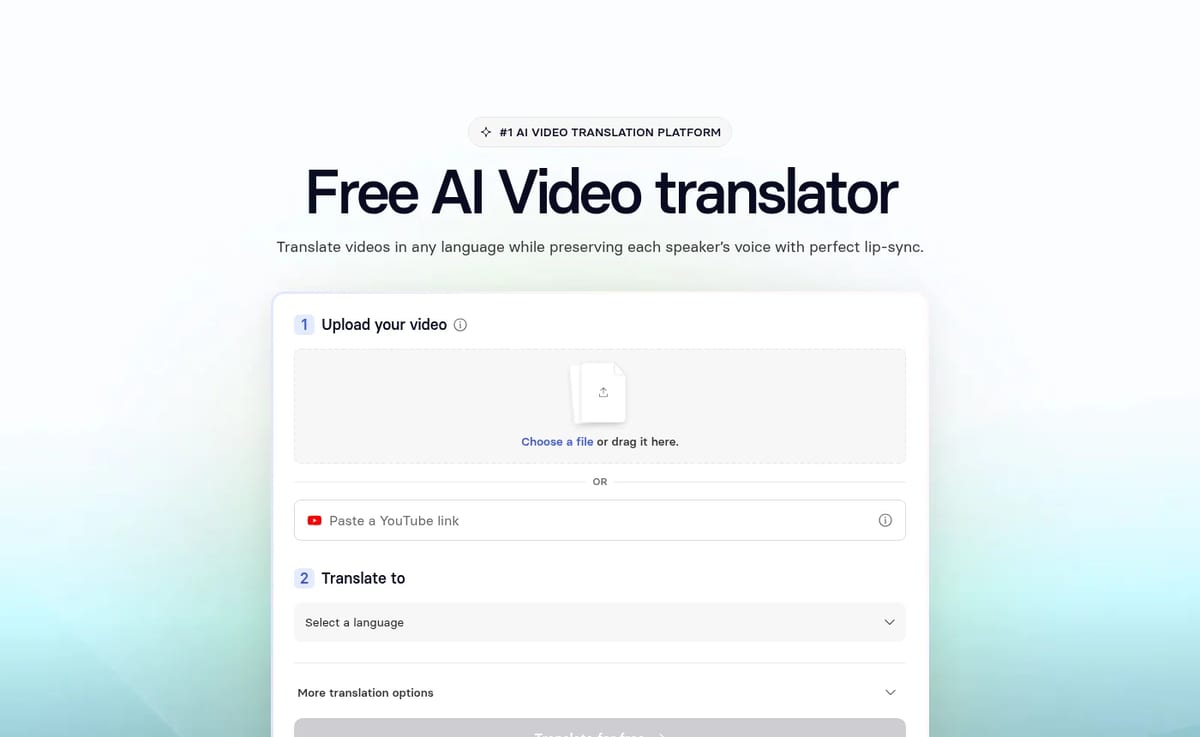
Synthesia’s free video translator lets you upload a file or paste a YouTube link and get a dubbed version with the speaker’s cloned voice and lip sync in 140+ languages. Only the first minute is free; longer videos are trimmed. That makes it ideal for testing how a dub of your voice sounds in a new language before you pay anyone.
4. HeyGen: three short lip-synced videos a month
HeyGen’s free plan allows 3 videos a month, each up to 1 minute, with a watermark, plus limited trials of premium features such as lip-synced video translation. It is fine for short social clips; the watermark and the 1-minute cap make it hard to use for anything client-facing. Creator starts at $29 a month. If HeyGen’s pricing puts you off, see our HeyGen alternatives.
5. Kapwing: free subtitles, paid dubbing
Kapwing’s free plan gives 10 credits, enough for up to 10 minutes of auto-subtitling, with exports up to 4 minutes at 720p and a watermark. Dubbing into 40+ languages sits on the paid plans: Pro includes up to 50 dubbing minutes a month. Use the free plan to subtitle short clips in a browser without installing anything.
6. Rask: a short free trial for real dubbing
Rask focuses on dubbing in 135+ languages with voice cloning and transcript editing. Its free trial runs 7 days with no credit card and includes a small number of minutes (the page showed 2 to 3 depending on the billing toggle when we checked). Creator is $28 a month billed yearly ($329) with 300 minutes in its November sale. It suits creators who know they will dub regularly.
A free workflow that actually scales
- Clean the audio first. Every tool here starts with transcription, so background music and cross-talk cause most translation errors.
- Fix the transcript before translating. Correct names, product terms and numbers in the source language; errors multiply in every target language.
- Subtitle everything for free. Use YouTube or CapCut for subtitles on all videos.
- Dub one winner. Spend free dubbing minutes (Synthesia, HeyGen, Rask) on the clip with the best watch time.
- Get a native speaker to check one video. AI translation reads fluently even when it is wrong, especially with slang and idioms.
Translating text inside images rather than speech? See our guide on how to translate a picture. For voice quality, our ElevenLabs review covers the voice engine many dubbing tools compare against.
Our take
“Free AI video translation” is real for subtitles and a trial for dubbing. Subtitle every video with YouTube or CapCut, use Synthesia’s free minute to hear your voice in another language, and only pay for dubbing once a translated video has proven it brings in viewers.
Frequently asked questions
Can I translate a video with AI for free?
Yes. Translated subtitles are free on YouTube and in CapCut. Free AI dubbing is capped: Synthesia translates the first minute and HeyGen allows 3 one-minute videos a month.
What is the best free AI video translator?
For subtitles, CapCut or YouTube. For a dub with your own voice and lip sync, Synthesia’s free first minute gives the most complete free result.
Does YouTube translate videos automatically?
Yes, for eligible creators. YouTube’s automatic dubbing adds translated audio tracks to videos up to 120 minutes, and viewers can switch back to the original.
Is HeyGen video translation free?
Only in a limited trial. HeyGen’s free plan allows 3 videos a month up to 1 minute each, with a watermark. Paid plans start at $29 a month.
Is AI video translation accurate?
It is good for clear speech, but names, slang and idioms often go wrong. Fix the transcript before translating and have a native speaker check key videos.
Found this useful? Share it with someone comparing AI tools.

Seedance 2.0 Review: ByteDance’s AI Video Generator Takes on Sora 2, Veo 3.1, and Kling in 2026
Seedance 2.0 review 2026: We tested ByteDance’s multimodal AI video generator against Sora 2, Veo 3.1 & Kling 3.0.
 Mihai (Mike) Bizz · 10 min read

Turn Long-Form Video to Short-Form Content for Maximum Virality
How to go viral on social media? Turn long-form video to short-form content with smart AI tools. Speed, quality and efficiency is the name of the…
 Alexi Carmichael · 5 min read