Published: September 21, 2026 | Updated: September 21, 2026
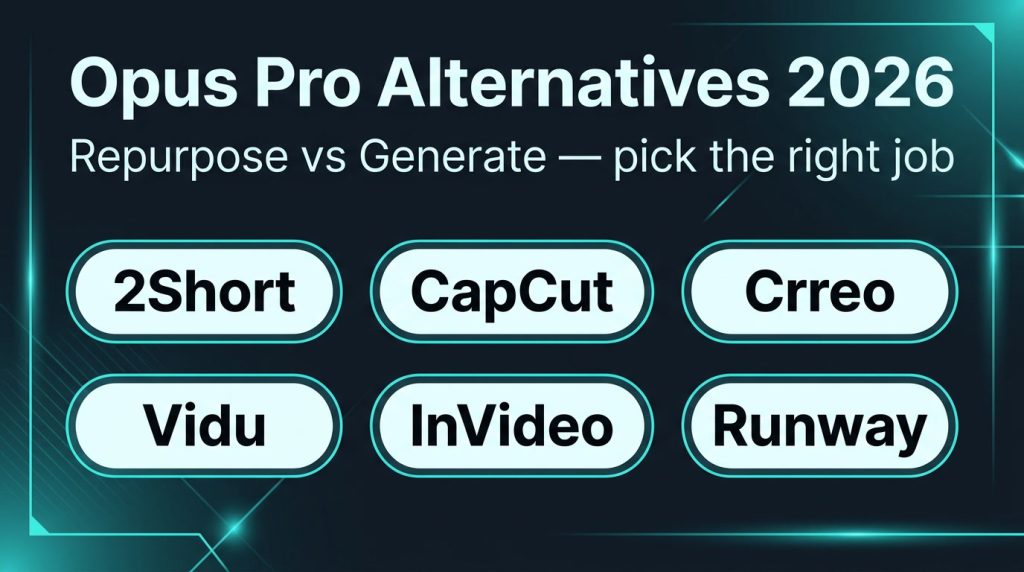
In this hands-on look at Opus Pro alternatives, I am not ranking “AI video tools” as if they all do the same job. Most people searching that phrase are sitting on a backlog of podcasts, YouTube uploads, webinars, or Zoom recordings—and they want those long files turned into TikToks, Shorts, and Reels without living inside a timeline.
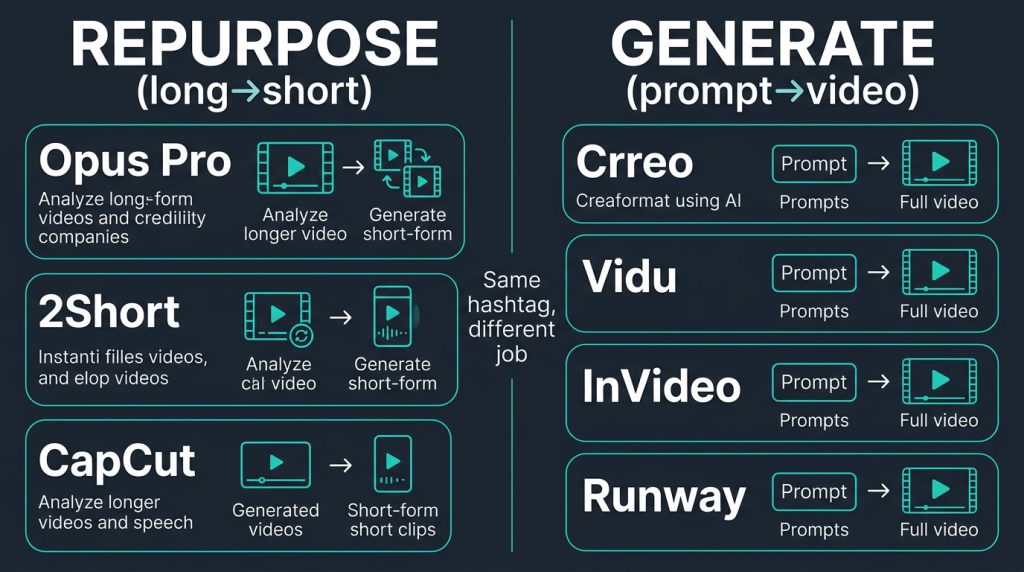
That is repurposing: long → short. Opus Pro is still one of the strongest products in that category. It analyzes speech, visuals, sound, and emotion, scores clips for virality, auto-reframes to 9:16, burns in animated captions, and can push to major social platforms from one dashboard. Agent Opus (launched August 2025) also expands the Opus ecosystem into text/URL/audio → original video—so Opus is no longer “only a clipper.”
People still look for alternatives for predictable reasons: credit math on long episodes (1 credit ≈ 1 minute of source), AI picks that miss brand voice, a customization ceiling versus CapCut/Premiere, or—most often—the wrong job. Half the “alternatives” below are generative (prompt/image/script → new footage). They will not mine a 45-minute podcast. The other half are closer to Opus’s real job: clip, caption, reframe, publish.
Browse adjacent categories on our AI tools hub after this guide.
How we evaluated Opus Pro alternatives
I scored each option on six practical checks: job-to-be-done (repurpose vs edit vs generate), source flexibility, short-form readiness (captions, 9:16, TikTok/Shorts/Reels), time-to-first usable clip, pricing honesty (credits, free-tier value), and when I’d actually swap off Opus. Pricing is ballpark for 2026—confirm on the vendor site before you commit.
Quick comparison: Opus Pro alternatives at a glance
Tool
Best for
Closest to Opus?
Starting price
Standout
Tradeoff
2Short AI
YouTube → Shorts / TikTok clips
Yes (true repurposer)
~$9.90/mo
YouTube-native, fast transcripts
YouTube links only
CapCut / CapCut Commerce Pro
Manual polish + free clipping; e-com UGC
Partial (editor + AI helpers)
Free / Commerce Pro paid
Templates, avatars, hands-on control
More manual work than Opus
Crreo AI
Prompt → full video (script, VO, music)
No (generative)
From ~$6–$9/mo
All-in-one text-to-video workflow
Won’t clip your existing long-form
Vidu
Cost-effective generative shorts & ads
No (generative)
From ~$10/mo
Speed + price + character consistency
Not a long→short clipper
InVideo AI
Script-to-video marketing content
No (production)
Free tier; paid from ~$17–$35/mo
Prompt → publishable draft fast
Stock-heavy; credits on revisions
Runway
Higher-end gen + AI editing suite
No (pro generative)
From ~$12–$15/mo
Cinema-grade models & Magic Tools
Credits burn fast; steeper learning
Opus Pro (baseline)
Multi-platform long→short at scale
—
Free 60 credits; paid from ~$15/mo
ClipAnything + virality + scheduler
Credits + limited deep edit
1. 2Short AI — closest true alternative for YouTube Shorts
Job: Repurposing (YouTube long → Shorts / TikTok-style clips).
If your library lives on YouTube and your goal is Shorts (plus TikTok exports), 2Short AI is the closest true Opus Pro alternative here. Paste a YouTube link; the AI finds pivotal moments, builds transcripts, and outputs polished shorts without a timeline grind.
Full head-to-head: Opus Clip vs 2Short AI. Opus wins multi-source input and multi-platform polish; 2Short wins YouTube-centric volume at a leaner price.
Who it’s for: YouTubers, educators, and marketers whose source of truth is a channel—not raw Zoom dumps.
Pros: Real long→short automation; strong transcripts; competitive entry vs Opus credit burn on long episodes.
Cons:YouTube links only; basic editing depth vs CapCut/Premiere.
Pricing ballpark: From ~$9.90/month. A trial on one of your own videos is enough to judge clip quality.
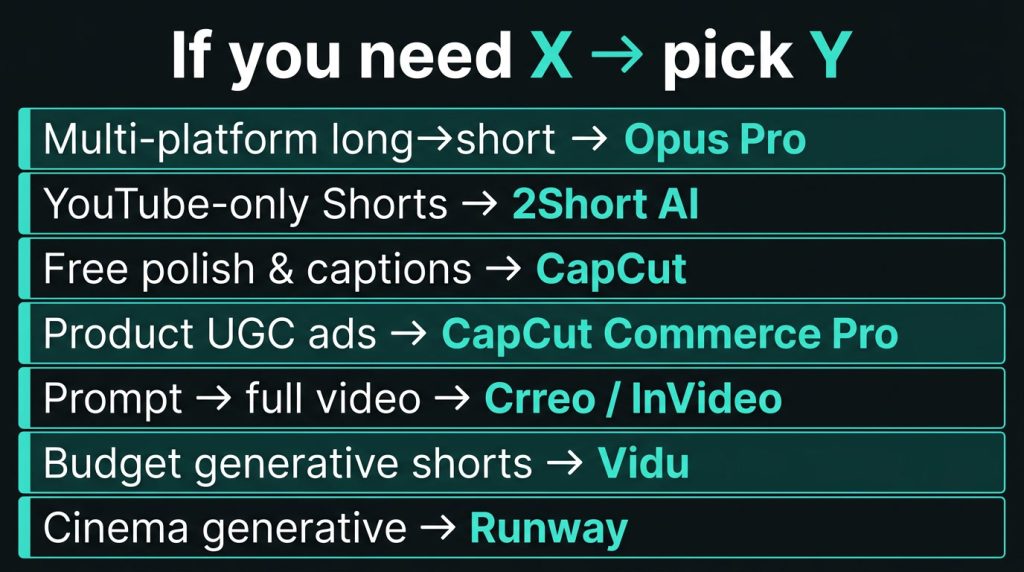
When to pick vs Opus: Choose 2Short if YouTube is the only serious source. Stay on Opus for podcasts, webinars, mixed uploads, and one dashboard across Shorts, TikTok, Reels, LinkedIn, and X.
2. CapCut / CapCut Commerce Pro — editing power + free clipping
Job: Manual/assisted editing (and e-commerce UGC generation on Commerce Pro)—not a pure Opus clone.
CapCut is what many creators open after Opus when the AI draft is 80% there. Auto captions, templates, beat sync, and 9:16 workflows are excellent—you trade “upload and walk away” for control.
CapCut Commerce Pro adds a product/UGC ad layer: product links or images → trend-aware promos, avatars, AI voices, translation. Different job than clipping a podcast—but many brands searching Opus Pro alternatives actually need product creative, not highlight reels.
Who it’s for: Creators who want free/low-cost polish; DTC teams prioritizing UGC ads over long-form mining.
Pros: Genuinely usable free tier; top-tier TikTok templates/captions; Commerce Pro skips a shoot day for product ads.
Cons: More manual than Opus for backlog clearing; Commerce Pro ≠ ClipAnything podcast mining.
Pricing ballpark: CapCut free + regional Pro; Commerce Pro paid (confirm live tiers).
When to pick vs Opus:CapCut for control or product ads. Opus when the bottleneck is finding moments in hours of talk.
3. Crreo AI — prompt-to-video (different job)
Job: Generative / text-to-video production. Not a long→short clipper.
Crreo AI is what people mean when they say “Opus alternative” but actually need “a finished video from a sentence.” Script, visuals, VO, music, thumbnails, and titles sit in one flow. In our review, an ice-cream ad prompt produced a usable draft in minutes—with a couple of scene regenerations for mismatched B-roll.
Who it’s for: Social managers/SMBs, educators off-camera, faceless channels starting from ideas.
Pros: Script→VO→music in one place; free plan + paid from ~$6–$9/mo; 170+ voices / multilingual.
Cons:Won’t mine webinar hooks; less fine control than Premiere; expect regenerations; thin integrations.
When to pick vs Opus:Crreo invents footage. Opus mines footage you already filmed.
4. Vidu — generative, cost-effective short clips
Job: Generative video (text / image / reference → clip). Different job from Opus.
Vidu is one of the most practical generators for volume social and performance creative: ~10-second turns, competitive credits, reference-to-video for character/product consistency, and Q3 native audio in one pass. For intentional push-ins, pans, and tracking, see our dynamic camera moves roundup—Vidu’s motion-control transfer is a standout. Anime/stylized output leads; photoreal humans still trail top cinema models.
Who it’s for: Teams generating new shorts/ads at volume; anyone who never had long-form to repurpose.
Cons: Zero long→short intelligence; multi-minute stories still need CapCut stitching.
Pricing ballpark: From ~$10/month.
When to pick vs Opus:Vidumakes clips; Opusextracts them. Serious stacks often run both. Anime-only brief? Also consider Boba Video.
5. InVideo AI — script-to-video production
Job: Prompt/script → assembled marketing video (stock + AI VO + templates). Not Opus-class clipping.
InVideo AI shines when a marketer types a brief—“30-second vertical TikTok on cold brew for busy pros”—and needs a draft in minutes. Scriptwriter, stock library, multilingual VO, voice cloning, UGC-ad modes, and text commands (“replace the third clip with iced coffee”) accelerate production. Speed is excellent; nuance is the tax—mismatched stock and generic VO on pass one are common, and revisions chew credits.
Who it’s for: Marketing calendars without editors; faceless/edu channels; templated product stories (CapCut Commerce Pro is more UGC-native).
Cons: Not a highlight detector; revision credits add up; can look stock-templated.
Pricing ballpark: Free (watermarked). Paid Plus often ~$17/mo annual (higher monthly); Max/Generative for volume/4K. Confirm live pricing—our tool page has also cited ~$35/mo entry depending on plan era.
When to pick vs Opus:InVideo manufactures from text. Opus mines gold already in your recordings.
6. Runway — higher-end generative + AI editing suite
Job: Pro generative video and AI “Magic Tools” editing. Furthest from Opus’s core JTBD—and often the right upgrade when quality ceiling matters more than clip volume.
Runway is the suite you reach for when CapCut feels too social and Crreo/InVideo feel too templated. Text/image-to-video, object removal, green screen, lip sync, and Gen-4 / Gen-4.5-class models live in one pro environment—hero shots and effects, not emptying a podcast backlog.
Who it’s for: Creative pros and agencies who need distinctive generative craft and AI Magic Tools.
Stack tip: The winning 2026 setup for many teams is Opus (or 2Short) for repurposing plus one generator (Vidu / Crreo / InVideo / Runway) for net-new creative. Churning Opus because you also need generative ads usually solves the wrong problem.
Frequently asked questions
What are the best Opus Pro alternatives in 2026?
For true clipping alternatives: 2Short AI (YouTube-focused) and CapCut (manual/assisted). For different jobs people often mislabel as alternatives: Crreo, Vidu, InVideo AI, and Runway. Start from the job-to-be-done, not the marketing category.
Is there a free Opus Pro alternative?
Yes, with caveats. CapCut’s free editor covers captions, reframing, and templates. Opus itself offers 60 free credits/month (watermark + short expiry on free exports). Vidu and Crreo offer meaningful free generative tiers. None of the free options fully match Opus Pro’s multi-platform auto-clip + scheduler stack without limits.
What is the closest free alternative to Opus Clip for TikTok?
CapCut is the practical free path for TikTok-ready edits. For automated highlight detection without paying, Opus’s own free plan is still the fairest test—then decide if CapCut polish or a paid clipper is worth it.
Opus Pro vs CapCut — which should I use?
Use Opus to find and draft clips from long videos at scale. Use CapCut to finish, restyle, and manually perfect. Many creators export Opus drafts into CapCut rather than choosing only one.
Does 2Short AI work for TikTok or only YouTube Shorts?
2Short is built around YouTube link ingestion and Shorts-style outputs; creators commonly export those cuts for TikTok as well. If your source files are not on YouTube, Opus or CapCut is the better starting point.
How do Opus Pro credits work compared with generative tools?
On Opus, 1 credit ≈ 1 minute of source video—you pay for input length, not number of clips. Generators (Vidu, Runway, InVideo) usually charge for output seconds, resolution, or revision cycles. That is why a long podcast can feel “expensive” on Opus even when you love the clips.
Do Opus Pro alternatives remove watermarks?
Paid tiers on 2Short, CapCut Pro/Commerce, Crreo, Vidu, InVideo, and Runway typically export clean. Free tiers almost always watermark or restrict commercial use—budget for a paid plan before client work.
Can Agent Opus replace switching to Crreo or InVideo?
Sometimes. Agent Opus creates original videos from text, URLs, or audio inside the Opus ecosystem (scripting, narration, motion graphics). If your churn reason is “I also need generative,” try Agent Opus on your Pro plan before paying for a second suite. If you need specialized generative quality (anime consistency, cinema models, heavy UGC product pipelines), Vidu, Runway, or CapCut Commerce Pro still win their niches.
Is Opus Pro worth it if I only post Shorts once a week?
Maybe not at Pro scale. The free or Starter tier can cover light weekly use. Once you process multiple long episodes per week or need the scheduler, B-roll, and XML export, Pro’s annual credit pool usually makes more sense than cobbling three half-tools.
What’s better for e-commerce short videos—Opus or CapCut Commerce Pro?
If your assets are product pages and stills, CapCut Commerce Pro (or InVideo/Crreo) fits better. If your assets are demo webinars, founder podcasts, and unbox livestreams, Opus (or 2Short for YouTube replays) is the better Opus-class choice.
Tech Pilot verdict
If you came hunting Opus Pro alternatives because clipping feels expensive or imperfect, do not buy a text-to-video app and wonder why the podcast still is not clipped. Repurposing and generation share a hashtag—not a job.
Stay on Opus Pro for long-form volume, multi-platform publishing, ClipAnything + virality triage. Stress-test the free 60 credits first—full detail in our Opus Pro review (credits, Agent Opus, “first-draft machine” limits).
Switch to 2Short when YouTube is the only source that matters (head-to-head).
Add—don’t blindly replace with—Crreo, Vidu, InVideo, or Runway when the gap is net-new footage.
Practical 2026 stack: Opus or 2Short as the repurposing engine, CapCut as the finish bay, one generator as creative filler for empty long-form weeks. That beats a frustrated cancel-and-replace cycle. More reviews on the tools hub—churn Opus only when next week’s job is genuinely different from the one Opus already wins.
Mike Paul, an authoritative author, specializes in AI tools, Education and Business productivity. With comprehensive knowledge and practical insights, his blog offers credible guidance on the latest advancements. Mike's expertise is evident in his clear and concise writing style, supported by real-world examples and case studies. As a trusted industry voice, he actively engages with professionals, fostering a vibrant community. With meticulous research and fact-checking, Mike ensures accurate and up-to-date information. His blog www.mikepaul.com serves as a reliable resource for leveraging AI tools effectively.
Share This Article
JOIN OUR COMMUNITY
Receive the latest AI insights directly to your inbox.