Aisma is a focused tool for one job: changing something inside a short clip you have already filmed, while the shot, motion and sound stay as recorded.
Home / Tools / AI Video Generator
AI Video Generator · Tool review
Aisma Review: AI Video Editor Pricing
 TechPilot.ai review team Hands-on testing, one published method
- Last updated
- How we test
The AI news that actually mattered this week.
One short email every Friday: the biggest AI stories, what they mean for you, and the tools worth trying. A 3-minute read, no hype.
Free. Unsubscribe anytime.
You're in. Watch for the brief on Friday. Free. Unsubscribe anytime.
Summary
Pros and cons
What we like
- Plain-language edits, no timeline.
- Keeps framing and original audio.
- Price shown before you generate.
- Failed parts are refunded.
- Web, iPhone and Android apps.
What could be better
- No free plan.
- Clips of 60 seconds at most.
- Plans bill weekly.
- 72-hour storage without a plan.
Key features
- Input: MP4 or MOV, 2 to 60 seconds.
- Photos: Up to 10 per edit.
- Output: MP4 at 720p or 1080p.
- Edits: Remove, outfits, backgrounds, faces, products.
- Apps: Web, iPhone, Android.
- Pricing: Packs from $1.99.
Screenshots
Full review
Independent and reader-supported. Some links may earn us a commission; it never changes our scores. Editorial policy
Aisma is an AI video editor for clips you already shot. Describe a change in plain words to swap an outfit, a face or the background. Packs start at $1.99.
Quick answer: Aisma changes what is inside a video you have already filmed. You upload a clip of 2 to 60 seconds, type what should change, and get back the same shot with the edit applied. The framing, camera movement and original audio stay as they were. It is for small edits to real footage, not for making videos from scratch. You can edit a video with an AI prompt in the browser or in the iPhone and Android apps.
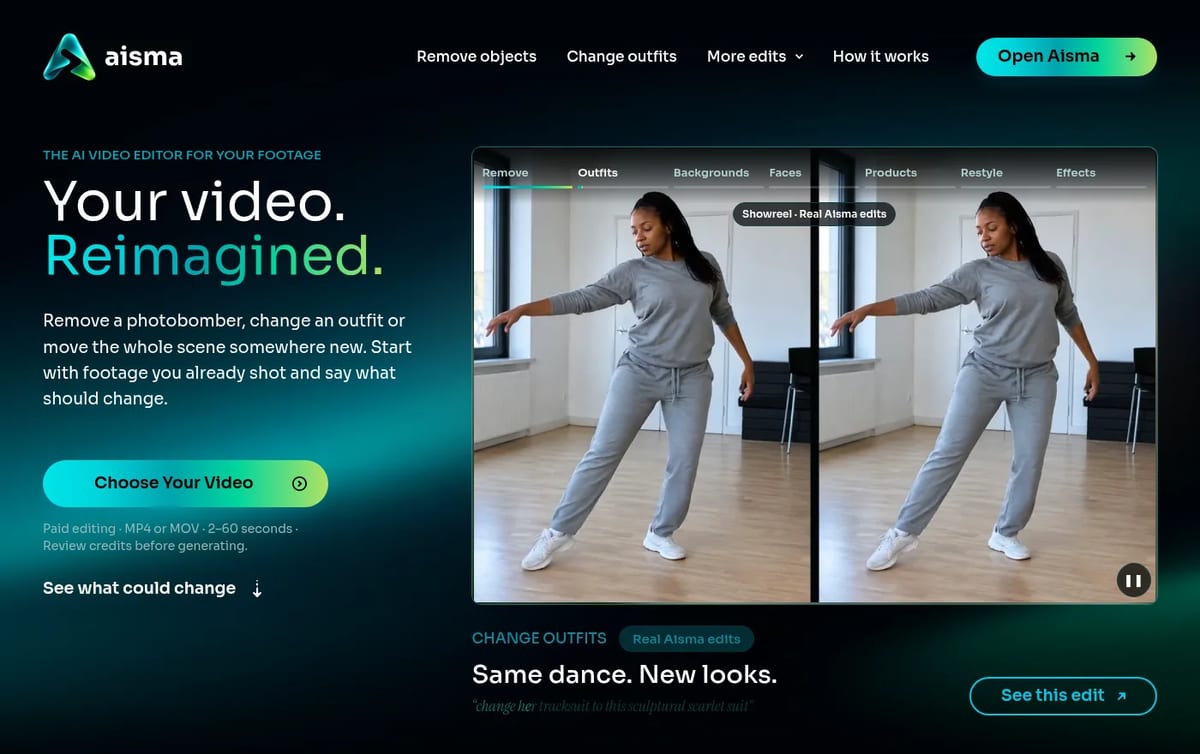
What Aisma does
There are no modes or timelines. Every edit starts in one request box, and you write the change the way you would explain it to a person. If a specific look matters, such as an exact jacket, a product or a face, you can add up to 10 reference photos and refer to them as Photo 1, Photo 2 and so on.
- Remove objects or people: take out a photobomber, a trash bin or a cable, and Aisma fills the space from the scene around it.
- Change clothes: swap a whole outfit or one garment, from words alone or from a garment photo.
- Change the background: keep the person and move the place, with no green screen.
- Swap a face or a whole person: two clear portraits put someone else in the clip with the same gestures. Aisma asks you to use photos of people who have agreed to it.
- Swap a product: one photo of an item replaces the bottle, shoe or candle in the shot.
- Restyle or add an effect: turn a scene into wool, clay or watercolor, or describe a physical effect such as petals flying off a bouquet.
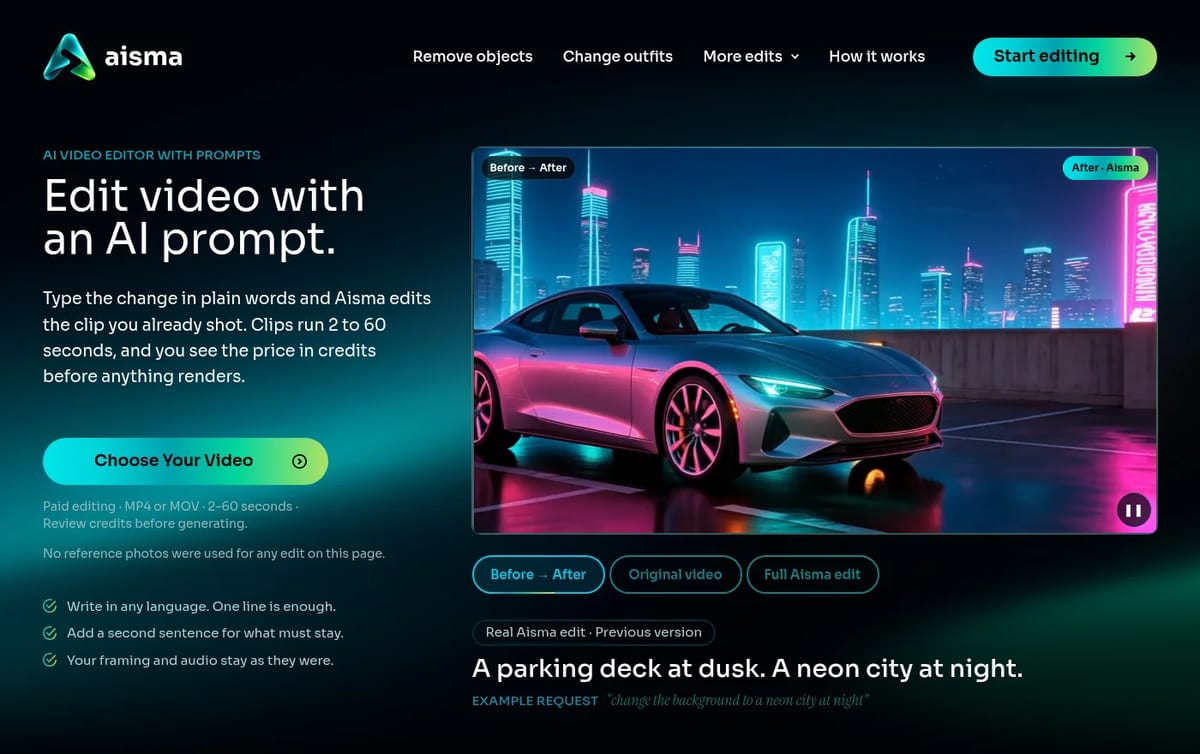
How an edit works
- Upload an MP4 or MOV clip of 2 to 60 seconds and up to 500 MB, vertical, square or horizontal.
- Describe the change in one clear sentence, and add a second sentence for anything that must stay the same.
- Pick 720p or 1080p. The exact credit price appears on the Generate button before anything renders.
- The edit takes minutes and lands in your private Library as an MP4. If one part is wrong, you can redo just that part and pay only for its length.
Longer videos have to go in as separate parts of up to 60 seconds. Aisma does not generate video from text or a single image; that is on its roadmap. If you want a full editor with a timeline and captions instead, see our list of the best free AI video editors.
Aisma Pricing (2026)
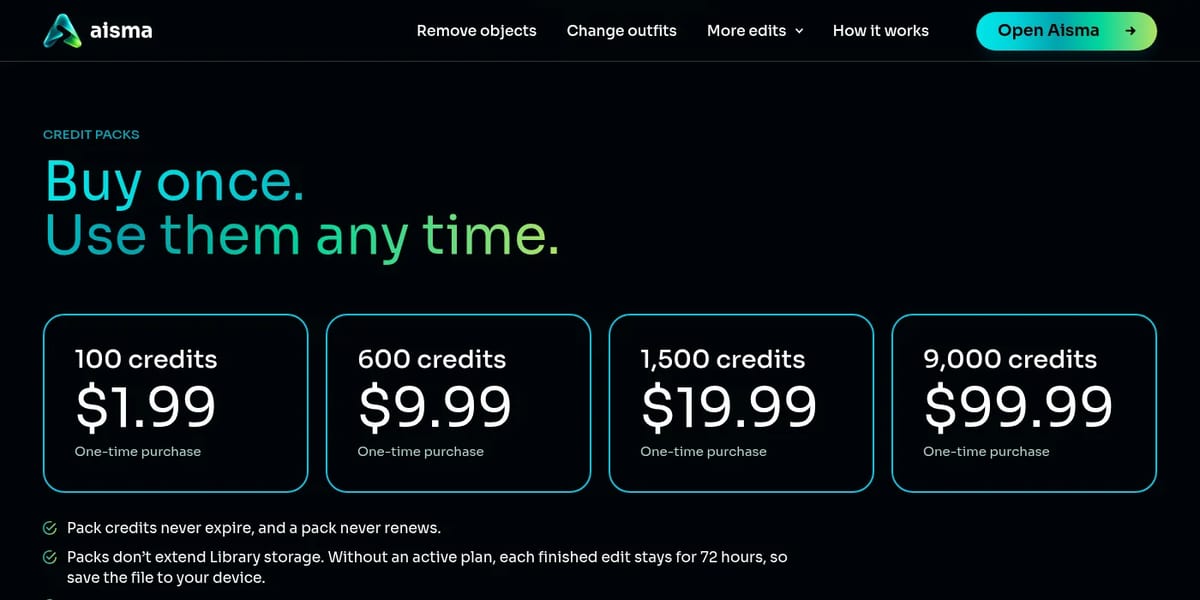
Aisma has no free plan. Edits are paid with credits: 10 credits per second of video at 720p, or 20 per second at 1080p. What you change and how many photos you add do not affect the price. A single 10-second take costs 100 credits at 720p. Clips with many quick cuts cost a bit more, because each shot rounds up to a whole second with a 2-second minimum. Prices below are from Aisma’s pricing page on November 21, 2026, in US dollars before tax.
| Option | Price | Credits | Notes |
|---|---|---|---|
| Credit pack | $1.99 | 100 | One-time, credits never expire |
| Credit pack | $9.99 | 600 | One-time |
| Credit pack | $19.99 | 1,500 | One-time |
| Credit pack | $99.99 | 9,000 | One-time |
| Starter plan | $9.99 a week | 1,000 each week | Renews weekly until you cancel |
| Creator plan | $29.99 a week | 3,500 each week | New customers: first week $0.99 with 500 credits |
| Studio plan | $69.99 a week | 9,000 each week | Renews weekly until you cancel |
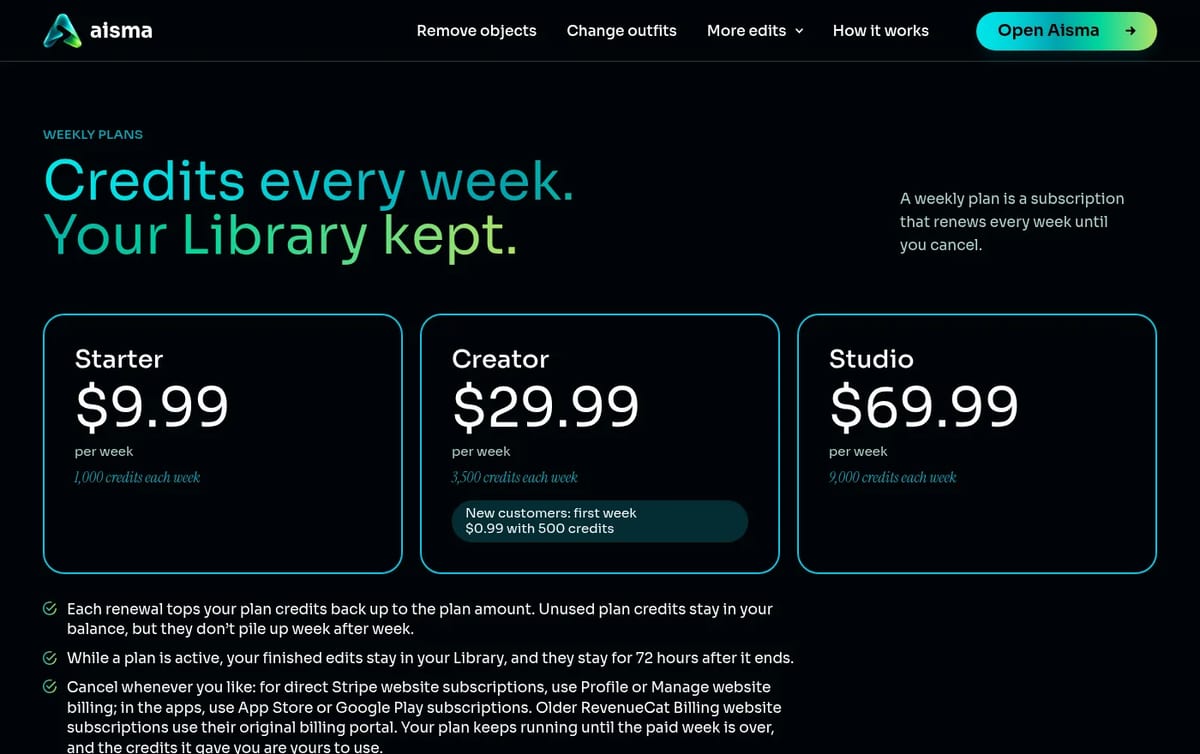
How to think about the cost: the 100-credit pack covers one 10-second edit at 720p, so $1.99 is a cheap way to test it on your own footage. Packs suit occasional edits. Weekly plans make sense only if you edit most weeks, and they also keep your Library while the plan is active. Without a plan, each finished edit is kept for 72 hours, so download it. The $0.99 first week renews as Creator at $29.99 a week, so cancel before then if you only wanted to try it. Credits for a part that fails or does not pass the safety check go back to your balance automatically.
Who Aisma is for
- Online shops: show the same clip with a different product, color or outfit without reshooting.
- Creators: move a talking clip to a new location, or clean up a stranger or a mess in the background.
- Realtors and small businesses: remove bins, cars or clutter from a listing or promo video.
- Developers: a public API and an MCP server run the same edits at the same prices, and there is an Aisma plugin in ChatGPT.
For photos rather than video, our Remaker review covers a face swap and image editing tool.
Limitations
- No free tier: every rendered edit costs credits. On the web, a new account can prepare its first three edits before paying.
- Short clips only: 2 to 60 seconds per edit.
- Editing, not generation: you need your own footage to start.
- Weekly billing: plans renew every week, not monthly, and there are no team accounts yet.
- Short storage without a plan: finished edits are kept for 72 hours.
TechPilot.ai’s Verdict on Aisma
Aisma is a focused tool for one job: changing something inside a short clip you have already filmed, while the shot, motion and sound stay as recorded.
Try a $1.99 pack on one of your own clips first, and only move to a weekly plan if you edit most weeks.
Aisma FAQ
Is Aisma free?
No. Every rendered edit is paid with credits, and the price shows before you generate. The apps are free to download, and a new web account can prepare its first three edits before buying credits.
•
How much does Aisma cost?
Credit packs cost $1.99 for 100 credits up to $99.99 for 9,000. Weekly plans cost $9.99, $29.99 or $69.99 a week, checked November 21, 2026. An edit uses 10 credits per second at 720p or 20 at 1080p.
•
What videos can I upload to Aisma?
MP4 or MOV clips of 2 to 60 seconds and up to 500 MB, in vertical, square or horizontal format. You can add up to 10 JPEG, PNG or WebP reference photos per edit.
•
Does Aisma keep my original audio?
Yes. Aisma changes what you see, not what you hear. The result keeps the clip’s length, framing and original sound, and comes back as an MP4 in 720p or 1080p.
•
Is there an Aisma app?
Yes. Aisma: AI Video Editor is on the App Store (iOS 16.4 or later) and Google Play, and it also runs in the browser at aisma.ai with the same account and credits.

OpenArt AI
AI Video Generator
I have spent considerable time with AI art generators, and my objective with OpenArt AI was to check its claim as a complete creative tool.…

Grok Imagine
AI Video Generator
Grok Imagine is a quick, cheap way to make images and short videos, especially if you already pay for X or Grok.
Artlist
AI Video Generator
Artlist is a strong pick for video editors who want AI clips, voice and music under one commercial license and one bill.