Artguru is an easy, low-cost pick for fixing and upscaling photos, and the per-image credit costs are fair for product shots and restorations.
Home / Tools / Digital Art
Digital Art · Tool review
Artguru Review: Pricing & Features 2026
 TechPilot.ai review team Hands-on testing, one published method
- Last updated
- How we test
The AI news that actually mattered this week.
One short email every Friday: the biggest AI stories, what they mean for you, and the tools worth trying. A 3-minute read, no hype.
Free. Unsubscribe anytime.
You're in. Watch for the brief on Friday. Free. Unsubscribe anytime.
Summary
Pros and cons
What we like
- One-click photo, video and PDF enhancing.
- Upscales to 8K for print.
- Cheap per image at 1 credit for 4K.
- Commercial use on paid plans.
- Open API for batch work.
What could be better
- Free trial is watermarked.
- 4K video burns credits fast.
- Credits do not roll over.
- No manual editing controls.
Key features
- Enhance: Denoise, sharpen, fix faces.
- Upscale: 4K and 8K output.
- Restore: Repair old photos.
- Video: Up to 4K quality.
- PDF: Sharpen scanned text.
- Pricing: $9.99/mo or $39.99/yr.
Screenshots
Full review
Independent and reader-supported. Some links may earn us a commission; it never changes our scores. Editorial policy
Artguru is an AI photo enhancer that upscales images to 4K or 8K, restores old photos and sharpens video and PDFs. Monthly costs $9.99 for 1,000 credits.
Quick answer: Artguru is a one-click AI enhancer for photos, video and documents. It sharpens and denoises images, upscales to 4K or 8K, repairs scratched old photos, colorizes, removes backgrounds and upgrades video to 1080p or 4K. The free trial gives 2 watermarked tries a day. Paid access is $9.99 a month for 1,000 credits or $39.99 a year for 4,000 credits. Prices checked on artguru.ai/price on November 11, 2026.
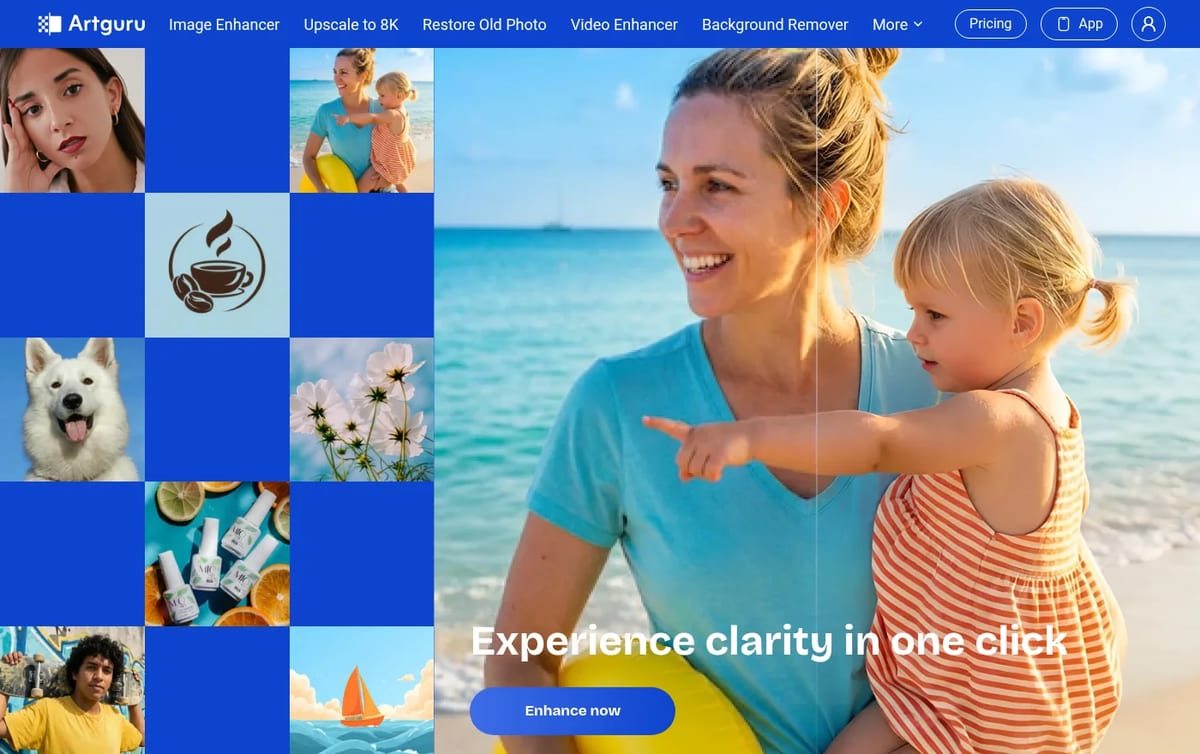
What Artguru does
- Photo enhancer: removes noise, recovers detail and enhances every face in a group shot, with 4K output.
- 8K upscaler: enlarges images for posters, banners and print, in Standard or Advanced quality.
- Old photo restorer: removes scratches, creases and spots, with a Deep Repair mode for badly damaged prints.
- Video enhancer: sharpens frames, cleans compression noise and upscales clips to 1080p or 4K.
- PDF and extras: sharpens scanned text and charts, plus colorize, unblur and background removal. An Open API covers the same photo models.
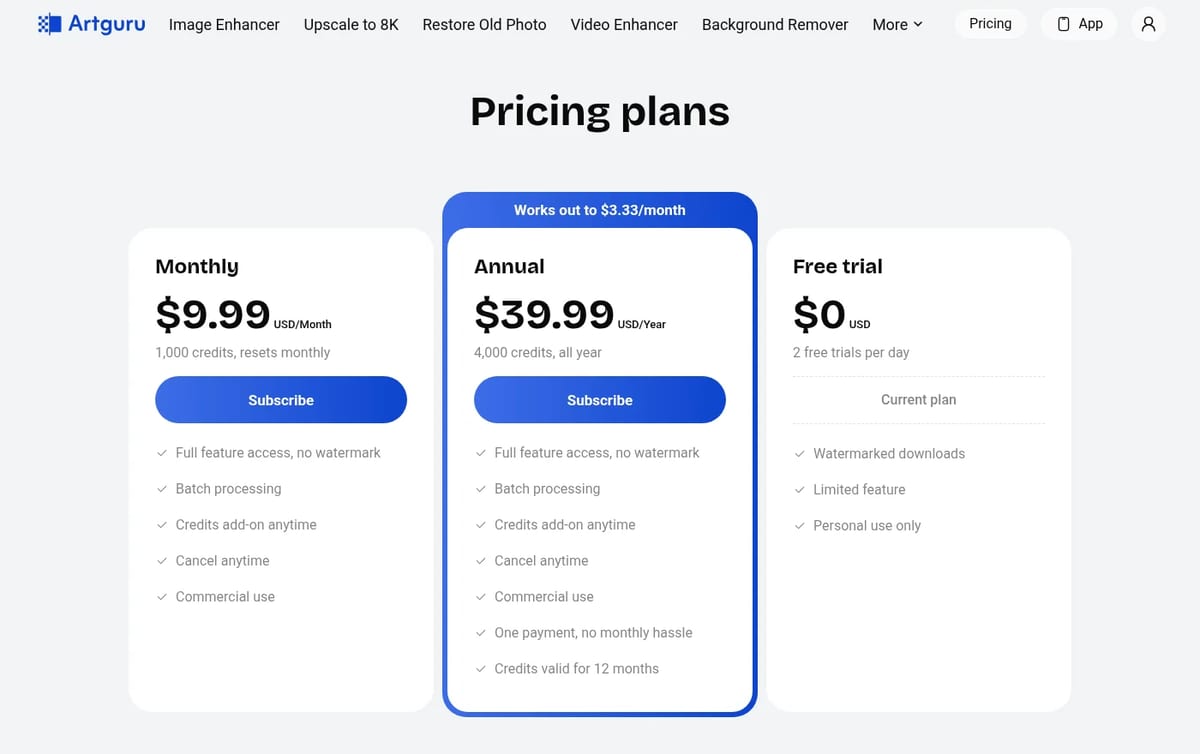
Artguru Pricing (2026)
| Plan | Price | Credits | What you get |
|---|---|---|---|
| Free trial | $0 | 2 free trials a day | Watermarked downloads, limited features, personal use only, files kept 24 hours |
| Monthly | $9.99 / month | 1,000 credits, reset monthly | No watermark, batch processing, commercial use, cancel anytime |
| Annual | $39.99 / year | 4,000 credits for the year | Same features, credits valid for 12 months |
| Credit add-on | $10 | 1,000 credits | Subscribers only; credits expire with the billing cycle |
What a credit buys
| Task | Credits | Cost |
|---|---|---|
| Photo enhance or upscale, Standard 4K | 1 per image | $0.01 |
| Standard 8K upscale | 10 per image | $0.10 |
| Advanced 8K or Deep Repair restore | 20 per image | $0.20 |
| Video enhance 1080p | 10 per second | $0.10 / sec |
| Video enhance 4K | 40 per second | $0.40 / sec |
| Background removal or colorize | 1 per image | $0.01 |
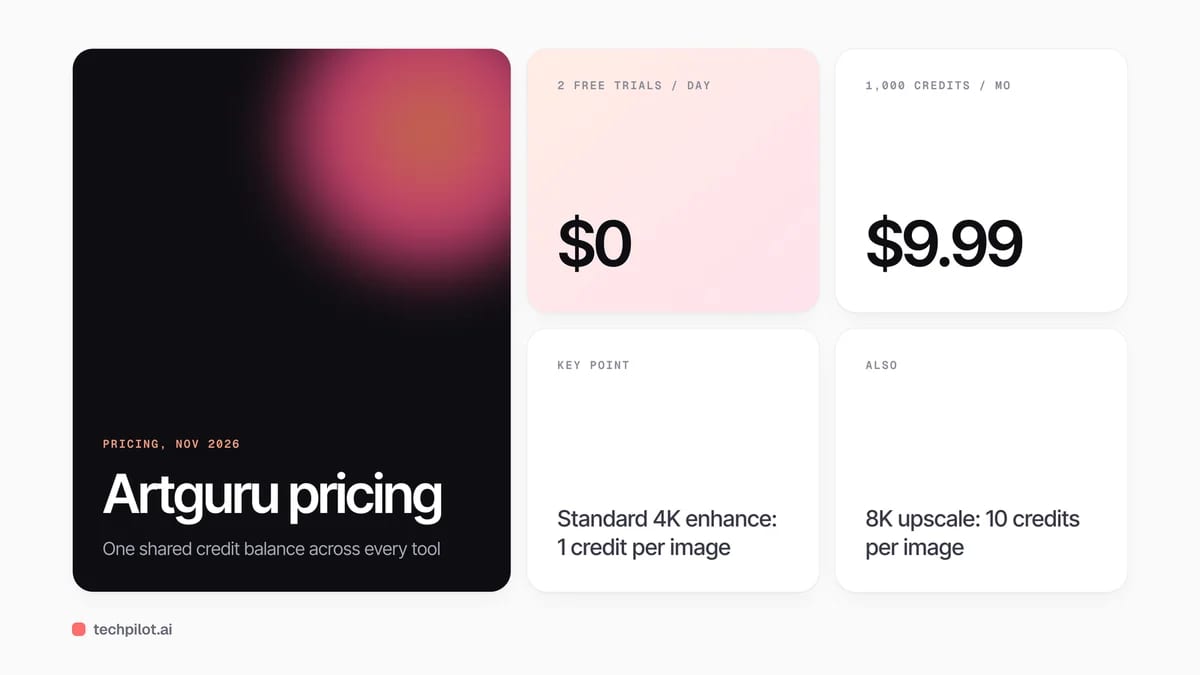
Our take on value: the annual plan is the better deal only if you work in bursts, since 4,000 credits must last 12 months while the monthly plan gives 1,000 every month. Photo work is cheap at 1 credit per 4K image. Video is where credits vanish: a 30-second clip in 4K costs 1,200 credits, more than a full month on the monthly plan.
For more free upscaling options, see our free AI upscaler roundup. If restoring family photos is the main job, read our guide to AI photo restoration, and compare Lupa AI for print-size upscales.
Who Artguru is for
Online sellers cleaning up product shots in batches, families restoring old prints, and creators who need a sharper image or short clip without learning an editor. Pros who need layer control should stick with a full photo editor.
Limitations
- Free tier is a demo: 2 tries a day with watermarks and personal use only.
- Video is expensive in credits: 4K costs 40 credits per second.
- Credits expire: monthly credits reset each cycle and add-ons do not roll over.
- Short storage on free: free-trial files are kept for 24 hours.
TechPilot.ai’s Verdict on Artguru
Artguru is an easy, low-cost pick for fixing and upscaling photos, and the per-image credit costs are fair for product shots and restorations.
Use the free trial to test quality, then choose monthly for steady work. Budget carefully before using it for 4K video.
Artguru FAQ
Is Artguru free?
Partly. The free trial gives 2 tries a day with watermarked downloads for personal use. No-watermark downloads, batch work and commercial use need a paid plan.
•
How much does Artguru cost?
Artguru costs $9.99 a month for 1,000 credits or $39.99 a year for 4,000 credits. Extra 1,000-credit packs cost $10 for subscribers (checked November 11, 2026).
•
Can Artguru upscale to 8K?
Yes. Standard 8K upscaling uses 10 credits per image and Advanced 8K uses 20 credits, so a monthly plan covers about 100 Standard 8K images.
•
Can I use Artguru images commercially?
Yes on paid plans, which include commercial use. Free-trial results are for personal use only.
•
Does Artguru have an API?
Yes. The Artguru Open API offers photo enhance, old photo restore, colorize, unblur, Upscale Pro to 4K or 8K and background removal.

Dezgo
Digital Art
Dezgo is a low-commitment way to try current image and video models without stacking subscriptions.

FLORA
Digital Art
FLORA is one of the best ways for a creative team to run many AI models in one shared, repeatable workflow.

Comfy Agent
Digital Art
Comfy Agent is the right idea for people who already think in nodes: chat drives the canvas, and you keep the workflow. That is a real edge…