Nemotron 3.5 Bolt brings a capable, free agent model to a single 24GB NVIDIA GPU, with a license that allows commercial use and day-one support in Ollama and Unsloth.
AI Agents · Tool review
Nemotron 3.5 Bolt: Free Local Model & Setup
 TechPilot.ai review team Hands-on testing, one published method
 - Last updated
- How we test
Summary
Pros and cons
What we like
- Free open weights OpenMDW-1.1 license allows commercial use.
- Fits one GPU Native 2-bit build of about 24GB.
- Fast for its size Only 9B of its 74B parameters are active per token.
- Easy setup One command in Ollama, with launchers for Claude Code and OpenCode.
- Sees images Reads screenshots, charts, documents and video.
What could be better
- No Apple Silicon in Ollama Metal is not supported yet.
- Tight on 24GB cards Long contexts and images need extra memory.
- 2-bit trade-off Smaller and faster, but not NVIDIA's smartest model.
- Text output only It doesn't generate images or video.
Key features
- Local agent model: Built to run everyday agent tasks on your own PC.
- Vision input: Understands images, screenshots, charts, documents and video.
- Tool calling: Calls functions and uses the results across multiple steps.
- Thinking toggle: Turn reasoning on for hard tasks or off for speed.
- Long context: Up to 256K tokens, depending on available memory.
- Wide tool support: Runs in Ollama, llama.cpp, LM Studio, Unsloth and vLLM.
Screenshots
Full review
Independent and reader-supported. Some links may earn us a commission; it never changes our scores. Editorial policy
Nemotron 3.5 Bolt is NVIDIA’s free, open-weight 74B agent model that fits in 24GB of memory. See what it needs, how to run it with Ollama and its limits.
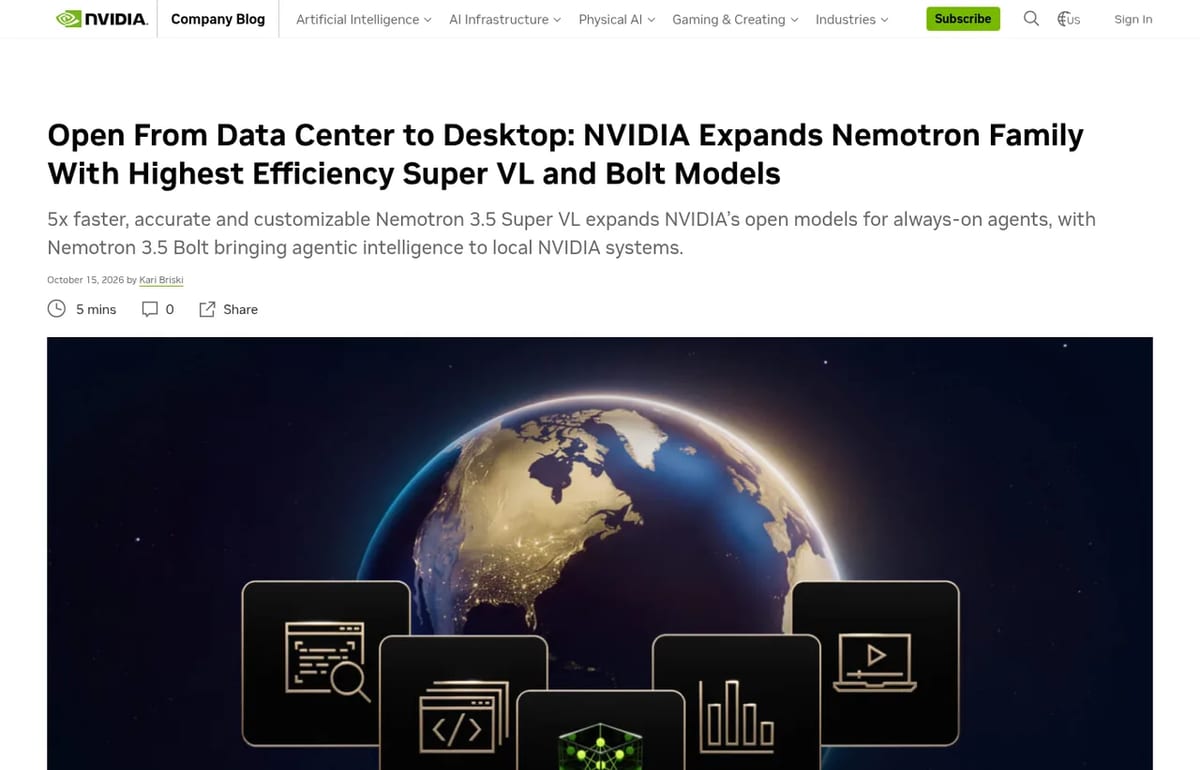
NVIDIA released Nemotron 3.5 Bolt on October 15, 2026, alongside the bigger Nemotron 3.5 Super VL. Bolt is the one most people searching for “nemotron 3.5” care about, because it’s built to run on a single desktop GPU instead of a server. This page explains what Bolt is, what hardware you really need, how to run it today and where it falls short, using NVIDIA’s announcement, the official model card and the Ollama and Unsloth guides, all checked on October 20, 2026.
What is Nemotron 3.5 Bolt?
Nemotron 3.5 Bolt 74B-A9B 24GB is an open vision-language model for local AI agents. It reads text, images and video and answers in text. It has 74 billion parameters in total, but only 9 billion are active for each token, which is why it runs much faster than a dense model of the same size.
The trick that makes it fit on one GPU is a native 2-bit quantization trained into the model (quantization-aware training), so the packed model is about 24GB. NVIDIA built Bolt by compressing Nemotron 3.5 Super VL, and it keeps Super VL’s switchable reasoning mode: you can turn thinking on for harder tasks or off for quick replies.
- Architecture: a Mamba-2 and Transformer hybrid mixture-of-experts (LatentMoE) with a C-RADIO v4-H vision encoder.
- Context: up to 256K tokens on the model card. Usable context depends on your memory.
- Tools: function calling for multi-step agent tasks, plus ready-made Ollama launchers for Claude Code, OpenCode, Hermes Agent and OpenClaw.
- Benchmarks (NVIDIA’s claims): the #1 open model in its class on PinchBench and #2 open model on BrowseComp.
Bolt vs. the other Nemotron 3.5 models
| Model | Size | Built for | Availability |
|---|---|---|---|
| Nemotron 3.5 Super VL | 120B parameters | Always-on enterprise agents on servers and DGX systems | Out now |
| Nemotron 3.5 Bolt 74B-A9B | 74B total, 9B active, about 24GB | Local agents on RTX PCs, RTX Spark laptops and DGX Spark | Out now |
| Nemotron 3.5 Bolt E4B | Fits in 4GB | Fast voice and conversational agents, Jetson and RTX | Due October 23, 2026 |
Is Nemotron 3.5 Bolt free?
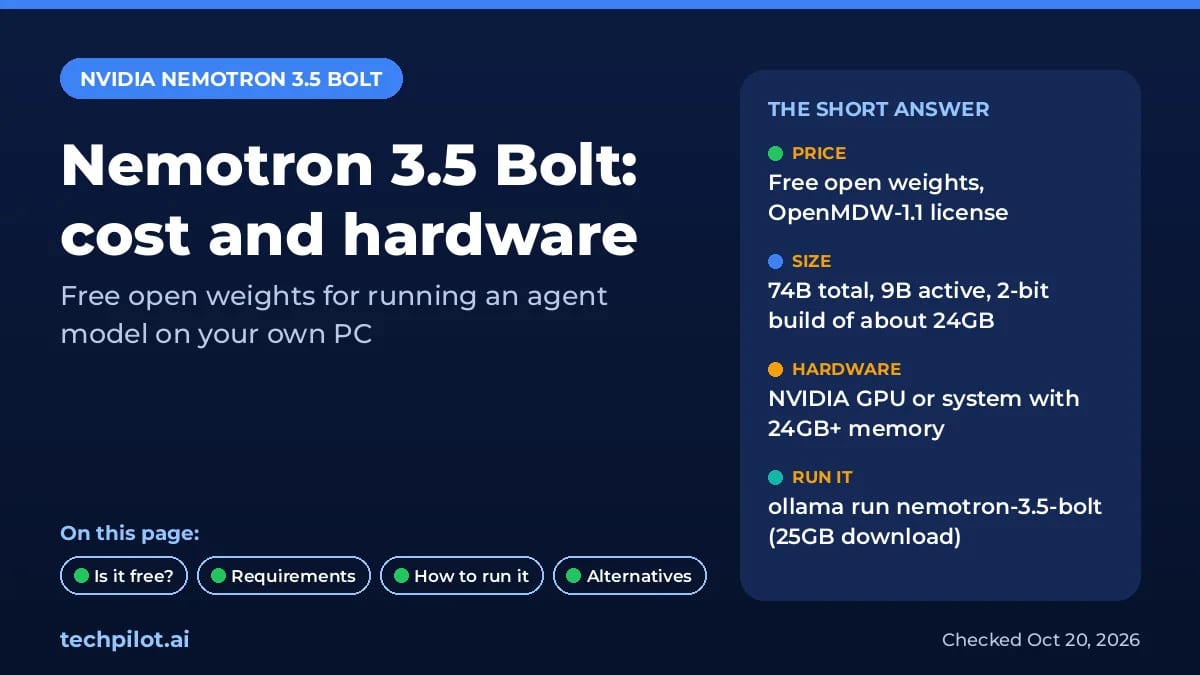
Yes. The weights are free to download from Hugging Face under the OpenMDW-1.1 license, and the model card says Bolt is ready for commercial or non-commercial use. There’s no subscription and no per-token fee when you run it on your own machine. Your real costs are the hardware and electricity.
NVIDIA’s announcement lists Bolt on Hugging Face with support for llama.cpp, Ollama, LM Studio, Unsloth and vLLM. It doesn’t list a hosted NVIDIA API for Bolt, so plan to run it yourself.
Nemotron 3.5 Bolt Pricing (2026)
| Way to get it | Price | What you download |
|---|---|---|
| Hugging Face (NVIDIA) | Free | 24GB packed 2-bit model, plus a BF16 version for fine-tuning |
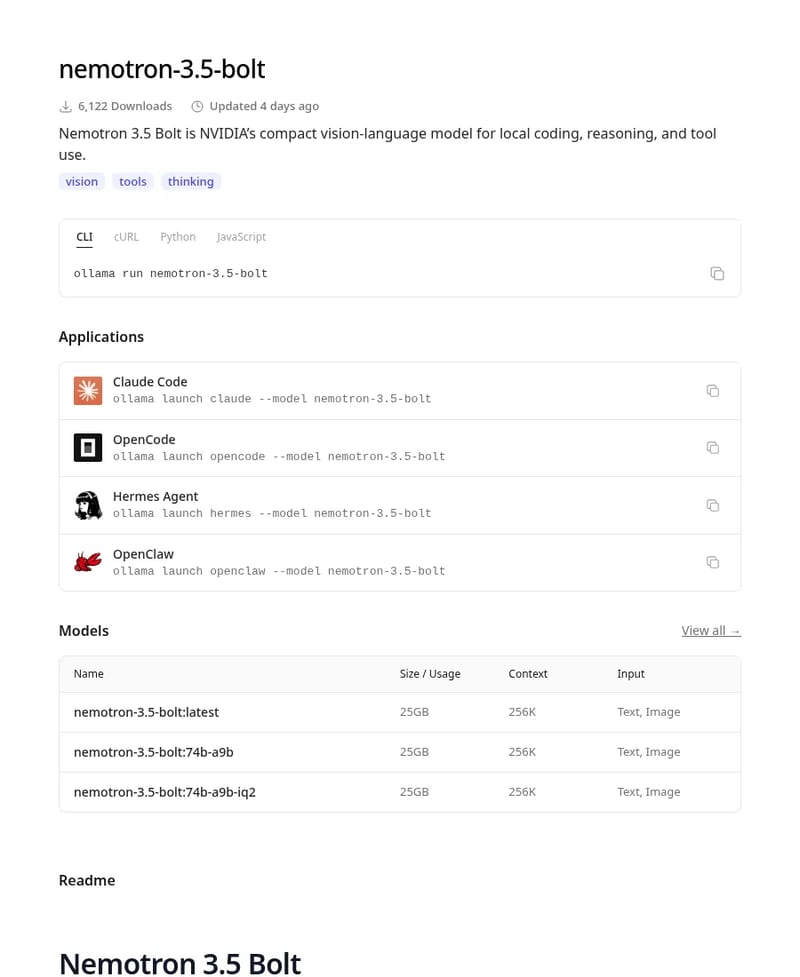
| Ollama | Free | nemotron-3.5-bolt, about 25GB |
| Unsloth GGUF | Free | IQ2_XXS quant, about 22GB |
| Your hardware | Varies | An NVIDIA GPU or system with at least 24GB of memory |
Nemotron 3.5 Bolt system requirements
- NVIDIA hardware: NVIDIA says Bolt is built for RTX Spark laptops and also runs on GeForce RTX PCs, DGX Spark, DGX Station and RTX PRO workstations.
- Memory: the packed model is about 24GB. Unsloth recommends budgeting around 32GB of RAM or unified memory for short-context use, and 48 to 64GB for more headroom. Long contexts, images and video need extra.
- Mac: Ollama says Apple Silicon and Metal are not currently supported. Unsloth’s desktop app runs on macOS, and a community MLX conversion exists, but neither is an official NVIDIA path.
- Servers: the model card lists vLLM on NVIDIA Ampere (A100), Hopper (H100 80GB) and Blackwell GPUs.
How to run Nemotron 3.5 Bolt
With Ollama (easiest)
Install Ollama, then run ollama run nemotron-3.5-bolt. The Ollama model page lists a 25GB download and 256K context. To use it as the brain of a coding agent, run ollama launch claude --model nemotron-3.5-bolt for Claude Code or ollama launch opencode --model nemotron-3.5-bolt for OpenCode.
With Unsloth or llama.cpp
Unsloth had GGUF files ready on launch day. In Unsloth Desktop you search for Nemotron 3.5 Bolt and download the IQ2_XXS quant, or serve it from the command line with unsloth run --model unsloth/NVIDIA-Nemotron-3.5-Bolt-74B-A9B-GGUF:IQ2_XXS --ctx-size 4096. Start with a 4K context and raise it as your memory allows. Unsloth also runs a small draft model by default for faster output, which needs 1 to 2GB more memory.
Our tip: if Bolt crashes or slows to a crawl, lower the context size before anything else. On a 24GB card, a long context and image inputs are what push it over the edge.
Limitations
- NVIDIA-first: official instructions are for CUDA, and Ollama doesn’t support Apple Silicon yet.
- Tight fit on 24GB: the model alone takes about 24GB, so long chats or images may not fit on a 24GB card.
- 2-bit trade-off: the aggressive quantization is what makes it fit, and NVIDIA positions Bolt as smart enough for most jobs, not as its smartest model.
- Text output only: it can read images and video but doesn’t generate them.
- Self-reported scores: the PinchBench and BrowseComp rankings come from NVIDIA.
Nemotron 3.5 Bolt alternatives
- Other local models: compare sizes and hardware needs in our guide to the best local AI models.
- Reflection Beam: a much larger open-weight coding model. See Reflection Beam and our guide on running Reflection Beam locally to see why it needs far more hardware than Bolt.
- Nemotron 3.5 Bolt E4B: if 24GB is too much, NVIDIA’s 4GB version is due on October 23, 2026.
Verdict
Nemotron 3.5 Bolt is one of the most practical open models for running an AI agent on your own PC: free weights with a commercial-friendly license, a one-line Ollama install and a 24GB footprint. It’s a great fit if you have an NVIDIA card with 24GB or more and care about privacy. Mac users and anyone on a smaller GPU should wait for broader support or the 4GB E4B model.
TechPilot.ai’s Verdict on Nemotron 3.5 Bolt
Nemotron 3.5 Bolt brings a capable, free agent model to a single 24GB NVIDIA GPU, with a license that allows commercial use and day-one support in Ollama and Unsloth.
Try it if you have the hardware; Mac users and smaller GPUs should watch for the 4GB E4B model.
Nemotron 3.5 Bolt FAQ
Is Nemotron 3.5 Bolt free?
Yes. NVIDIA publishes the weights for free on Hugging Face under the OpenMDW-1.1 license, which allows commercial and non-commercial use. You pay only for the hardware you run it on.
•
How much does Nemotron 3.5 Bolt cost?
The model itself costs nothing to download through Hugging Face, Ollama or Unsloth. NVIDIA doesn’t list a hosted Bolt API, so the real cost is a PC or workstation with an NVIDIA GPU or system with about 24GB or more of memory.
•
How do I run Nemotron 3.5 Bolt?
The easiest way is Ollama: install it and run ollama run nemotron-3.5-bolt, a 25GB download. You can also use Unsloth Desktop, llama.cpp, LM Studio or vLLM. Start with a small context and increase it if you have memory to spare.
•
What hardware does Nemotron 3.5 Bolt need?
It’s built to fit in 24GB of memory on NVIDIA RTX PCs, RTX Spark laptops and DGX Spark. Unsloth suggests about 32GB of RAM or unified memory for short-context use. Ollama says Apple Silicon and Metal are not supported yet.
•
What are the best Nemotron 3.5 Bolt alternatives?
For smaller machines, wait for NVIDIA’s 4GB Bolt E4B model, due October 23, 2026, or pick another model from our best local AI models list. For bigger jobs, NVIDIA’s Nemotron 3.5 Super VL is the larger 120B sibling.
Figma Code Layers
AI Agents
Code layers is the most useful AI feature Figma has shipped for teams who prototype in code. Working prototypes sit next to the designs,…
OpenUI
AI Agents
OpenUI is worth a look if you build AI agents or copilots and want answers that look like an app, not a wall of text. The framework is…

Odessia
AI Agents
Odessia is one of the more convincing AI travel agents so far because it can actually book as a registered agency and keeps watching prices…