Pomerado is a smart fix for the slowest part of agent work: websites with no API. Turning a repeat task into a tested tool beats watching an agent click.
AI Agents · Tool review
Pomerado: Turn Websites Into APIs for Agents
 TechPilot.ai review team Hands-on testing, one published method
 - Last updated
- How we test
Summary
Pros and cons
What we like
- Turns websites with no API into tools agents can call.
- Free plan with 100 tool calls a day.
- Self-healing when a site changes.
- Handles sign-in and 2FA.
- Open-source core under MIT.
What could be better
- Aimed at developers.
- Storing logins needs a security review.
- Website terms may forbid automation.
- Speed and cost claims are self-reported.
Key features
- API and MCP: Each website task becomes a callable tool.
- Build from your agent: Codex, Claude Code and Cursor can request integrations.
- Self-healing: Detects site changes and patches the step.
- Managed logins: Saved logins with SMS, email or authenticator 2FA.
- Hosting: Hosted, scaled and access controlled.
- Data retention: Task results deleted once delivered, or within 60 minutes.
Screenshots
Full review
Independent and reader-supported. Some links may earn us a commission; it never changes our scores. Editorial policy
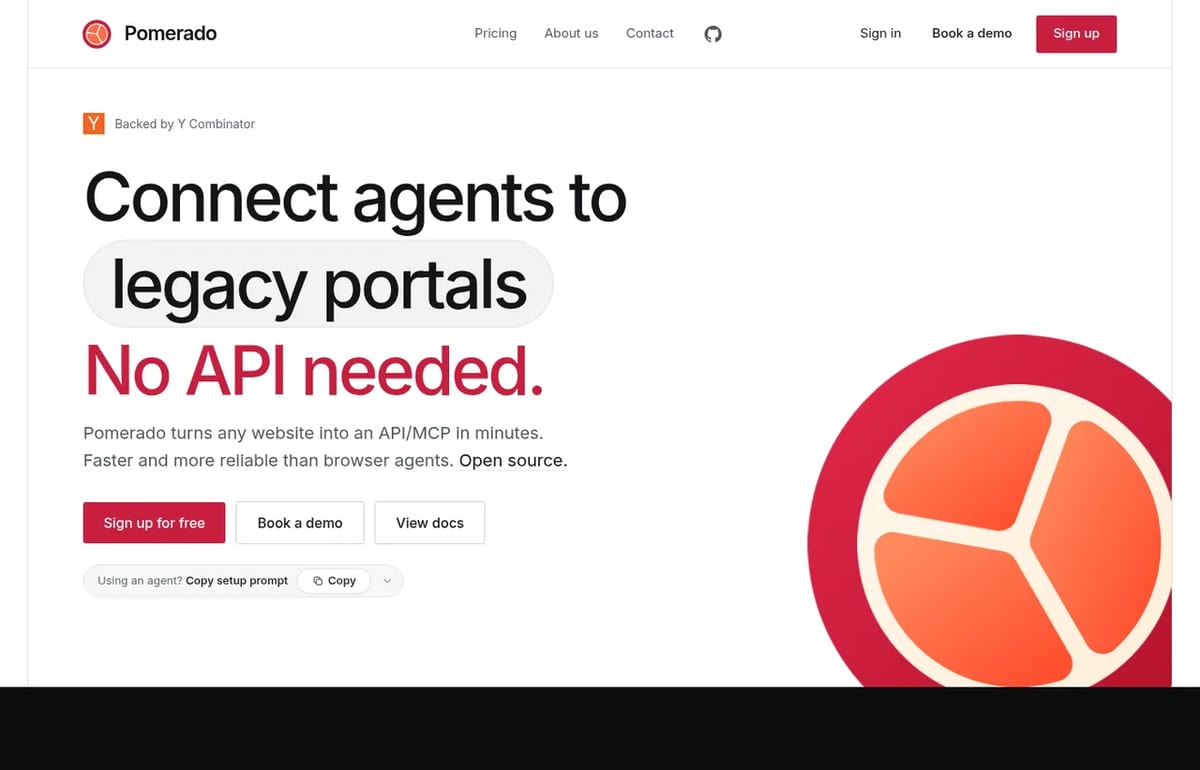
Pomerado turns any website into an API or MCP server that AI agents can call, with logins and 2FA handled for you. Its free plan has 100 tool calls a day.
Pomerado is a Y Combinator company (F26 batch) with an open-source core released under the MIT license. Instead of letting an AI agent click through a website screen by screen, it builds a fixed, tested API for the task, hosts it and repairs it when the site changes. We checked the Pomerado homepage and pricing, the getting started docs and its GitHub organization on October 29, 2026.
What Pomerado does
Browser agents reason through every page, which makes them slow, costly and flaky. Pomerado’s bet is that most website tasks repeat, so it’s cheaper to turn each one into a deterministic tool once:
- Website to API or MCP: describe a task on a site, such as “list invoices by status,” and Pomerado builds and tests a tool your agent can call.
- Works from your coding agent: ask Codex, Claude Code or Cursor for an integration and Pomerado builds it while your agent answers its questions.
- Self-healing: when a site moves a button or filter, Pomerado detects the break, patches the step and finishes the call.
- Logins and 2FA: it can sign in for you, including SMS, email and authenticator codes, or you can pass credentials per request instead of storing them.
- Hosted for you: each integration arrives hosted, scaled and access controlled, so there’s nothing to deploy.
- Any kind of site: consumer sites such as flights, hotels and shopping, plus legacy portals like EMRs, ERPs, payer and government portals.
Pomerado’s own example: onboarding two employees across HR, IT, course and library systems took it 8 minutes 16 seconds for about 3 cents, versus 21 minutes 22 seconds and $41.01 with Codex Computer Use. These are the company’s numbers, so test it on your own workflow.
Is Pomerado free?
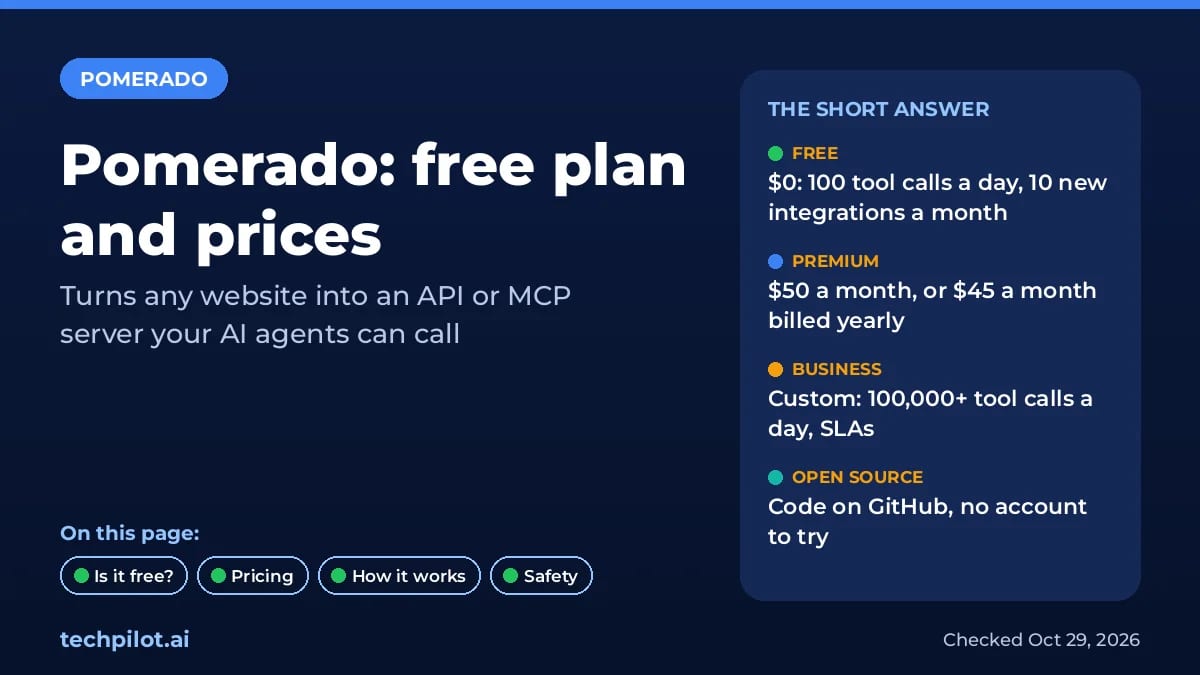
Yes. The Free plan costs $0 a month and includes 100 tool calls a day, 10 new integrations a month, automatic sign-in with 2FA and 1 account per website. You can even try it without an account: its keyless MCP server runs read-only tasks such as a flight search.
Pomerado Pricing (2026)
| Plan | Price | What you get |
|---|---|---|
| Free | $0/month | 100 tool calls a day, 10 new integrations a month, 1 account per website |
| Premium | $50/month ($45/month billed yearly) | 1,000 tool calls a day, 100 new integrations a month |
| Business | Contact sales | 100,000+ tool calls a day, 1,000+ integrations a month, unlimited accounts, SLAs, audit logs, MCP code ownership |
Model costs are separate: your agent still pays its own token bill to call Pomerado tools. The upside is that a fixed API uses far fewer tokens than an agent reading every page.
How to set it up
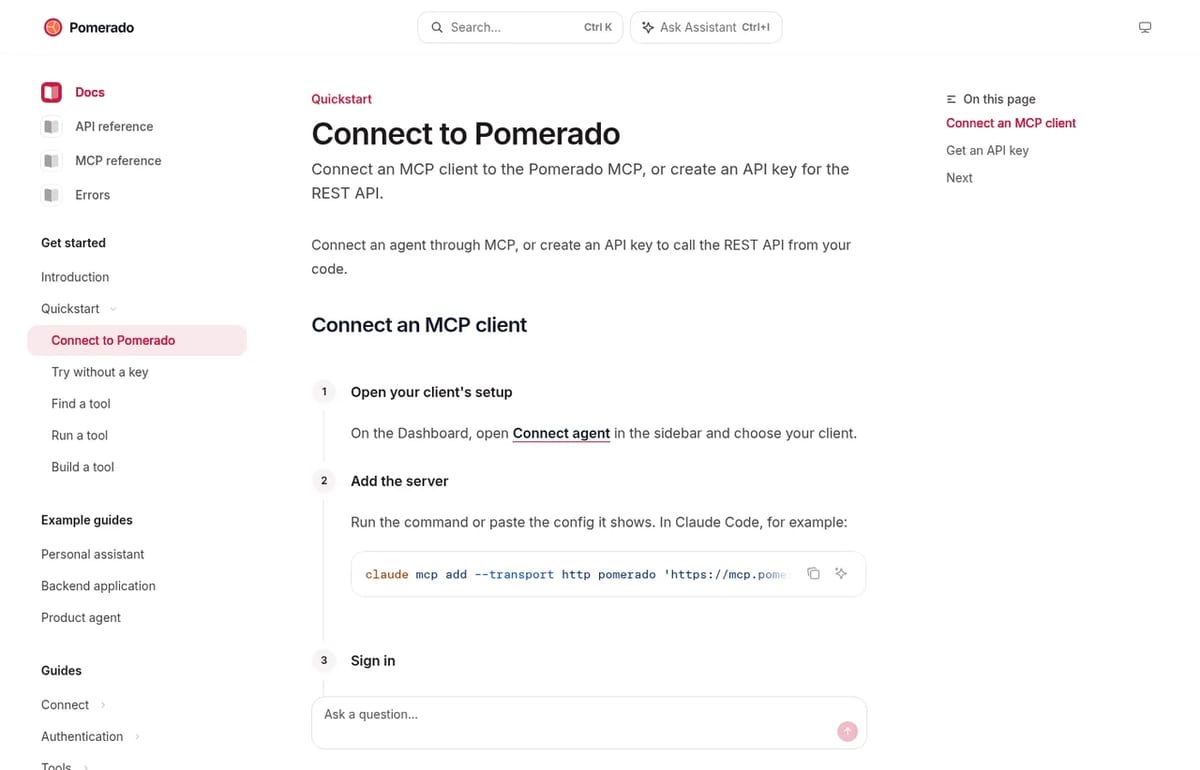
In Claude Code, run claude mcp add --transport http pomerado https://mcp.pomerado.ai/mcp/keyless; in Codex, codex mcp add pomerado --url https://mcp.pomerado.ai/mcp/keyless. Other clients are covered in the docs. When a task needs an account, Pomerado sends you a sign-in link. New to MCP? Our explainer on what MCP is covers the basics.
Who Pomerado is for
It’s built for developers and ops teams wiring agents into sites that have no API, especially healthcare, finance and back-office portals. If you’d rather have an agent operate the screen itself, compare Simular AI, and read our guide to building an AI agent for the bigger picture.
Limitations
- Developer-leaning: it’s an API and MCP product, not a point-and-click app.
- Saved logins are a risk: storing credentials and 2FA with a third party needs a security review; you can pass logins per request instead.
- Site terms: automating a website can break its terms of service, so check before you build.
- Benchmarks are self-reported: the speed and cost comparisons come from Pomerado.
TechPilot.ai’s Verdict on Pomerado
Pomerado is a smart fix for the slowest part of agent work: websites with no API. Turning a repeat task into a tested tool beats watching an agent click.
Start with the keyless read-only tools, then use the free plan for one real integration before you think about Premium.
Pomerado FAQ
Is Pomerado free?
Yes. The Free plan is $0 a month with 100 tool calls a day and 10 new integrations a month. You can also test read-only tasks through its keyless MCP server without an account.
•
How much does Pomerado cost?
Free is $0. Premium costs $50 a month, or $45 a month billed yearly, for 1,000 tool calls a day. Business pricing is custom through a demo.
•
What does Pomerado do?
Pomerado turns a website task into a hosted API or MCP tool that AI agents can call. It handles logins and 2FA and repairs the integration when the site changes.
•
Is Pomerado open source?
Yes. Its core integration harness is on GitHub under the MIT license. The hosted service with logins, hosting and maintenance is the paid product.
•
Does Pomerado work with Claude Code and Codex?
Yes. You add Pomerado as an MCP server in Claude Code, Codex, Cursor or VS Code, and your agent can then find, build and run website tools.

Runable
AI Agents
Runable is worth trying for anyone who wants one AI agent to handle a small business’s site, decks and content, especially since the free…

Claude Duet
AI Agents
Claude Duet turns Claude into an agent that comes to you first, with strong approvals and business connectors.

LightPDF
AI Agents
I’ve reviewed dozens of PDF tools over the years, and it’s uncommon to find one that offers a new way to interact with documents. My goal…