Sigma Browser is a good free pick if you want AI chat, an agent and an on-device model inside a Chromium browser without paying a subscription.
AI Agents · Tool review
Sigma Browser Review: Private AI Browser
 TechPilot.ai review team Hands-on testing, one published method
- Last updated
- How we test
The AI news that actually mattered this week.
One short email every Friday: the biggest AI stories, what they mean for you, and the tools worth trying. A 3-minute read, no hype.
Free. Unsubscribe anytime.
You're in. Watch for the brief on Friday. Free. Unsubscribe anytime.
Summary
Pros and cons
What we like
- Free browser with AI built in.
- Local AI that works offline.
- Built-in ad blocker.
- Chrome extensions work.
- Mac, Windows, iOS and Android.
What could be better
- Pro plan is expensive.
- Free AI limits are tight.
- Speed claims are self-tested.
- Agent needs supervision.
Key features
- AI agent: Clicks and fills forms.
- Local AI: Eclipse runs on device.
- AI chat: Research, writing, images.
- Chat with page: Summarize any site.
- Privacy: Ad blocker, private profiles.
- Platforms: Mac, Windows, mobile.
Screenshots
Full review
Independent and reader-supported. Some links may earn us a commission; it never changes our scores. Editorial policy
Sigma Browser is a free private AI browser with an AI agent, AI chat and a local AI model. Paid plans cost $10 or $75 a month and lift the usage limits.
Quick answer: Sigma is a Chromium-based browser from Sigmabrowser OÜ in Estonia, not to be confused with SigmaOS. It adds an AI agent that can click and fill forms, an AI chat with deep research and image generation, chat with any page, and Eclipse, a local AI model that runs on your device. It is free to download for Mac, Windows, iPhone and Android, and paid plans only raise AI limits. Prices below are from Sigma’s plans page on November 24, 2026.
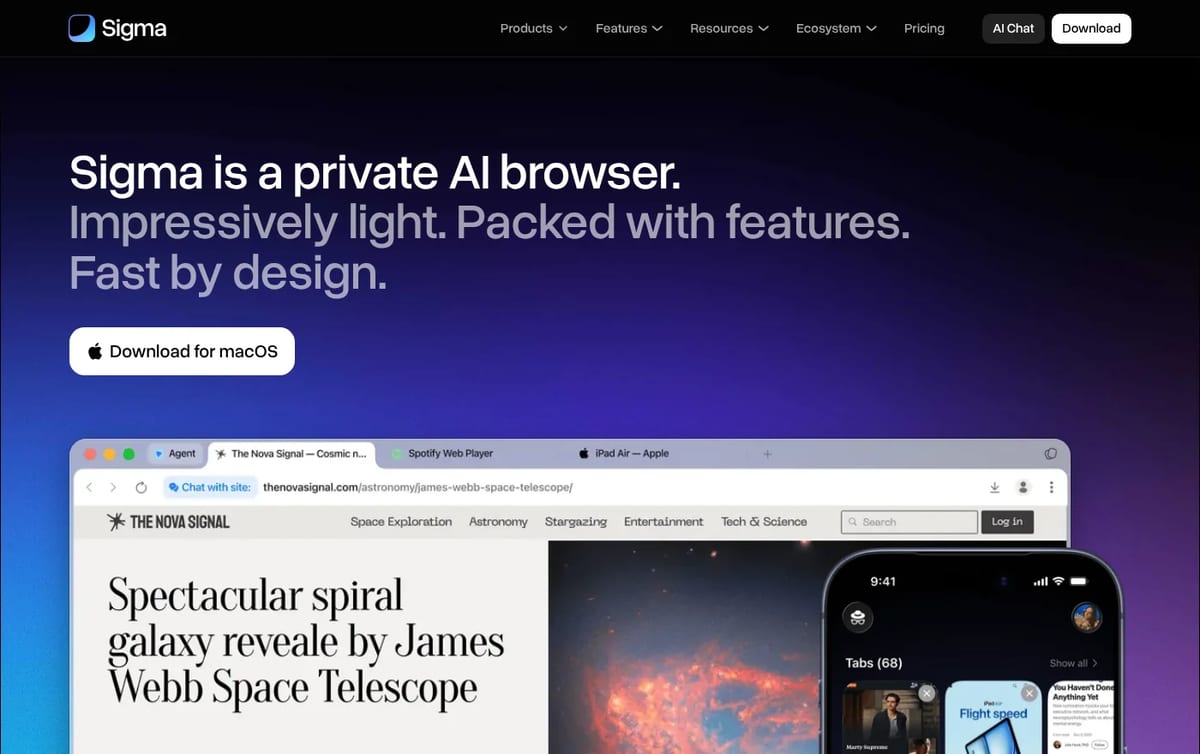
What Sigma Browser does
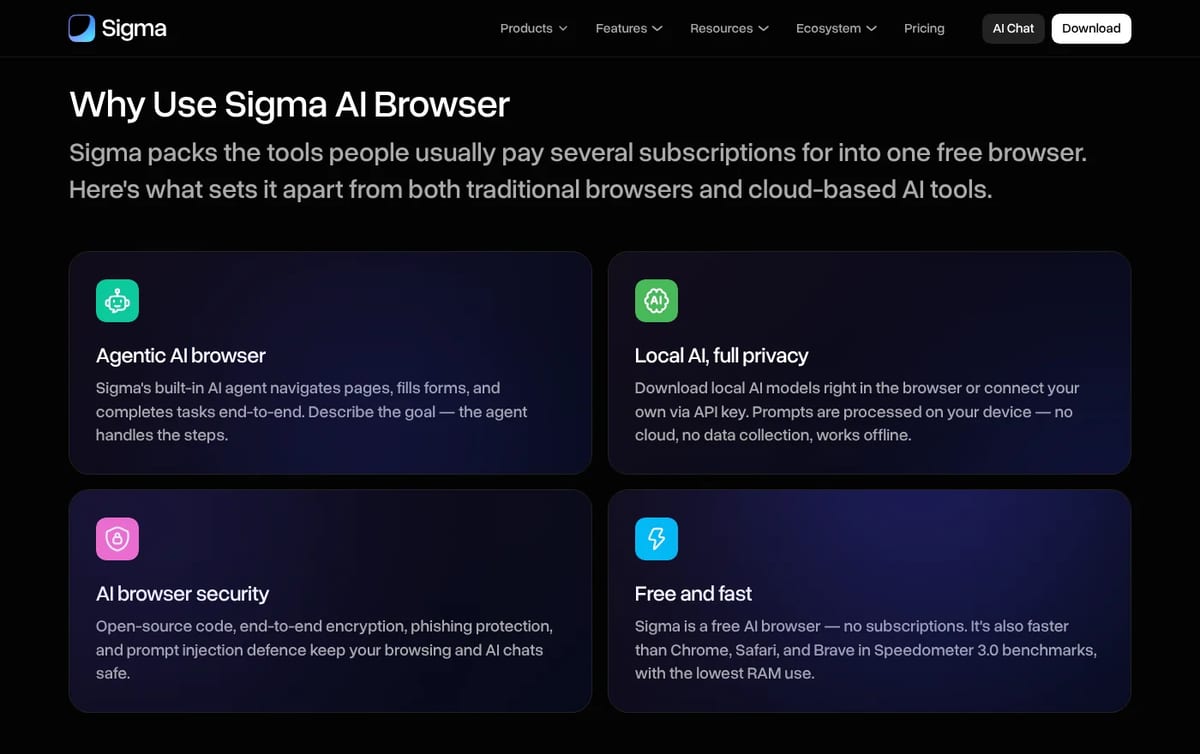
- AI agent: describe a goal and the agent opens pages, clicks buttons and fills forms. Check its work before payments and logins.
- AI chat and deep research: ask questions, research topics across sources, write text and generate images in one panel.
- Chat with page: summarize or question the page you are reading without copying it into a chatbot.
- Local AI: Eclipse runs on your device and works offline, and you can add other local models or your own API key.
- Privacy tools: built-in ad blocker, private profiles secured by a 12-word recovery phrase and a private mode.
- Chrome compatibility: built on Chromium, so Chrome extensions and bookmarks keep working.
Who Sigma Browser is for
It fits people who want AI help inside the browser but are wary of sending every prompt to the cloud. The local model is the real difference: summaries and questions about sensitive pages can stay on your machine. Heavy agent and research users will hit the free limits and need a paid plan. The Web3 wallet and blockchain-based profile are extras most people can ignore.
For comparison, see our review of OpenAI’s Atlas browser, the agent-first Strawberry browser, and whether Perplexity and its Comet browser are free.
Sigma Browser Pricing (2026)
| Plan | Monthly billing | Annual billing | What you get |
|---|---|---|---|
| Free | $0 | $0 | AI chat on all platforms, file and image analysis, chat with page, limited AI agent, image generation and deep research |
| Plus | $10/month | $8/month | Unlimited prompts and text writer, 50x more file uploads, 10x more web searches, 20x more images, 12x more deep research |
| Pro | $75/month | $60/month | Unlimited file uploads, web search, image generation, deep research and AI agent, plus early access |
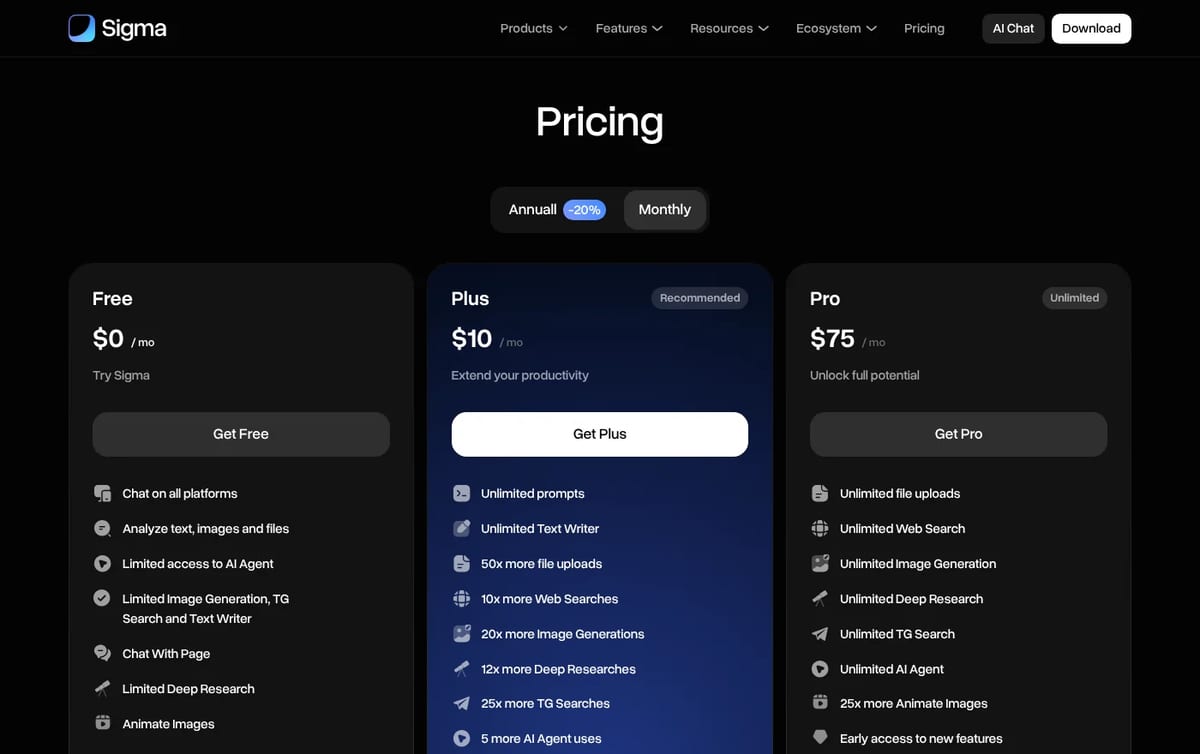
Which plan makes sense: the browser itself, the ad blocker and the local model cost nothing, so most people should stay on Free. Plus at $10 a month is the right step if you use chat and research daily. Pro at $75 a month is only worth it if you lean on the agent and deep research all day, since it costs more than many standalone AI subscriptions.
Our verdict
Sigma is a capable free AI browser with a genuine privacy angle thanks to on-device AI. Its speed and RAM figures come from Sigma’s own tests, so treat them as claims. Try the free plan before paying, and compare it with the AI built into your current browser.
Alternatives
Other AI browsers include ChatGPT Atlas, Perplexity Comet, Opera with Aria and Brave with Leo. SigmaOS is a separate Mac browser with a similar name and different pricing.
TechPilot.ai’s Verdict on Sigma Browser
Sigma Browser is a good free pick if you want AI chat, an agent and an on-device model inside a Chromium browser without paying a subscription.
Start on the free plan; Plus is fair for daily use, while Pro only pays off for heavy agent and research work.
Sigma Browser FAQ
Is Sigma Browser free?
Yes. Sigma is free to download, and the Free plan includes AI chat, chat with page and limited agent, image and deep research use.
•
How much does Sigma Browser cost?
Plus is $10 a month ($8 billed yearly) and Pro is $75 a month ($60 billed yearly), as listed on November 24, 2026.
•
Is Sigma Browser the same as SigmaOS?
No. Sigma Browser is made by Sigmabrowser OÜ in Estonia; SigmaOS is a different Mac browser company.
•
Does Sigma Browser work offline?
Its local AI model, Eclipse, runs on your device and works offline. Browsing still needs an internet connection.
•
Does Sigma Browser support Chrome extensions?
Yes. Sigma is built on Chromium, so Chrome extensions and bookmarks work.

Alook
AI Agents
Alook is a practical way for a team to put the local coding agents they already use into one shared room, instead of relaying terminal…

Macaly
AI Agents
Macaly is a strong pick when you want an AI builder that also owns hosting, database and auth, not just the UI.
Ultramarine 1 Flash
AI Agents
Ultramarine 1 Flash is a cheap, focused model worth testing if you build agents that produce spreadsheets, decks and memos. At $0.15 /…