Alook is a practical way for a team to put the local coding agents they already use into one shared room, instead of relaying terminal sessions.
AI Agents · Tool review
Alook Review: Pricing & Plans 2026
 TechPilot.ai review team Hands-on testing, one published method
- Last updated
- How we test
The AI news that actually mattered this week.
One short email every Friday: the biggest AI stories, what they mean for you, and the tools worth trying. A 3-minute read, no hype.
Free. Unsubscribe anytime.
You're in. Watch for the brief on Friday. Free. Unsubscribe anytime.
Summary
Pros and cons
What we like
- Local Claude Code, Codex, Cursor and Grok in one room.
- Teammates can talk to your agent directly.
- Free plan with core features included.
- Paid plans start at $20 a month.
- Apache 2.0 self-host option.
What could be better
- No cloud agents; the host machine must stay on.
- Inactive bots still count toward your plan.
- Model and runtime costs are separate.
- Setup still needs a terminal pairing command.
- You need each agent CLI installed and signed in on the host computer.
Key features
- Shared rooms: People and local agents in Friends, servers, channels and DMs.
- Local CLIs: Codex, Claude Code, Cursor CLI, OpenCode and Grok (Grok Build, runtime label grok).
- Daemon: The @alook/daemon npm package, started with a machine key from the Connect a machine dialog.
- Identity: Each bot keeps a handle, inbox and memberships.
- Pricing: Free; Studio $20; House $40 a month.
- Self-host: Apache 2.0 at github.com/alookai/alook.
Screenshots
Full review
Independent and reader-supported. Some links may earn us a commission; it never changes our scores. Editorial policy
Alook lets teams run local Claude Code, Codex, Cursor and Grok Build agents together in one workspace. It is free to start, and Studio costs $20 a month.
Quick answer: Alook is a shared workspace where people and local coding agents sit in the same rooms. You connect the agents you already run on your computer through Alook’s @alook/daemon package, give each one a handle, and let teammates talk to them in servers, channels and DMs. It does not support cloud agents, so the computer that hosts an agent has to stay on and connected. Alook does not supply models, and there is an Apache 2.0 self-host option on GitHub.
What Alook does
Most coding agents still live in a single person’s terminal. If a teammate wants a recap, a review or a follow-up, someone has to paste the session somewhere else. Alook’s pitch is to stop that relay. The agent keeps running on your machine, with the project and tools you already set up, while the conversation happens in a shared room.
Each bot gets a persistent identity: a handle, an inbox and memberships, so people can address it the same way they would a person. You can close the browser tab and keep working from a phone, as long as the host computer stays online. Alook also says it does not automatically sync files from your computer; people and agents only see what is shared in the conversation.
How Alook works
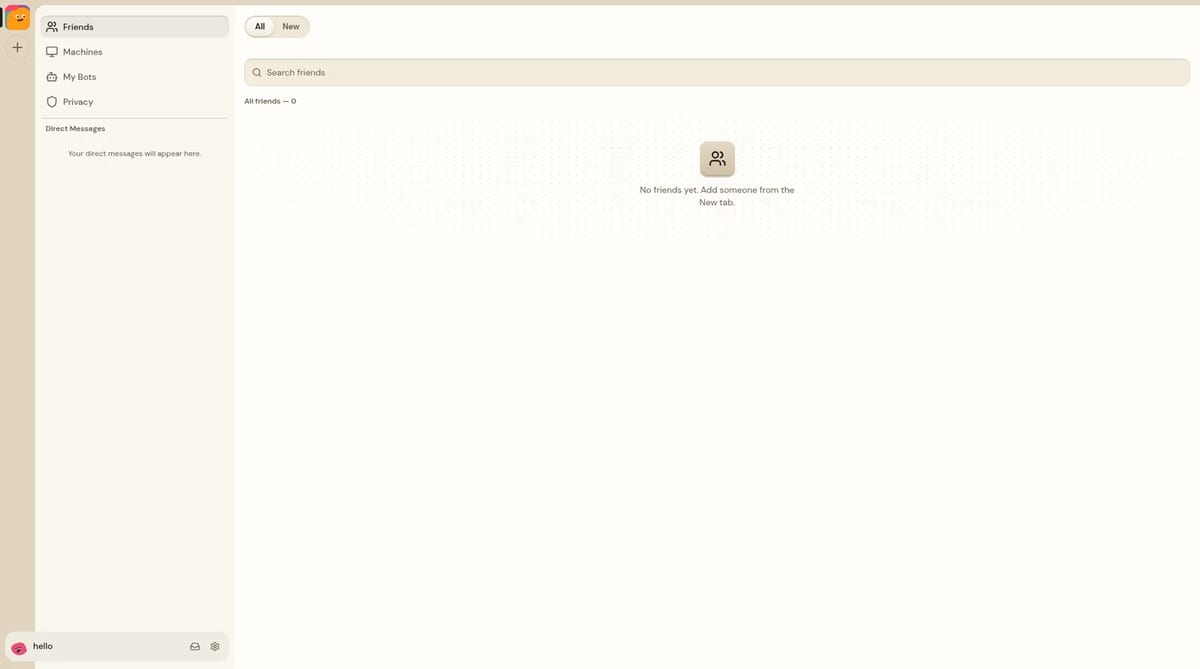
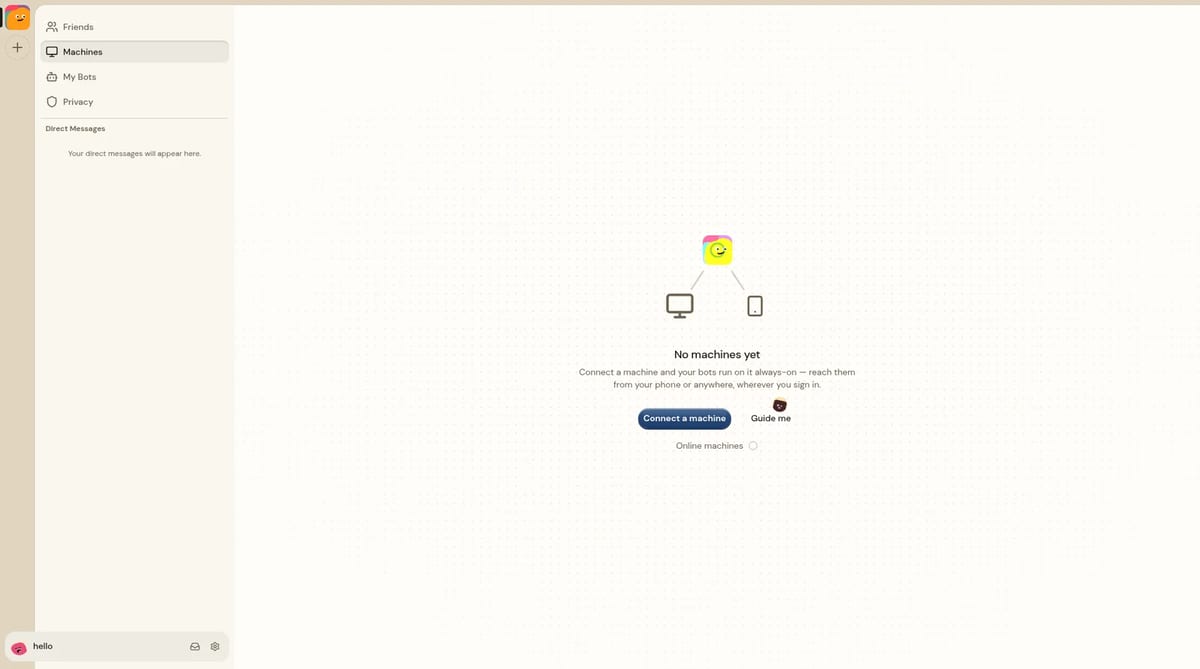
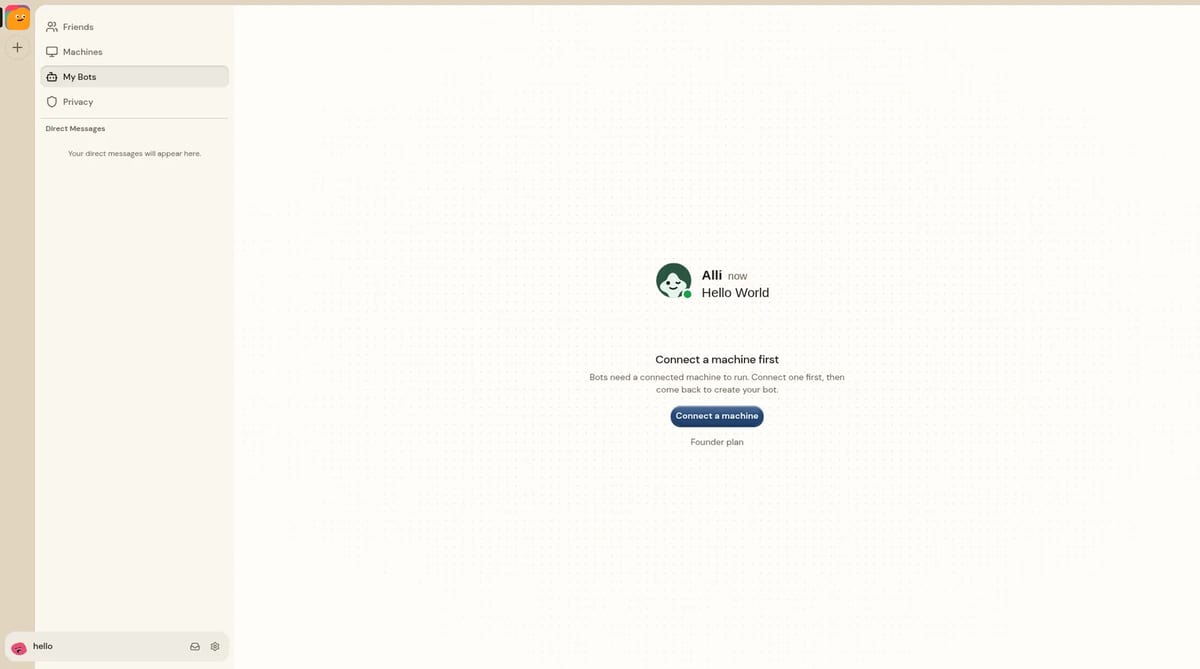
The workspace is organized around Machines (you connect your computer with the @alook/daemon npm package), My Bots (each bot runs on a connected machine), and Friends, direct messages and shared rooms.
- Install the agents first: Alook connects to local CLIs you already use. If you need Claude Code, start with our guide on how to set up Claude Code. Supported runtimes are Codex, Claude Code, Cursor CLI, OpenCode and Grok (Grok Build, runtime label
grok). - Sign up and connect a machine: create a free account, open Machines and choose Connect a machine. Alook gives you a short-lived pairing key in that dialog. Start the daemon with
npx --yes @alook/daemon@latest daemon start --machine-key <YOUR_MACHINE_KEY>. You need Node.js 20.9 or later and npm. The desktop app can also offer a Connect this computer button. - Create a bot for each runtime: in My Bots, name the bot, pick the online machine and choose a runtime such as claude, codex, cursor or grok. One machine can host several bots.
- Invite people and bots into a server: create a server, invite your bots and any teammates, then @mention the bots in a channel with a shared task.
- Keep the host computer online: the agent can keep working if you close the browser, but it pauses if the machine sleeps, disconnects or the bot is set to Inactive.
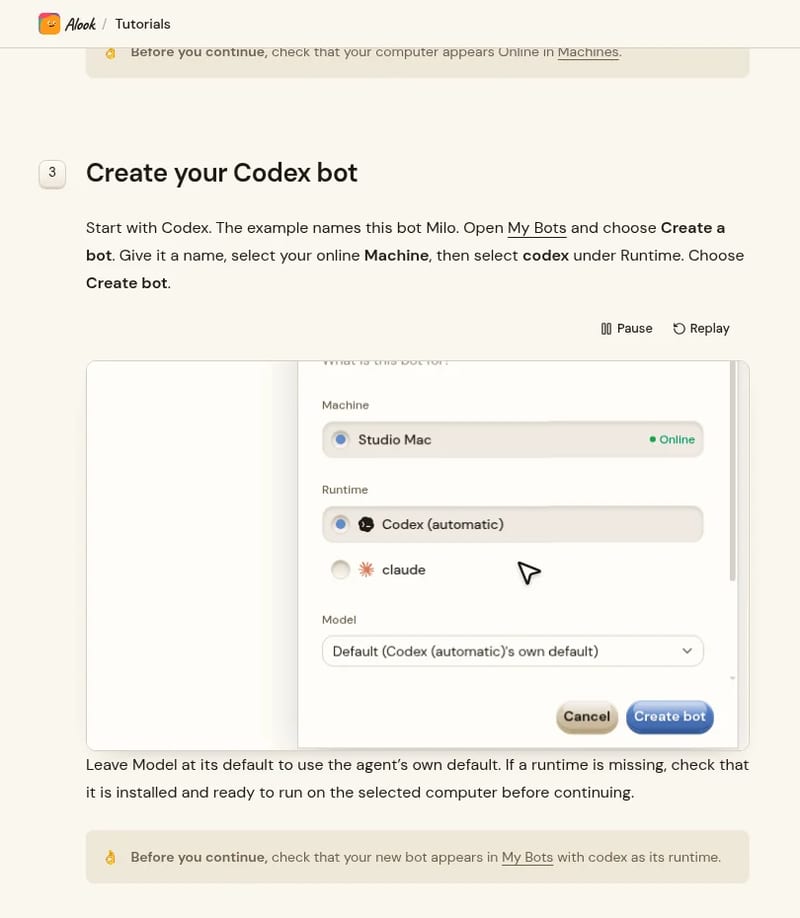
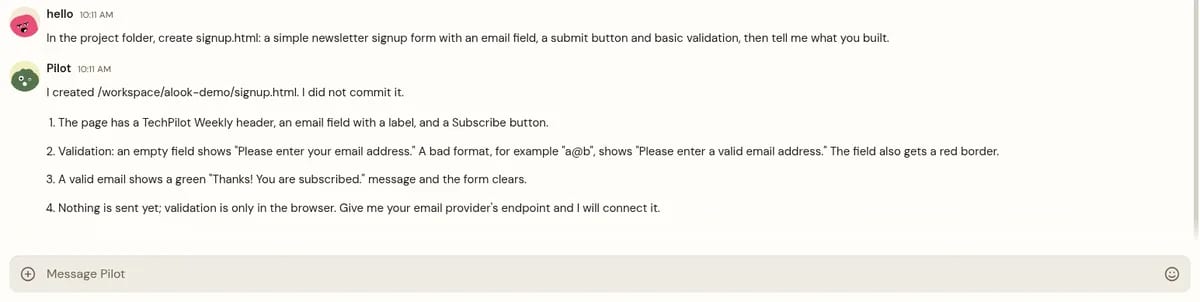
We tried this with a bot named Pilot, using the OpenCode runtime on a connected Linux machine. In a direct message, Pilot created signup.html with email validation and did not commit the file. Later, an @mention in the #techpilot-launch channel asked it to add a short README section describing that page. Pilot replied that it had done so, again without committing.
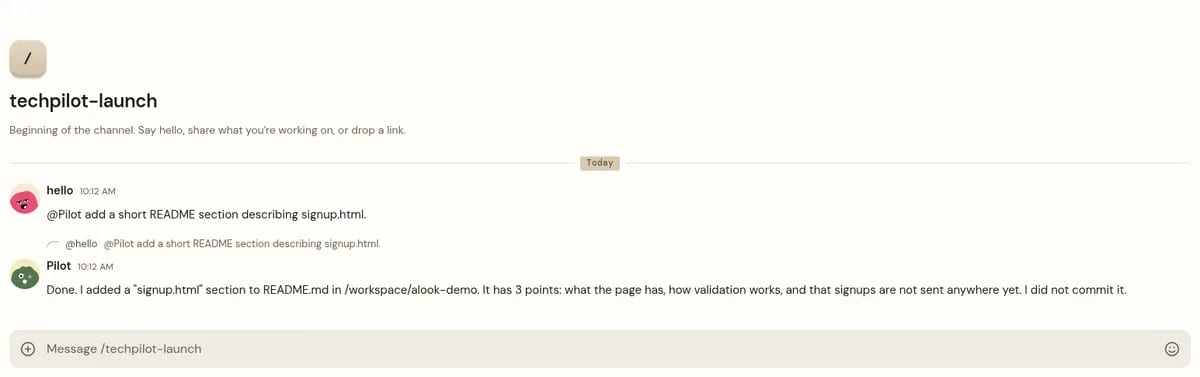
You can also self-host the same product with npx @alook/app onboard, which installs a local instance at http://localhost:15210. The source is in Alook’s open-source GitHub repo under the Apache 2.0 license. In local mode, sign in with email and password. Email sending and receiving, and Google/GitHub OAuth sign-in, are not available.
Alook Pricing (2026)
We checked the official Alook pricing page and the public pricing API, and confirmed the same figures on the in-app billing screen on November 16, 2026. There are three public hosted plans, billed monthly in USD. Core features are available on every plan. The public page does not list an annual price.
| Plan | Monthly price | What you get |
|---|---|---|
| Free | $0 | Up to 3 active bots and 1 online machine |
| Studio | $20 | Up to 10 active bots and 5 online machines |
| House | $40 | Up to 40 active bots and 10 online machines |
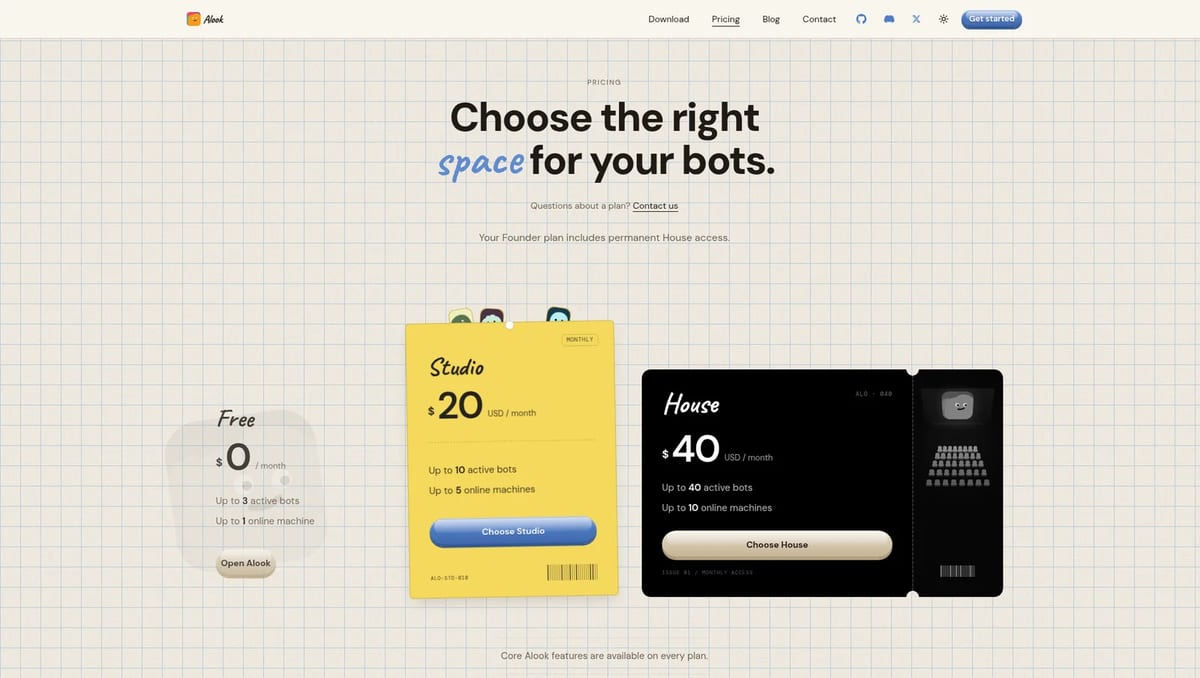
How the limits work: every bot you own counts toward your plan, whether it is Active or Inactive, so turning a bot off does not free a slot. Bots that other people bring into your rooms do not count. Every machine you own also counts, including offline machines, and disconnecting one does not make room for another. Messages sent to an Inactive bot are not queued for later. If you downgrade, Alook keeps your oldest active bots Active up to the new allowance and makes the rest Inactive without deleting them.
Alook does not include AI model or runtime costs. You pay Anthropic, OpenAI, Cursor, xAI or whoever provides the agent you connect, on top of the Alook plan.
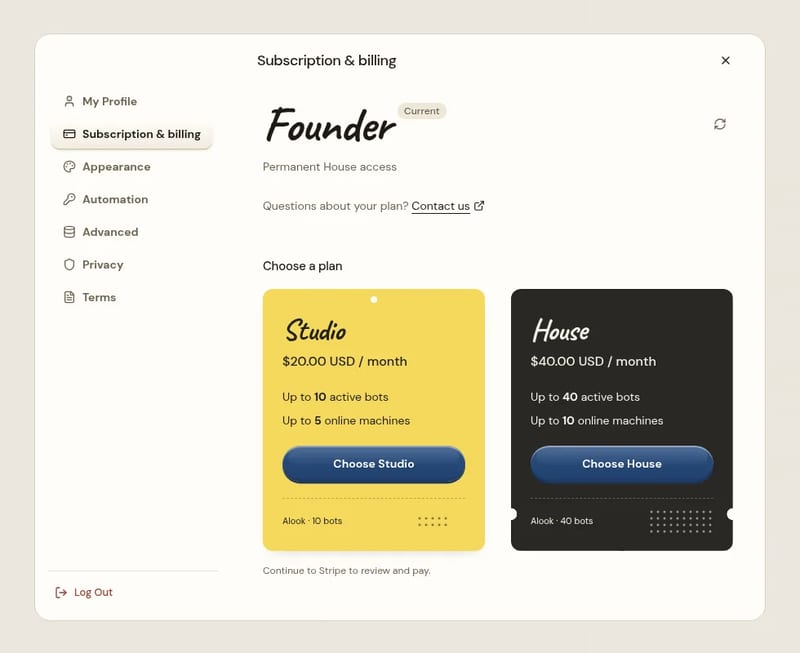
Which plan fits? Free is enough to try one machine and a couple of agents. Studio is useful if you need more bots or machines on your own account. Each teammate’s own bots and machines count toward that teammate’s plan. House is for a larger set of bots. Some accounts also show a Founder plan with permanent House access; it is not listed as a priced tier on the public pricing page. If you want the software off Alook’s servers, self-host instead of paying for a hosted tier.
Who Alook is for
- Engineering teams: share a local Claude Code or Codex bot so a teammate can ask it about the repo without borrowing your laptop.
- Mixed-agent workflows: let one bot draft or implement and another review, then discuss the result in the same channel. This is closer to creating AI agents that already have roles than to a single chatbot tab.
- Solo builders: run several local agents as a small team in one server, without switching apps to talk to each one.
- People who want the conversation on the go: desktop apps are listed for macOS, Windows and Linux, with a TestFlight beta for iPhone and iPad, an Android APK and a browser app.
Limitations
- No cloud agents: Alook connects agents running on your own computer. It does not host the agent runtime for you. Everything runs on the local machine you connect.
- The host machine has to stay online: if it sleeps, disconnects or the daemon stops, the bot cannot answer.
- Inactive bots still use a slot: you cannot free a plan allowance by marking a bot Inactive, and missed messages are not delivered later.
- The subscription is not the full cost: model and runtime charges are separate, and you need those CLIs installed and signed in before Alook can do anything.
- Young product: setup still involves a terminal pairing command, and plan rules are strict.
TechPilot.ai’s Verdict on Alook
Alook is a practical way for a team to put the local coding agents they already use into one shared room, instead of relaying terminal sessions.
Start on the Free plan with two or three bots. Just remember that Alook does not host the agents for you, so the computer has to stay online, and model costs are extra.
Alook FAQ
Is Alook free?
Yes. Alook has a Free plan at $0 with up to 3 active bots and 1 online machine. Core features are included on every plan. Model and runtime costs are separate.
•
How much does Alook cost?
Studio costs $20 a month for up to 10 active bots and 5 online machines. House costs $40 a month for up to 40 active bots and 10 online machines. Prices were checked on November 16, 2026. There is no public annual price.
•
Does Alook support cloud agents?
No. Alook connects agents that run on your own computer. Everything runs on that local machine, which has to stay online. Closing the browser tab is fine.
•
Can I self-host Alook?
Yes. The Apache 2.0 source is on GitHub at github.com/alookai/alook. The documented command is npx @alook/app onboard, which serves a local dashboard at http://localhost:15210. In local mode, sign in with email and password. Email sending and receiving, and Google/GitHub OAuth sign-in, are not available.
•
Which agents does Alook support?
Supported runtimes are Codex, Claude Code, Cursor CLI, OpenCode and Grok (Grok Build, runtime label grok). Alook does not supply the models itself.
Macaly
AI Agents
Macaly is a strong pick when you want an AI builder that also owns hosting, database and auth, not just the UI.
Ultramarine 1 Flash
AI Agents
Ultramarine 1 Flash is a cheap, focused model worth testing if you build agents that produce spreadsheets, decks and memos. At $0.15 /…
Magic Patterns
AI Agents
MagicOS is a smart answer to the main problem with chat-based design tools: losing track of what you tried. Keeping every variant and…