WasItAI is a simple, low-cost way to check suspicious photos, and the three-layer approach gives it something to work with even when metadata is gone.
Home / Tools / Graphics & Design
Graphics & Design · Tool review
WasItAI Review: AI Image Detector Pricing
 TechPilot.ai review team Hands-on testing, one published method
- Last updated
- How we test
The AI news that actually mattered this week.
One short email every Friday: the biggest AI stories, what they mean for you, and the tools worth trying. A 3-minute read, no hype.
Free. Unsubscribe anytime.
You're in. Watch for the brief on Friday. Free. Unsubscribe anytime.
Summary
Pros and cons
What we like
- Free plan with no card.
- API on every plan.
- Works without metadata.
- Chrome and Firefox extension.
- Says it does not store images.
What could be better
- Images only.
- Only 10 free checks a month.
- Scores are not proof.
- Screenshots lower accuracy.
Key features
- Checks: C2PA, metadata, pixels.
- Output: Confidence score, report.
- Extension: Chrome and Firefox.
- API: On every plan.
- Enterprise: On-prem option.
- Pricing: Free, then $3.99 a month.
Screenshots
Full review
Independent and reader-supported. Some links may earn us a commission; it never changes our scores. Editorial policy
WasItAI checks whether a photo was made by an AI image generator and gives a confidence score. The free plan covers 10 images a month; Basic is $3.99.
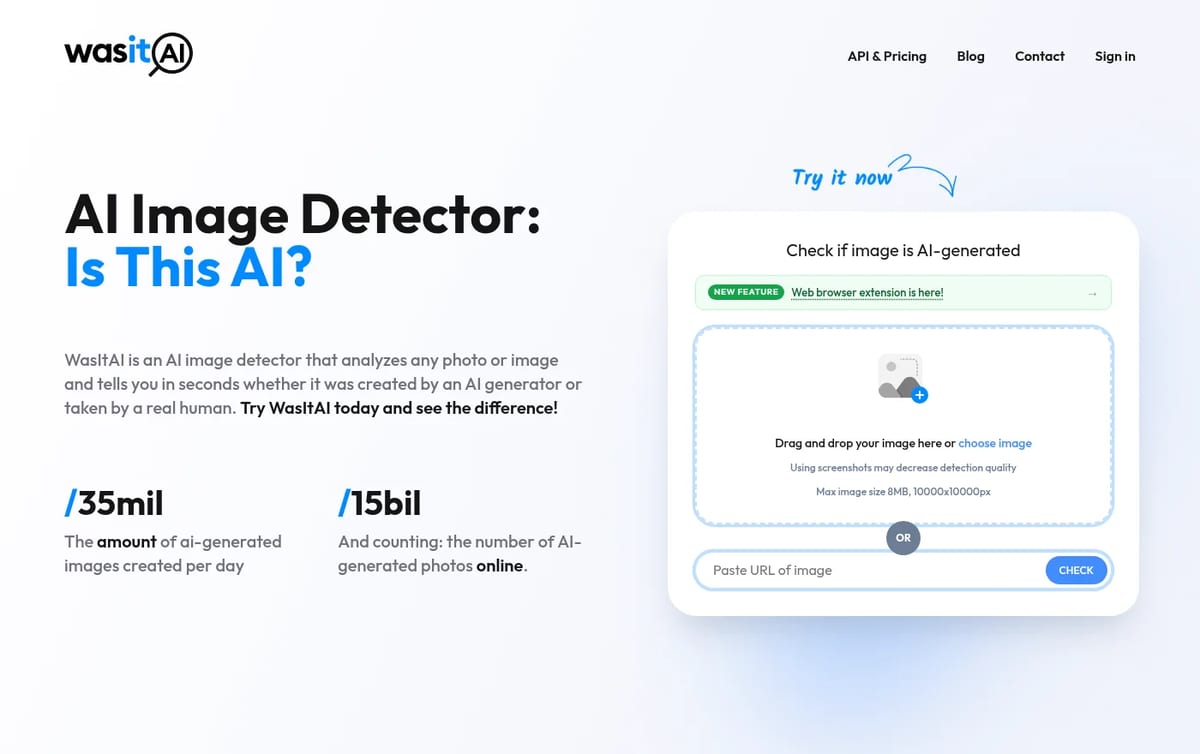
Quick answer: WasItAI is an image-only AI detector. You upload a photo or paste an image link and it tells you whether the picture likely came from an AI generator, with a confidence score and a detection report. It runs in the browser on desktop and mobile, has a Chrome and Firefox extension, and every plan includes API access. Prices below are from WasItAI’s API and pricing page on November 21, 2026.
What WasItAI does
- Provenance check: reads C2PA Content Credentials, which tools such as ChatGPT Image, Gemini, Adobe Firefly and Microsoft Copilot attach to their images.
- Metadata check: looks for known AI signatures in the file, including watermark markers such as Google’s SynthID and tool names written into the file.
- Visual model: its own in-house detection model reads the pixels, so screenshots and re-saved social media images still get a verdict.
- Browser extension: a button on images as you browse, or a right-click check, with the result shown over the image.
- API: included on every plan, with on-prem installation offered on Enterprise.
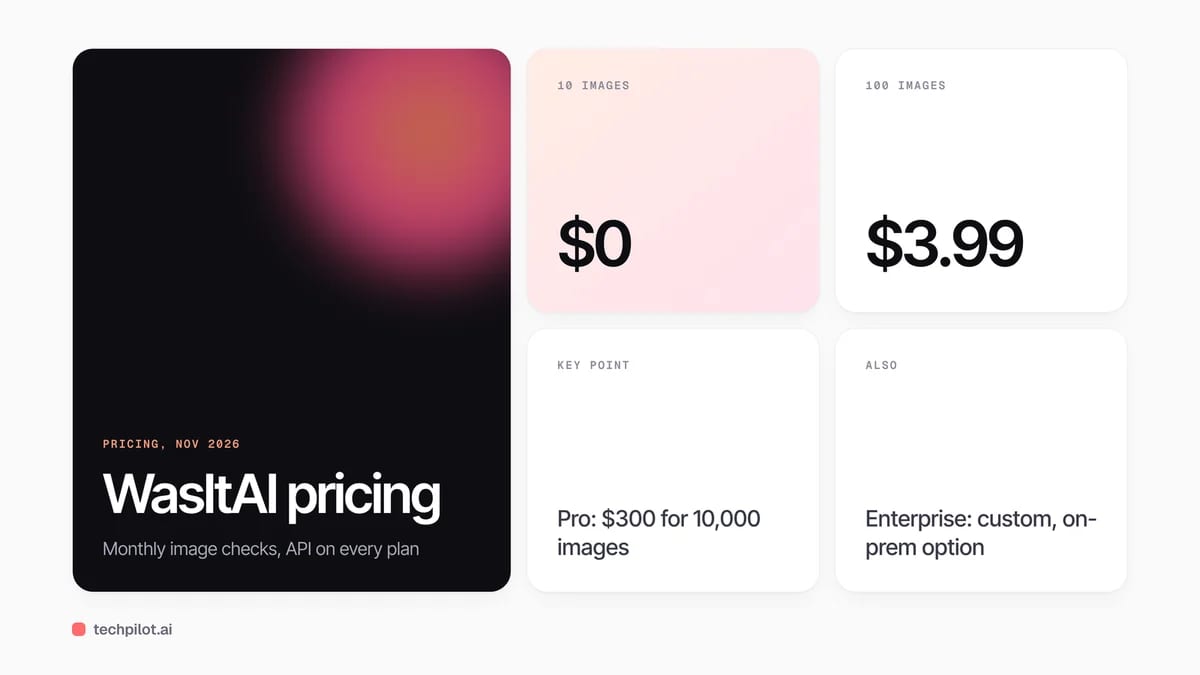
WasItAI Pricing (2026)
| Plan | Price | Images per month | Extras |
|---|---|---|---|
| Free | $0 | 10 | API access, browser extension, confidence score, detailed reports, no card |
| Basic | $3.99 a month | 100 | Email support |
| Advanced | $35 a month | 1,000 | Everything in Basic |
| Pro | $300 a month | 10,000 | Priority email support |
| Enterprise | Custom | Custom | High-speed processing, on-prem option, uptime SLA |
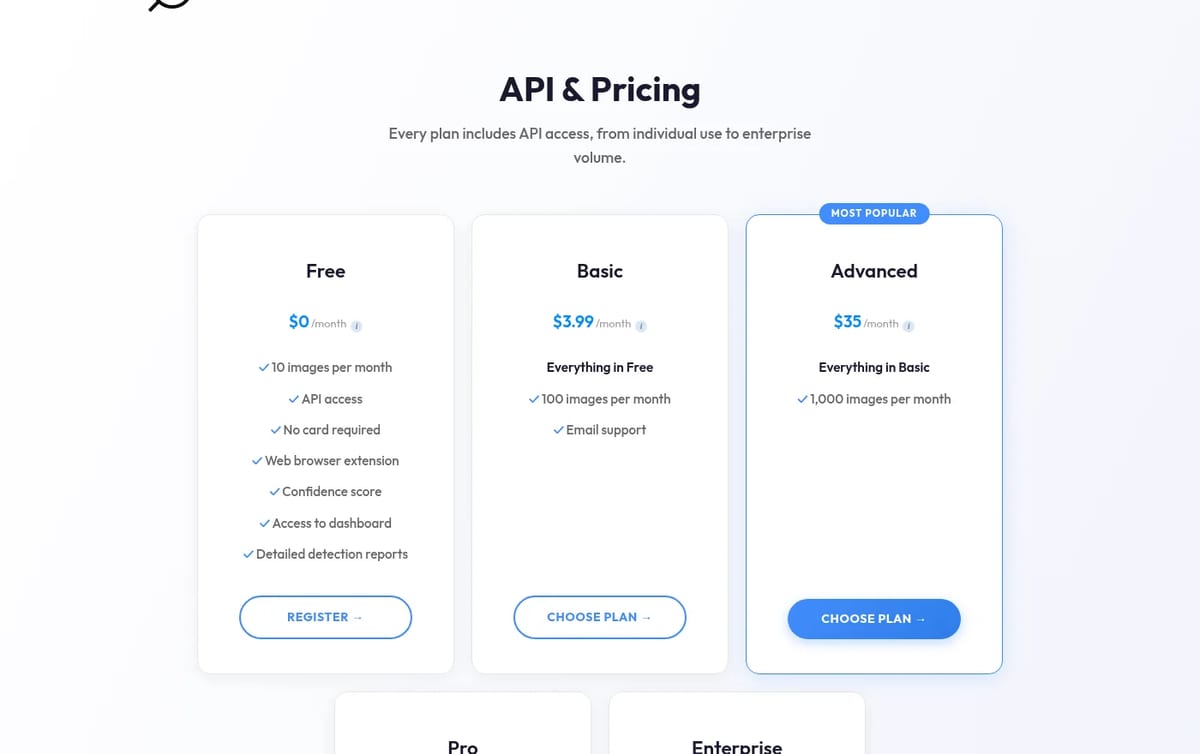
How to think about the cost: most people only need the free 10 checks for the odd suspicious listing, profile photo or news image. Basic works out to about 4 cents an image, and it is the cheapest way to get 100 checks a month. The per-image price falls only slightly at volume: Advanced is 3.5 cents and Pro 3 cents, so pick by how many images you really check, not by the discount.
For other detectors, see our guide to AI image detectors. To trace where a face photo appears online, try PimEyes reverse image search, and for text checks see our free Turnitin AI detector guide.
Who WasItAI is for
Shoppers, renters and travelers checking listing photos, people vetting dating and social profiles, journalists and moderators who check images in volume, and developers who want detection in their own app through the API.
Limitations
- Images only: it does not check text, audio or video.
- No detector is certain: treat the confidence score as a signal, not proof.
- Originals work best: WasItAI notes that screenshots may lower detection quality.
- Small free allowance: 10 images a month, and the extension needs a free account.
TechPilot.ai’s Verdict on WasItAI
WasItAI is a simple, low-cost way to check suspicious photos, and the three-layer approach gives it something to work with even when metadata is gone.
Use the free plan for occasional checks, move to Basic if you verify images every week, and always weigh the score with other clues.
WasItAI FAQ
Is WasItAI free?
Yes. The free plan covers 10 images a month and includes API access, the browser extension, confidence scores and detailed reports, with no card required.
•
How much does WasItAI cost?
WasItAI costs $3.99 a month for 100 images, $35 for 1,000 and $300 for 10,000, with custom Enterprise pricing, checked November 21, 2026.
•
How does WasItAI detect AI images?
It runs three checks: C2PA Content Credentials, known AI signatures in the file’s metadata, and its own model that analyzes the pixels.
•
Does WasItAI store my images?
WasItAI says uploaded images are processed once to give a result and are not stored on its servers for future use.
•
Is there a WasItAI browser extension?
Yes, for Chrome and Firefox, with Safari listed as coming soon. It works with a free WasItAI account.

Postshot
Graphics & Design
Postshot is one of the easiest ways to make Gaussian splatting scenes on your own hardware, and the free plan is enough to learn it…

Homestyler
Graphics & Design
Homestyler is one of the best free ways to plan and visualize a room in 3D, and the free plan goes further than most rivals.

Grok Imagine
Graphics & Design
Grok Imagine is a quick, cheap way to make images and short videos, especially if you already pay for X or Grok.