Postshot is one of the easiest ways to make Gaussian splatting scenes on your own hardware, and the free plan is enough to learn it properly.
Home / Tools / Digital Art
Digital Art · Tool review
Postshot Review: Gaussian Splatting Pricing
 TechPilot.ai review team Hands-on testing, one published method
- Last updated
- How we test
The AI news that actually mattered this week.
One short email every Friday: the biggest AI stories, what they mean for you, and the tools worth trying. A 3-minute read, no hype.
Free. Unsubscribe anytime.
You're in. Watch for the brief on Friday. Free. Unsubscribe anytime.
Summary
Pros and cons
What we like
- Runs fully on your own PC.
- Free plan has no size caps.
- Unreal Engine and After Effects plugins.
- Wide RAW and video input support.
- Yearly billing saves about a third.
What could be better
- Windows and Nvidia GPU only.
- Free plan is non-commercial.
- Export needs a paid plan.
- Prices exclude VAT.
Key features
- Capture: Photos or video, any camera.
- Training: Local, live preview.
- Editing: Masks, selection, merging.
- Plugins: Unreal Engine, After Effects.
- Export: PLY and SPZ on paid plans.
- Pricing: Free, Indie from €17.
Screenshots
Full review
Independent and reader-supported. Some links may earn us a commission; it never changes our scores. Editorial policy
Postshot trains Gaussian splatting 3D scenes from photos or video on your own Windows PC. Free is non-commercial; Indie costs €17 a month billed yearly.
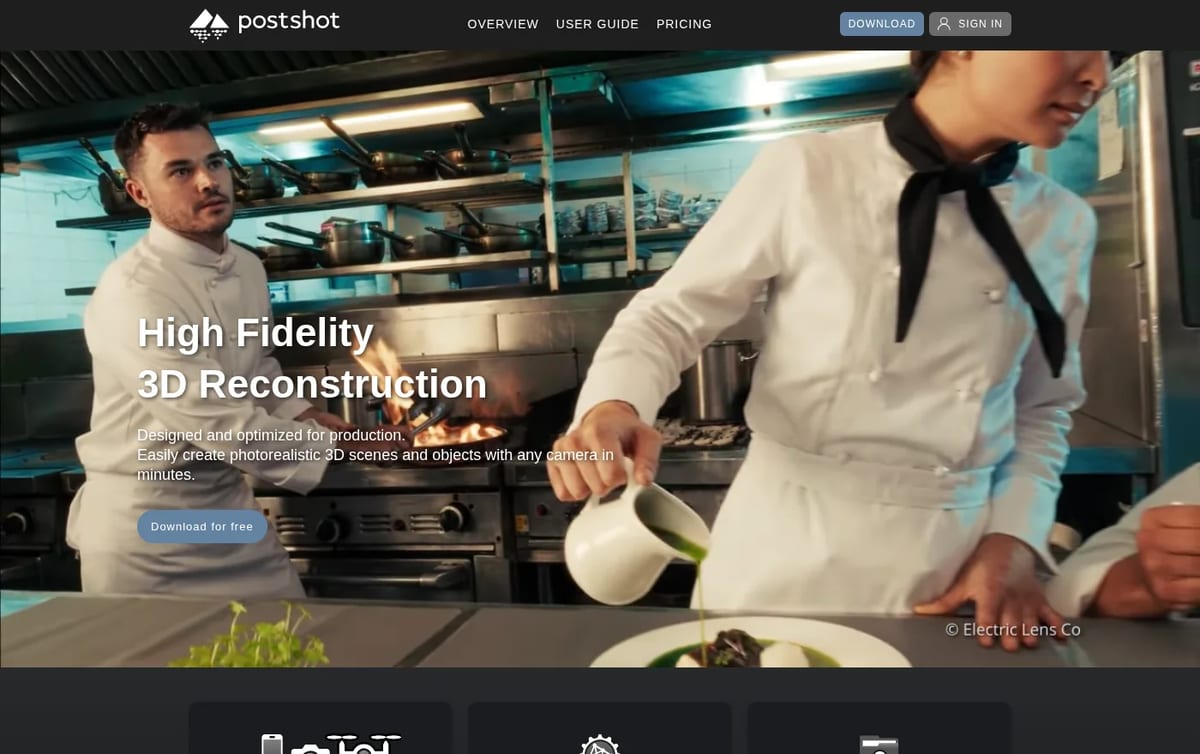
Quick answer: Postshot, made by Jawset Visual Computing, turns a set of photos or a video into a photorealistic 3D scene using radiance fields, mainly Gaussian splatting. Everything runs on your own machine, so your footage never leaves it, and plugins bring the scenes into Unreal Engine and After Effects. It needs Windows 10 or later and an Nvidia GPU of compute capability 7.5 or higher, such as a GeForce RTX 2060. Prices below are from Jawset’s pricing page on November 21, 2026.
What Postshot does
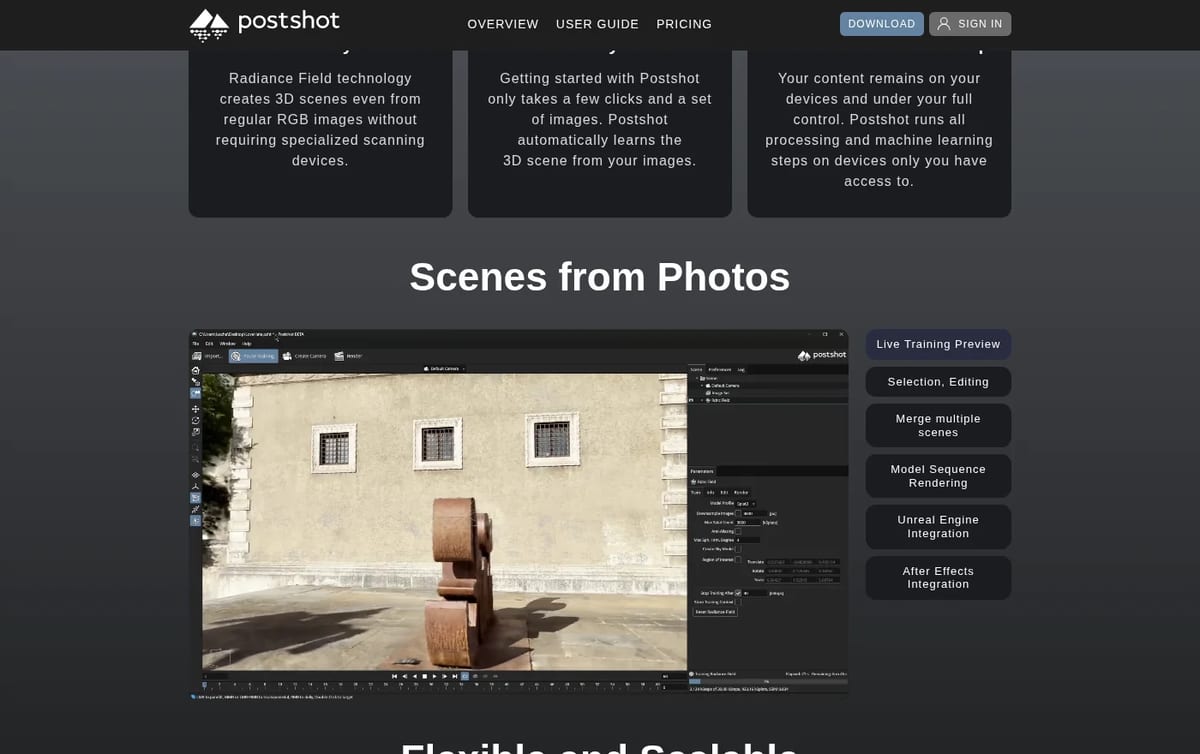
- Scenes from photos or video: shoot with any camera, and Postshot solves the camera positions and trains the 3D scene for you.
- Live training preview: watch the scene sharpen while it trains, and focus training on a region of interest.
- Editing: select and remove parts of a scene, mask out people or backgrounds, and merge several scenes.
- Rendering: render stills, sequences and camera moves, or send scenes to Unreal Engine and After Effects.
- Wide input support: JPG, PNG, TIF, EXR, DNG, RAW, MOV, MP4 and MKV, with ACES color handling.
Postshot Pricing (2026)
| Plan | Billed yearly | Billed monthly | Key limits |
|---|---|---|---|
| Free | €0 | €0 | Up to 4K, 8-bit color, watermarked renders, non-commercial, files open only in Free |
| Indie | €17 a month (€204 a year) | €26 a month | No watermark, commercial use, PLY and SPZ export, floating license, unlimited render nodes |
| Studio | €39 a month (€468 a year) | €59 a month | Adds EXR, TIF, DNG and RAW, above 4K and HDR, command line, AprilTag alignment |
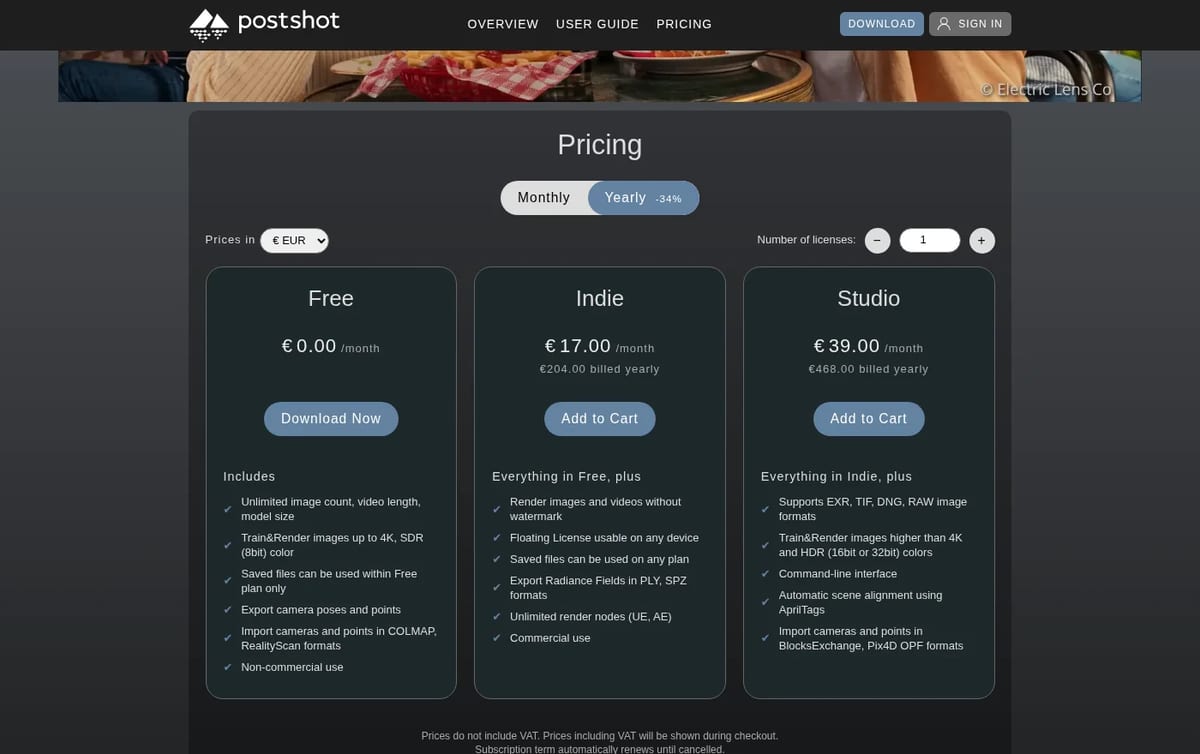
How to think about the cost: the Free plan is a full trainer, with no cap on image count, video length or model size, so you can learn the whole workflow before paying. The line you hit is commercial work. Client jobs, watermark-free renders and exporting the splat itself as PLY or SPZ all need Indie. Yearly billing saves about a third, so if you expect to use it beyond a few months, €204 a year beats €26 a month after eight months. Studio is for VFX pipelines that need RAW and EXR input, HDR output or command-line batch jobs.
If you would rather generate 3D models from a prompt or a single image, compare it with Meshy and Tripo AI, or see cloud capture in our Luma AI review.
Who Postshot is for
Filmmakers, VFX artists, game and virtual production teams, and 3D hobbyists with an Nvidia RTX card who want to capture real places and objects as 3D scenes without uploading footage to a cloud service.
Limitations
- Windows and Nvidia only: there is no Mac version, and AMD GPUs are not supported.
- Free is non-commercial: renders carry a watermark and you cannot export the splat.
- Free files stay on Free: projects saved on the free plan only open within that plan.
- Prices exclude VAT: tax is added at checkout, and euros are the base currency.
TechPilot.ai’s Verdict on Postshot
Postshot is one of the easiest ways to make Gaussian splatting scenes on your own hardware, and the free plan is enough to learn it properly.
If you have an RTX card and do paid work, Indie on yearly billing is the plan to buy; skip it if you are on a Mac.
Postshot FAQ
Is Postshot free?
Yes. The Free plan has no limit on image count, video length or model size and trains up to 4K, but it is for non-commercial use, watermarks renders and cannot export radiance fields.
•
How much does Postshot cost?
Postshot Indie costs €17 a month billed yearly (€204) or €26 monthly, and Studio costs €39 a month billed yearly (€468) or €59 monthly, before VAT, checked November 21, 2026.
•
Does Postshot work on Mac?
No. Postshot needs Windows 10 or later and an Nvidia GPU of compute capability 7.5 or higher, such as a GeForce RTX 2060.
•
Can Postshot export Gaussian splats?
Yes, on Indie and Studio. Paid plans export radiance fields as PLY or SPZ files; the Free plan only exports camera poses and points.
•
Does Postshot upload my footage?
No. Jawset says all processing and machine learning steps run on your own devices, so your content stays under your control.
Homestyler
Digital Art
Homestyler is one of the best free ways to plan and visualize a room in 3D, and the free plan goes further than most rivals.

Grok Imagine
Digital Art
Grok Imagine is a quick, cheap way to make images and short videos, especially if you already pay for X or Grok.
NightCafe
Digital Art
NightCafe is one of the easiest free ways to try many AI image models, and the daily credits keep it useful without paying.