Homestyler is one of the best free ways to plan and visualize a room in 3D, and the free plan goes further than most rivals.
Home / Tools / Digital Art
Digital Art · Tool review
Homestyler: Free 3D Home Design & Pricing
 TechPilot.ai review team Hands-on testing, one published method
 - Last updated
- How we test
Summary
Pros and cons
What we like
- Free plan with unlimited 1K renders and unlimited projects.
- 100,000+ free 3D models and materials.
- AI tools for floor plans, restyling, 3D models and textures.
- Video renders and 720-degree virtual tours.
- Education discounts of up to 35%.
What could be better
- Watermark on free renders.
- Only 3 AI credits in total on the free plan.
- "Starts from" prices can be first-month deals.
- 2K and 4K renders cost coins or money on Basic.
Key features
- 3D floor planner: Draw rooms and multi-floor homes in the browser.
- Cloud rendering: Images, panoramas, videos and virtual tours.
- Interior Design Agent: Chat your way to a room design.
- Image to Image: Restyle a photo of a real space.
- Image or Text to 3D: Turn a photo or prompt into a 3D model.
- Model library: 100,000+ free models plus premium assets.
Screenshots
Full review
Independent and reader-supported. Some links may earn us a commission; it never changes our scores. Editorial policy
Homestyler is a free 3D home design tool with a floor planner, 100,000+ free models and unlimited 1K renders. Paid plans start from $6.8 a month for HD.
Homestyler is a browser-based interior design platform: draw a floor plan, furnish it from a large 3D model library and render photo-style images, videos and 720-degree virtual tours. It’s used by homeowners planning a room, students, interior designers and real estate teams, and it has added a set of AI tools on top of the classic planner. We checked the Homestyler pricing page and the homepage on October 27, 2026.
Is Homestyler free?
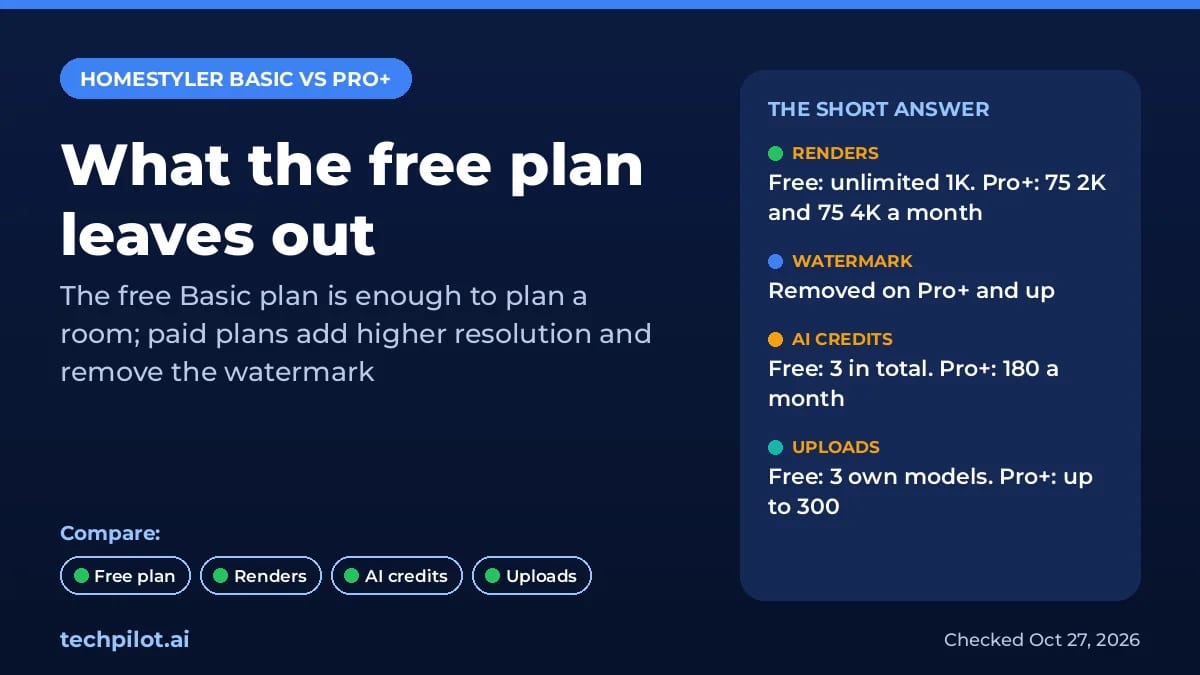
Yes. The Basic plan is free and includes the cloud 3D floor planner, unlimited 1K renders, 100,000+ free 3D models and materials, and roof editing with 3 free roof styles. Homestyler’s FAQ says you can design a full project on Basic, with unlimited projects.
The limits show up when you want sharper or cleaner output. On Basic, a 2K render costs 9 Homestyler coins and 4K renders are bought one at a time; coins are earned through daily logins and platform tasks. You get only 3 AI credits in total, can upload just 3 of your own models and textures, and paid plans are needed to remove the Homestyler watermark.
Homestyler Pricing (2026)
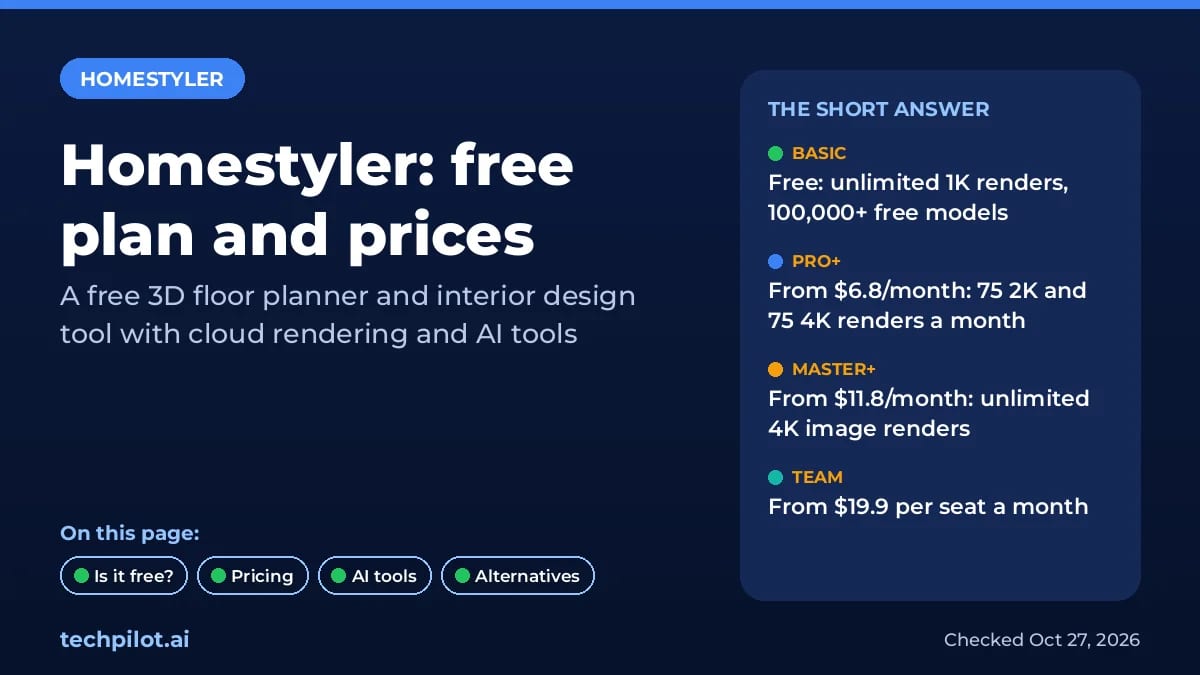
| Plan | Price | Key limits |
|---|---|---|
| Basic | Free | Unlimited 1K renders, 100,000+ free models, 3 AI credits in total, 2K renders for coins, 4K bought separately |
| Pro+ | From $6.8/month | 75 2K and 75 4K renders a month, watermark removal, 180 AI credits a month, up to 300 uploads, floor plan and BOM export |
| Master+ | From $11.8/month | Unlimited 4K image renders, more video and panorama quota, 380 AI credits a month, up to 500 uploads, designer directory listing |
| Team | From $19.9/seat/month | Shared design space and model library, sub-accounts, custom logo on renders, 500 AI credits per account a month |
| Enterprise | Custom | SSO, 3D model creation, virtual photo studio, white label, custom API |
Read “starts from” carefully. Homestyler’s pricing FAQ gives the Pro+ monthly auto-renew plan as an example of a $6.8 first month for first-time subscribers, so the renewal price can be higher. Check the price on the checkout screen before you pay. Students and teachers can get 35% off and graduates 20% off individual memberships, but not on monthly subscriptions. You can cancel auto-renew from My Subscription in your workspace.
Homestyler AI tools
- Interior Design Agent: chat to design a room.
- Options to Floorplan: auto-plan a home layout in a few clicks.
- Image to Image: restyle a photo of any space.
- Image to Video and Image to Moodboard: animate a render or build a style board.
- Image or Text to 3D, Image to Texture: turn a photo into a 3D model or a texture map.
These AI tools spend AI credits, which is why the free plan’s 3 credits run out fast. If you only want quick redesign ideas, a general image model can do a lot for free; see our best free AI image generators and ChatGPT photo editing prompts. To turn a finished render into a walk-through clip, compare the free image to video AI tools.
Limitations
- Watermark on free renders: removal starts on Pro+.
- HD costs coins or money: only 1K renders are unlimited for free.
- Intro pricing: “starts from” prices can include first-time discounts.
- Few AI credits for free: 3 in total on Basic.
TechPilot.ai’s Verdict on Homestyler
Homestyler is one of the best free ways to plan and visualize a room in 3D, and the free plan goes further than most rivals.
Pay only when you need watermark-free HD renders or regular AI credits, and check the renewal price at checkout.
Homestyler FAQ
Is Homestyler free?
Yes. Homestyler’s Basic plan is free, with the 3D floor planner, unlimited 1K renders, 100,000+ free models and unlimited projects. HD renders, watermark removal and most AI credits need a paid plan.
•
How much does Homestyler cost?
Homestyler Pro+ starts from $6.8 a month, Master+ from $11.8 a month and Team from $19.9 per seat a month. Homestyler says $6.8 is a first-month price for first-time monthly auto-renew.
•
Does Homestyler add a watermark?
Free renders carry a Homestyler watermark. Watermark removal is included from the Pro+ plan, and paid plans can also remove watermarks from AI images.
•
Does Homestyler have AI tools?
Yes. It offers an Interior Design Agent, Options to Floorplan, Image to Image, Image to Video, Image to Moodboard, Image or Text to 3D and Image to Texture, all using AI credits.
•
Is there a Homestyler student discount?
Yes. Students and teachers get 35% off and graduates 20% off individual memberships and products, except monthly subscriptions, after verification by Homestyler support.

Grok Imagine
Digital Art
Grok Imagine is a quick, cheap way to make images and short videos, especially if you already pay for X or Grok.
NightCafe
Digital Art
NightCafe is one of the easiest free ways to try many AI image models, and the daily credits keep it useful without paying.

Artlist
Digital Art
Artlist is a strong pick for video editors who want AI clips, voice and music under one commercial license and one bill.