Home / Guides / Web development & Coding
How to Uninstall Claude Code on Any System
 Eimantas Kazėnas Marketing & Tech
- Published
- 4 min read
On this page Step 1: Find out how Claude Code was installed
Independent and reader-supported. Some links may earn us a commission; it never changes our rankings. Editorial policy
How to uninstall Claude Code: find which installer you used, run the matching remove command, then delete ~/.claude if you also want your settings gone.
Quick answer: Claude Code has no single uninstall button, because it can be installed five different ways: the native installer, Homebrew, WinGet, a Linux package manager or npm. Each one needs its own remove command. The program and your settings are also stored separately, so removing one leaves the other behind. Commands below follow the uninstall section of Anthropic’s Claude Code setup docs, checked November 18, 2026.
Step 1: Find out how Claude Code was installed
On macOS, Linux or WSL, open a terminal and run which -a claude. It lists every claude binary on your PATH, which also tells you if you have more than one install. The path points to the method:
- ~/.local/bin/claude: the native installer, the default method today.
- /opt/homebrew or /usr/local: Homebrew.
- A node_modules or npm folder: a global npm install.
- ~/.claude/local/: a legacy local npm install made by older versions of Claude Code.
On Windows, run where.exe claude in PowerShell or CMD. If you are not sure whether you used WinGet, run winget list Anthropic.ClaudeCode.
Step 2: Run the remove command for your method
| Installed with | Command to remove it |
|---|---|
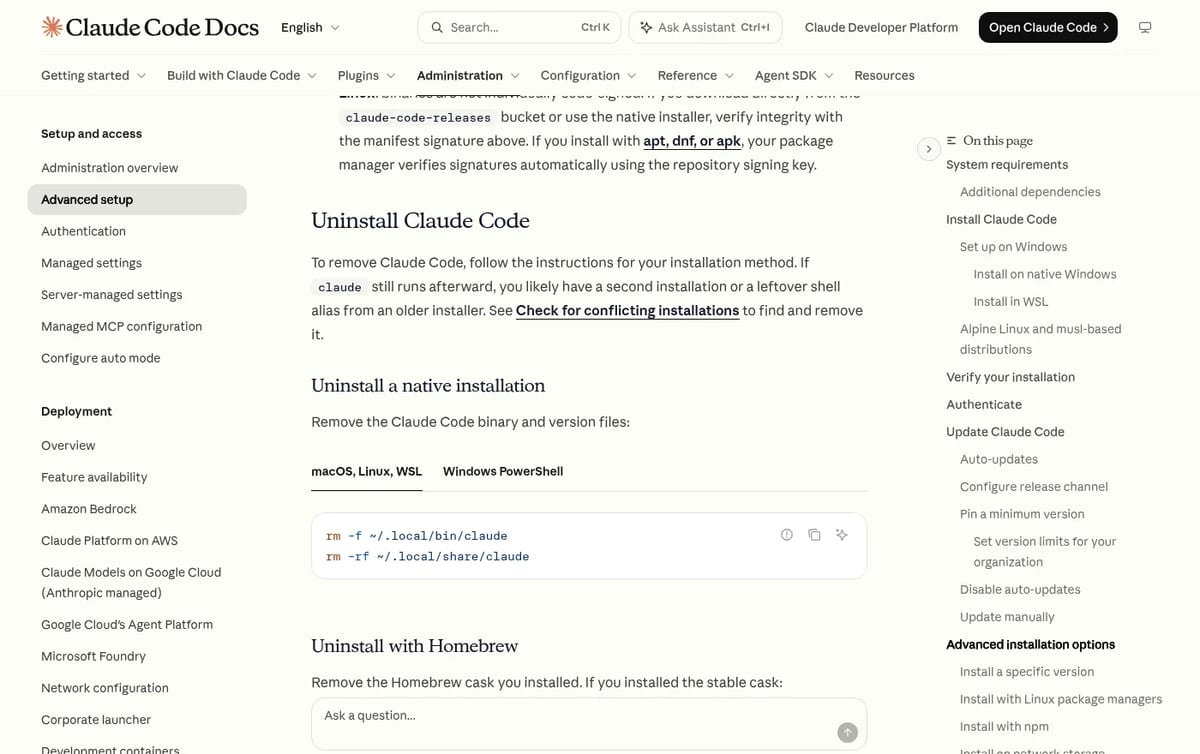
| Native, macOS / Linux / WSL | rm -f ~/.local/bin/claude then rm -rf ~/.local/share/claude |
| Native, Windows PowerShell | Remove-Item -Path "$env:USERPROFILE\.local\bin\claude.exe" -Force then Remove-Item -Path "$env:USERPROFILE\.local\share\claude" -Recurse -Force |
| Homebrew | brew uninstall --cask claude-code (or claude-code@latest if you chose the latest cask) |
| WinGet | winget uninstall Anthropic.ClaudeCode |
| apt (Debian, Ubuntu) | sudo apt remove claude-code, then remove /etc/apt/sources.list.d/claude-code.list and /etc/apt/keyrings/claude-code.asc |
| dnf (Fedora, RHEL) | sudo dnf remove claude-code, then remove /etc/yum.repos.d/claude-code.repo |
| apk (Alpine) | apk del claude-code, then delete the Claude Code line from /etc/apk/repositories and the key /etc/apk/keys/claude-code.rsa.pub |
| npm | npm uninstall -g @anthropic-ai/claude-code |
The Linux package steps matter more than they look. If you only remove the package, the Claude Code repository stays in your package manager and keeps being checked on every update.
Step 3: Remove settings and history (optional)
Uninstalling the program keeps your configuration. That includes settings, allowed tools, MCP server setups and session history. To remove them on macOS, Linux or WSL, run rm -rf ~/.claude and rm ~/.claude.json. On Windows, delete the .claude folder and the .claude.json file in your user profile folder.
Each project can also hold its own settings. Inside a project folder, rm -rf .claude and rm -f .mcp.json remove them. Before you delete anything, copy any CLAUDE.md files, custom skills or settings you may want later. Deleting these files cannot be undone.
Why claude still runs after you uninstall
- A second install: many people installed with npm first and the native installer later. Run
which -a claudeagain and remove each copy. - An old shell alias: older installers could add an alias to
~/.zshrcor~/.bashrc. Delete the line and open a new terminal. - The folder comes back: the VS Code extension, the JetBrains plugin and the Claude desktop app all write to
~/.claude/. Uninstall them first, or the folder is recreated the next time they run.
Uninstalling is not cancelling
Removing Claude Code from your computer does not stop billing. If you pay for Claude Pro or Max, cancel separately in your Claude account settings, and follow our guide on how to cancel a Claude subscription. If you are removing it only to fix a broken install, a clean reinstall is often faster. Our guides on setting up Claude Code and updating Claude Code walk through that.
Frequently asked questions
How do I uninstall Claude Code on a Mac?
If you used the native installer, run rm -f ~/.local/bin/claude and rm -rf ~/.local/share/claude. If you used Homebrew, run brew uninstall –cask claude-code.
How do I uninstall Claude Code on Windows?
For a WinGet install, run winget uninstall Anthropic.ClaudeCode. For the native installer, delete claude.exe in .local\bin and the .local\share\claude folder in your user profile.
How do I uninstall Claude Code installed with npm?
Run npm uninstall -g @anthropic-ai/claude-code. If which -a claude still finds a copy in ~/.claude/local, that is a legacy local install you can delete too.
Does uninstalling Claude Code delete my settings?
No. Settings, MCP servers and session history stay in ~/.claude and ~/.claude.json until you delete them yourself.
Does uninstalling Claude Code cancel my subscription?
No. Removing the program does not stop billing. Cancel Claude Pro or Max separately in your Claude account settings.
Found this useful? Share it with someone comparing AI tools.

Claude AI API vs Gemini AI API: Which Model Wins in Real Tasks?
In this guide, we break down Claude AI API vs Gemini AI API by actual use cases – how do their perform in common tasks and how do they stack against…
 Mihai (Mike) Bizz · 11 min read

How to Use Claude Code in VS Code (2026)
How to use Claude Code in VS Code: install the official extension, sign in with a paid Claude plan or Console account, then open it from the Spark…
 Eimantas Kazėnas · 5 min read