Home / Guides / Audio / Voice
Text to Speech Online Free Unlimited (2026)
 Eimantas Kazėnas Marketing & Tech
- Published
- 5 min read
On this page Which free TTS tools are actually unlimited?
Independent and reader-supported. Some links may earn us a commission; it never changes our rankings. Editorial policy
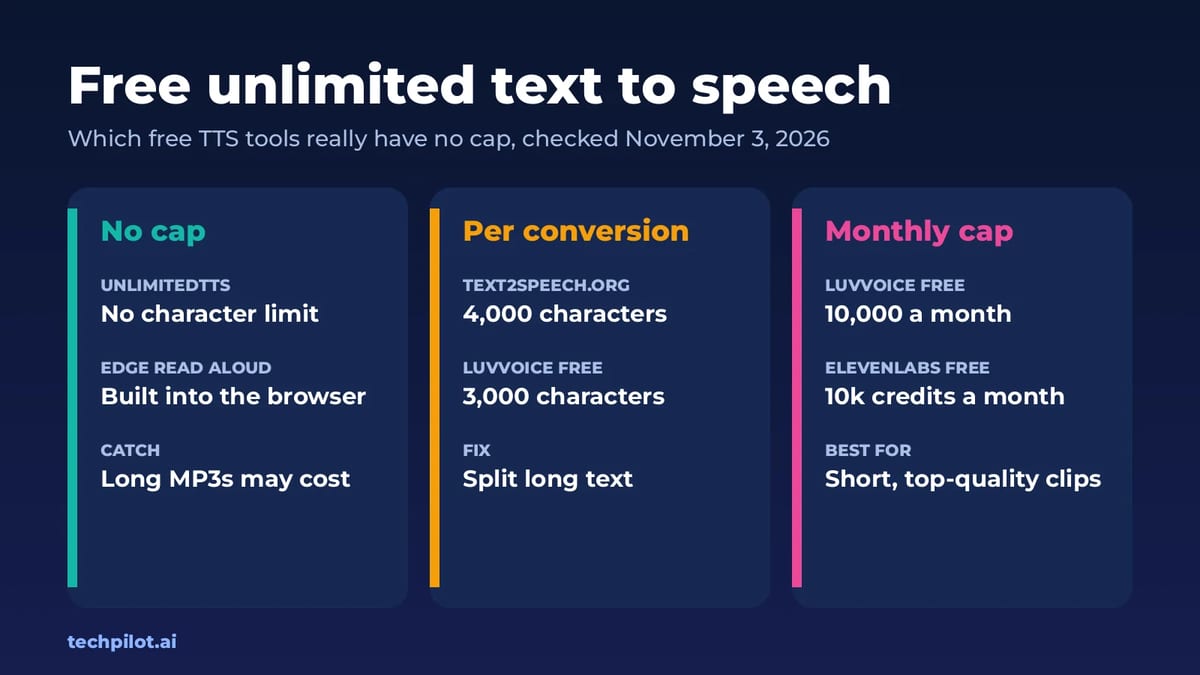
Text to speech online free unlimited: UnlimitedTTS and Edge Read Aloud have no character cap, but free AI voice plans stop at 3,000 to 10,000 characters.
Quick answer: If you want free text to speech with no character limit, use a tool that runs voices on your own device. UnlimitedTTS has no character or word limit and lets you download MP3s, and Microsoft Edge’s built-in Read Aloud will read whole pages and PDFs at no cost. Cloud AI voices are a different story: free plans cap you per conversion or per month. We checked every limit below on each tool’s own site on November 3, 2026.
Which free TTS tools are actually unlimited?
“Unlimited” on a TTS site can mean three different things, and most tools only remove one of them:
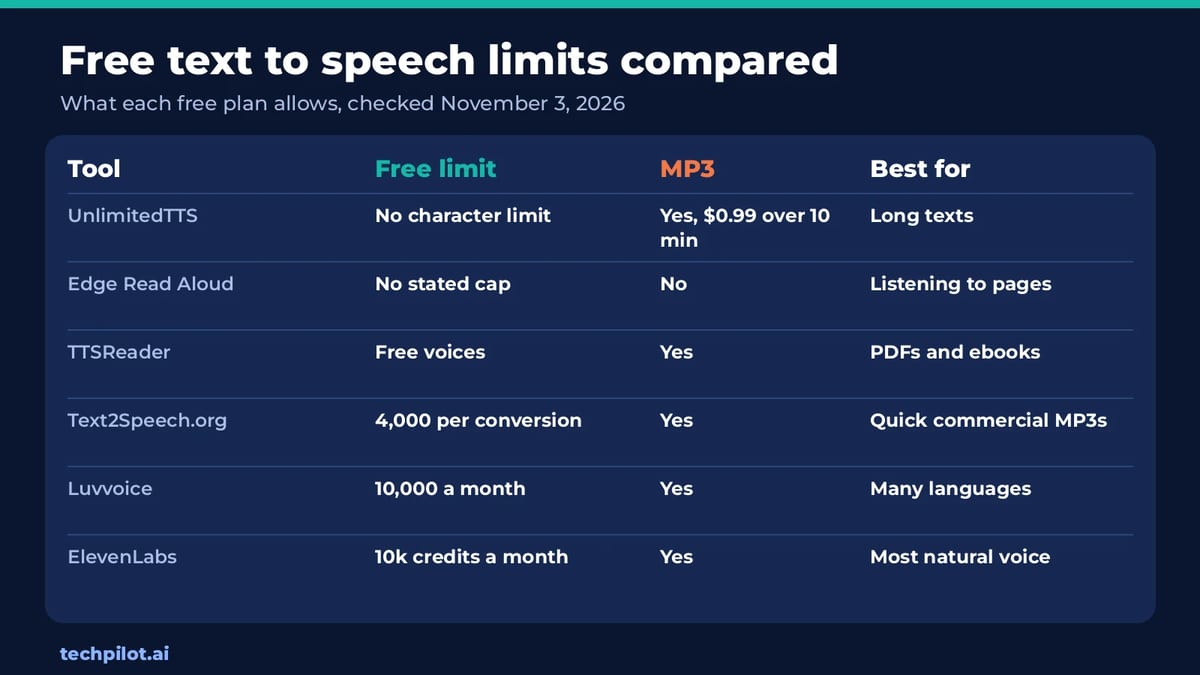
- Characters per conversion: how much text you can paste at once. Text2Speech.org allows 4,000 characters; Luvvoice’s free plan allows 3,000.
- Characters per month: the real cap on cloud AI voices. Luvvoice gives 10,000 a month free and ElevenLabs gives 10k credits.
- Download length: some tools let you listen for free but charge for long audio files.
Only tools that use voices built into your computer or browser can skip all three, because they don’t pay a server for every word. That is the trade-off: unlimited usually means device voices, while the most human-sounding AI voices come with a meter.
The best free unlimited text to speech tools
1. UnlimitedTTS: no character limit, free MP3s
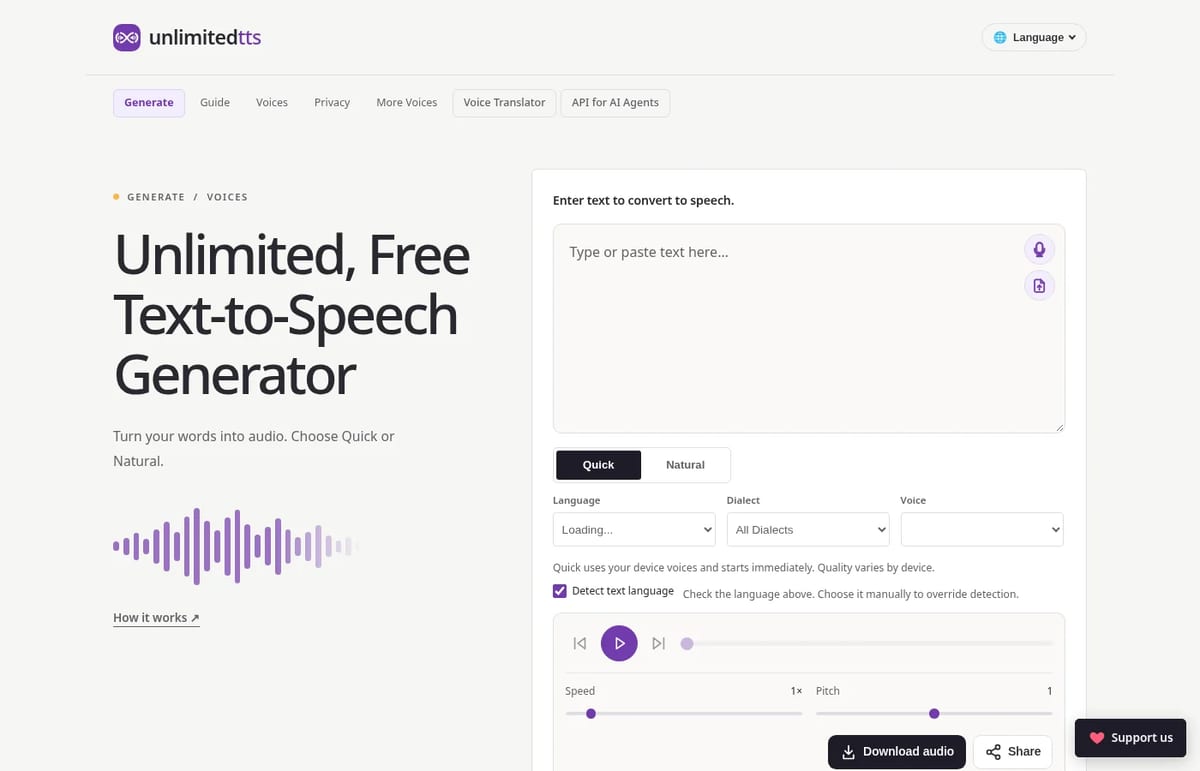
UnlimitedTTS says it plainly: “There is no character or word limit.” It has two modes. Quick uses your device’s voices and starts instantly. Natural runs an AI voice model inside your browser, so after the model downloads, your text stays on your machine. You can also import PDF, Word, EPUB and other files, and the site says files are read on your device and never uploaded. The only charge: audio downloads over 10 minutes cost $0.99.
2. Microsoft Edge Read Aloud: best for listening
If you only need to hear text, not save it, Edge’s Read Aloud is already on most Windows PCs. Open a web page or PDF in Edge, start Read Aloud, pick a voice and speed, and it reads until the end. There’s no character box to fill, which makes it the easiest choice for long articles and reports. The downside is that it doesn’t export an audio file.
3. TTSReader: best for PDFs and ebooks
TTSReader reads plain text, files, PDFs, ebooks and web pages in the browser, and it remembers where you stopped, even if you close the tab. Free voices sit alongside premium AI voices, and you can export to MP3. The premium voices use character credits, so stick with the free voices if you want to avoid limits.
4. Text2Speech.org: best for quick commercial MP3s
Text2Speech.org is free, needs no account, and lets you use the files for any purpose, including commercial use. The limit is 4,000 characters per conversion, so a long script needs to be split into chunks. Voices are basic, but for a short voiceover or a phone menu that’s often fine.
Free AI voices with caps (and when they are worth it)
| Tool | Free plan | Cheapest paid plan |
|---|---|---|
| Luvvoice | 10,000 characters a month, 3,000 per conversion, 200+ voices in 70+ languages | Lite: $8 a month, or $4.75 a month billed yearly ($57), with 700,000 characters |
| ElevenLabs | 10k credits a month | Starter: $6 a month, adds a commercial license and instant voice cloning |
Prices are from Luvvoice’s pricing page and ElevenLabs’ pricing page, checked November 3, 2026. If you need a voice that sounds like a real narrator for a YouTube video or ad, these capped tools are better than any unlimited option. For a wider list, see our best free AI voice generators and ElevenLabs alternatives.
How to convert a long text to speech for free
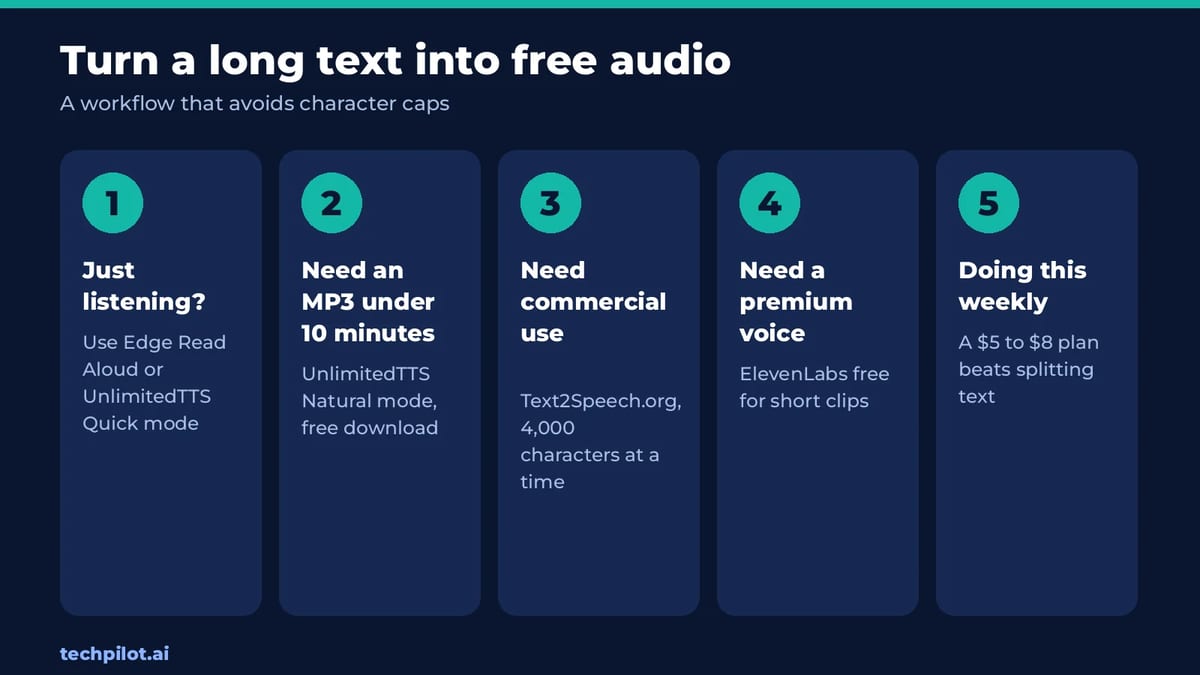
- Decide if you need a file. For listening only, use Edge Read Aloud or UnlimitedTTS Quick mode and skip limits entirely.
- Need an MP3? Use UnlimitedTTS. Keep each file under 10 minutes to avoid the $0.99 charge.
- Need commercial rights for free? Split your script into 4,000-character chunks on Text2Speech.org.
- Need one premium clip? Use the ElevenLabs or Luvvoice free plan for the short, high-impact part only.
- Doing this every week? A $5 to $8 plan usually costs less than the time you spend splitting text.
Curious why device voices sound flatter than cloud AI voices? Our explainer on how text to speech technology works covers the difference.
Our take
Most “free unlimited” TTS lists mix up listening and downloading. For pure listening, unlimited is easy and free. For downloadable, natural AI audio, there is no truly unlimited free option in 2026: you either accept device-quality voices or a monthly cap. UnlimitedTTS is the best middle ground we found because its in-browser AI voice has no character cap and only long downloads cost money.
Frequently asked questions
Is there a free text to speech with no character limit?
Yes. UnlimitedTTS has no character or word limit, and Microsoft Edge’s Read Aloud reads whole pages and PDFs for free. Both rely on voices that run on your device or in your browser.
Can I download unlimited free TTS as MP3?
Mostly. UnlimitedTTS lets you download MP3s for free, but audio files over 10 minutes cost $0.99. Text2Speech.org is free too, with 4,000 characters per conversion.
Which free text to speech sounds the most natural?
Cloud AI voices like ElevenLabs sound the most human, but the free plan is capped at 10k credits a month. UnlimitedTTS Natural mode is the best uncapped option.
Can I use free text to speech audio commercially?
It depends on the tool. Text2Speech.org allows any use, including commercial. ElevenLabs needs the $6 Starter plan for a commercial license, so check each site’s terms.
Why do free TTS tools have character limits?
Cloud AI voices cost money to generate on servers, so free plans meter characters. Tools that use your device’s built-in voices don’t have that cost, so they can skip limits.
Found this useful? Share it with someone comparing AI tools.
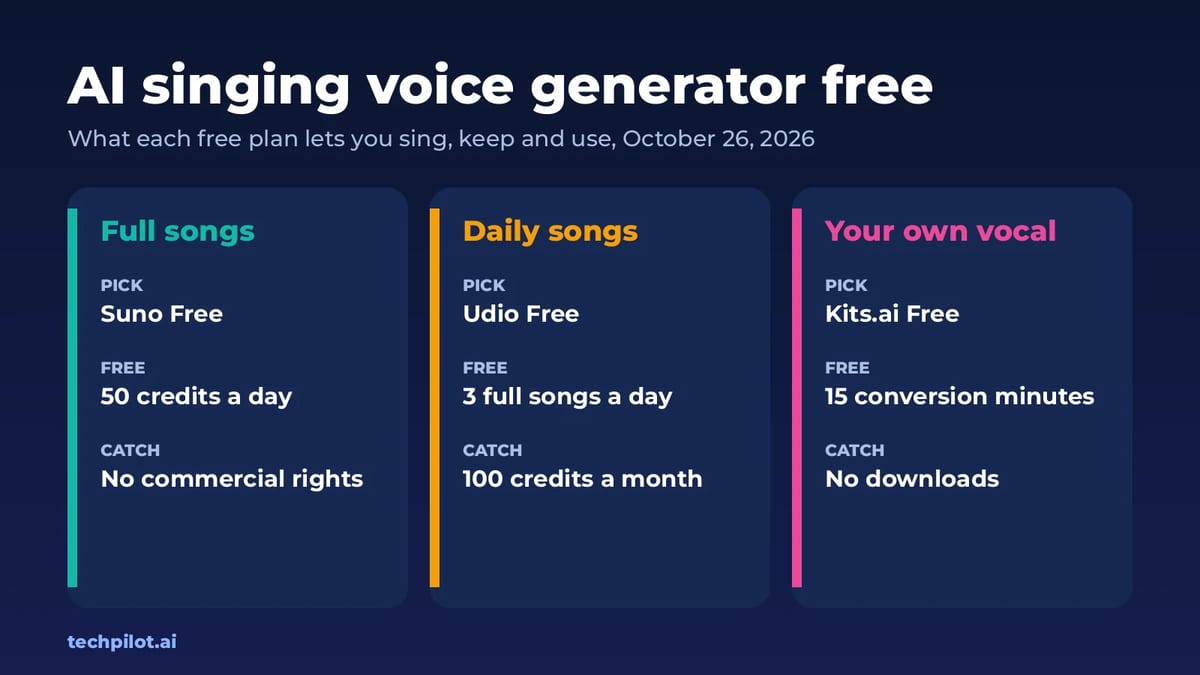
AI Singing Voice Generator Free: 5 Picks
AI singing voice generator free picks for 2026: Suno, Udio, ElevenLabs Music and Kits.ai. See their daily limits, download rules and commercial…
 Mihai (Mike) Bizz · 6 min read
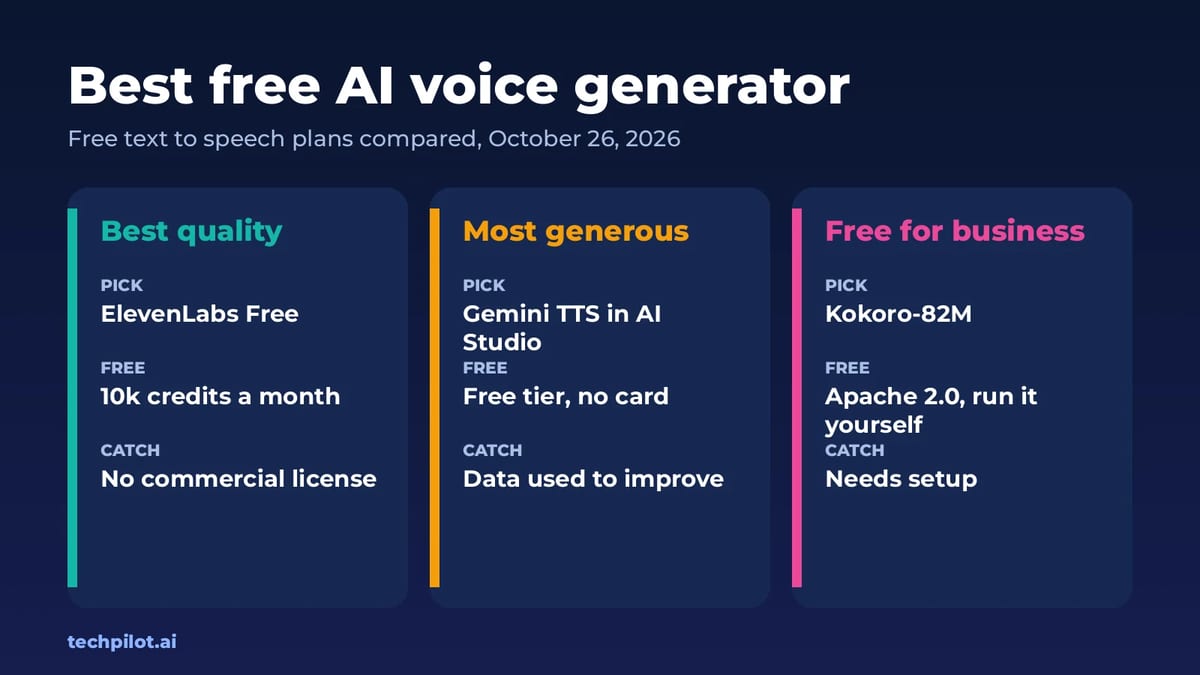
Best Free AI Voice Generator: Top 6 Picks
Best free AI voice generator options for 2026: ElevenLabs, Gemini TTS, Fish Audio, TTSMaker and Kokoro. See free limits, voice quality and commercial…
 Eimantas Kazėnas · 5 min read