Home / Guides / Graphics & Design
AI Home Exterior Design Free: What You Get
 Eimantas Kazėnas Marketing & Tech
- Published
- 5 min read
On this page What “free” really means for exterior design
Independent and reader-supported. Some links may earn us a commission; it never changes our rankings. Editorial policy
AI home exterior design free tools compared by how many free designs you get, watermarks and usage rights: HomeGPT, ReimagineHome, Remodel AI and more.
Quick answer: Most “free” AI exterior design tools give you a small trial, not a free plan. HomeGPT is the most generous, with 2 free designs a day, no account, no card and no watermark. ReimagineHome gives 5 free designs on the same AI as its paid plans, Remodel AI gives 3, and Deroom AI gives enough free credits for one design. Upload a photo of your house, pick a style or material, and you get a redesigned facade in seconds. Every limit below comes from the tools’ own pricing pages on November 26, 2026.
What “free” really means for exterior design
Exterior redesigns are image generations, and each one costs the tool money, so the free part is usually counted in designs or credits. Before you upload a photo, check three things:
- Daily or one-time? A daily allowance keeps refilling; a trial runs out after a few tries.
- Watermark? Fine for deciding on a paint color, a problem if you want to share the image with a contractor or a buyer.
- Usage rights: some free outputs are personal use only, which matters for realtors and contractors.
Free AI exterior design tools compared
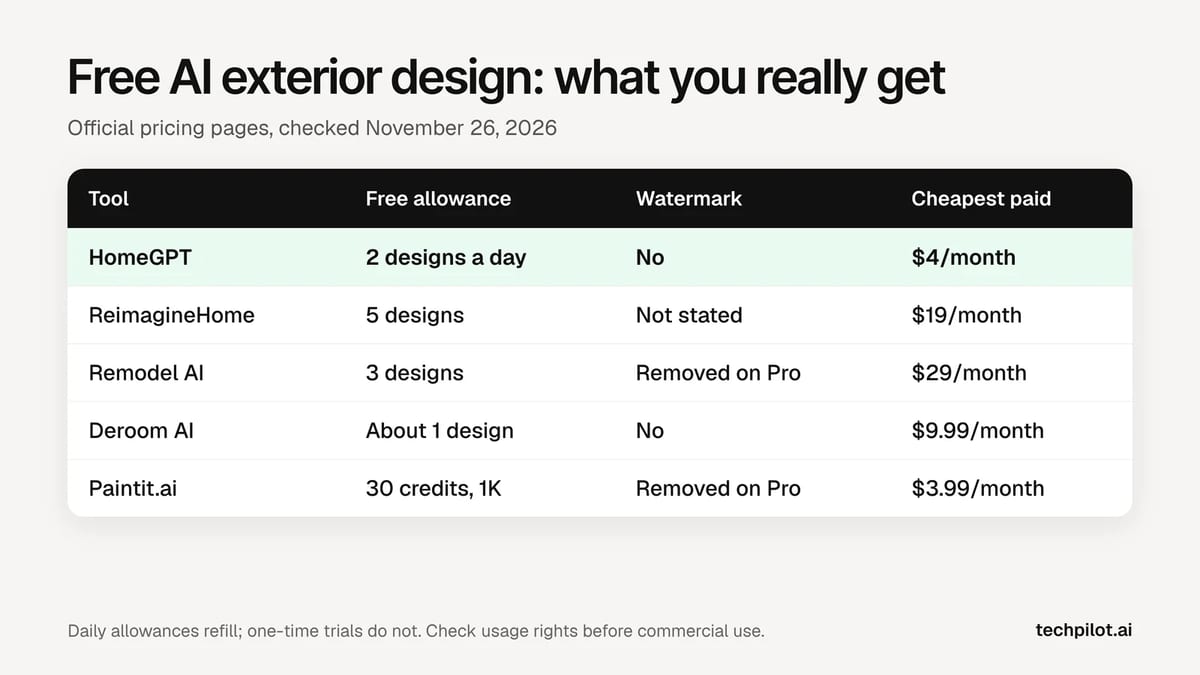
| Tool | Free allowance | Watermark | Sign-up | Cheapest paid plan |
|---|---|---|---|---|
| HomeGPT | 2 designs a day | No | No account, no card | Starter $4/month ($29/year) |
| ReimagineHome | 5 designs, same AI as paid plans | Not stated | No card | Essential $19/month (30 credits) |
| Remodel AI | 3 designs | Removed on Pro | Account | Pro $29/month, billed $349/year |
| Deroom AI | 10 credits, about 1 design | No | Google sign-in | Starter $9.99/month |
| Paintit.ai | 30 credits, 1K resolution, basic model | Removed on Pro | Account | Starter $3.99/month (50% off $7.99) |
The tools, one by one
1. HomeGPT: the most free designs
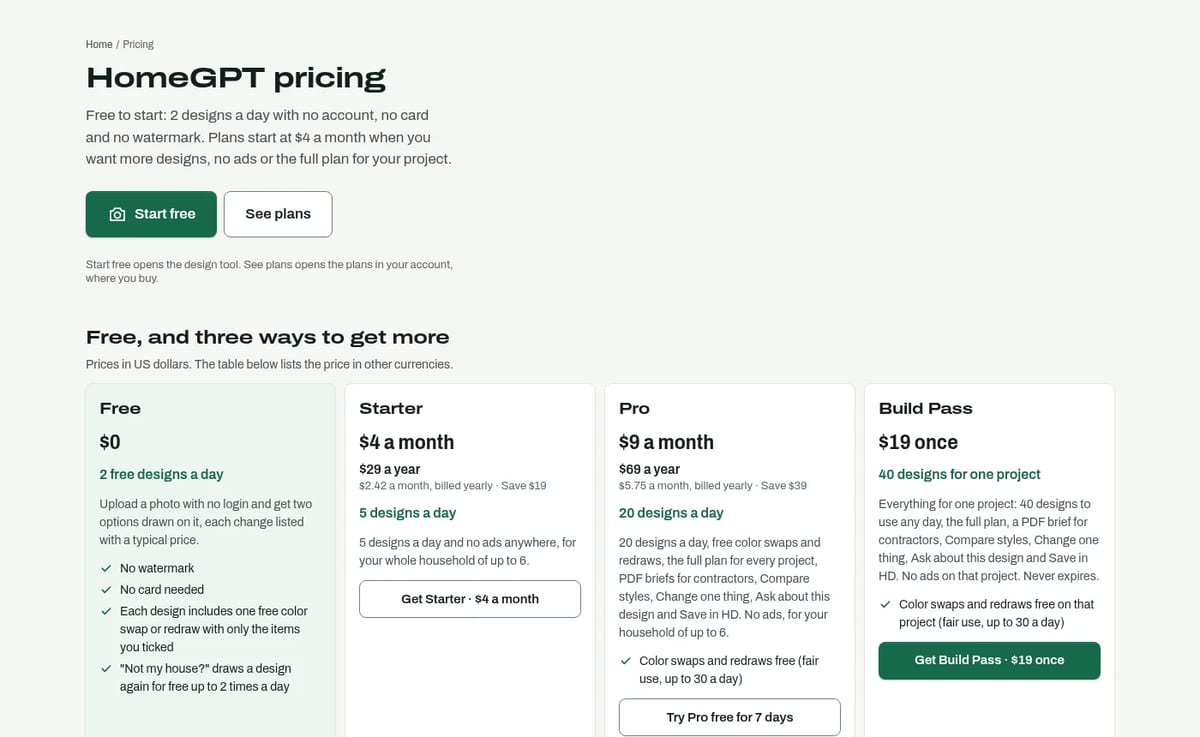
HomeGPT lets you upload a photo with no login and get two design options drawn on it, each change listed with a typical price, up to 2 free designs a day with no watermark. Over a month that is far more free output than any trial here. If you need more, Starter is $4 a month ($29 a year) for 5 designs a day, Pro is $9 a month ($69 a year) for 20 a day, and a one-off Build Pass is $19 for 40 designs on one project.
2. ReimagineHome: best free trial quality
ReimagineHome gives every new user 5 free designs on the same AI and quality as its paid plans, with no card needed. Its Essential plan at $19 a month covers basic landscaping and exterior edits, while Pro at $36 a month adds conversational editing and reference photos. Use the five free designs on your hardest questions, such as a full siding change, rather than simple paint swaps.
3. Remodel AI: three free tries
Remodel AI’s free plan includes 3 designs with standard-quality renders and before/after comparison. Exterior and garden design is listed among the Pro features, at $29 a month billed $349 a year, which also removes the watermark and adds HD downloads. Treat the free plan as a quick test of the app.
4. Deroom AI: one free design, built for siding and paint
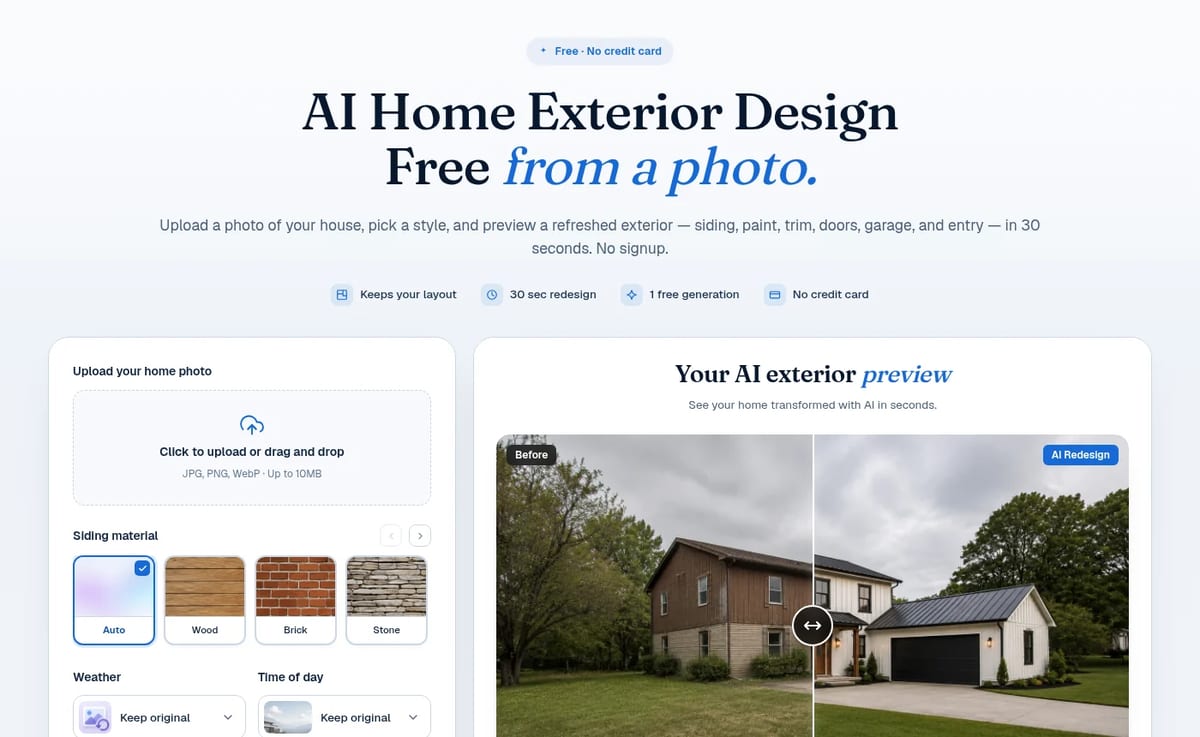
Deroom AI’s exterior tool is built around materials: you upload a house photo and switch siding, paint, trim, doors and the garage while it keeps your layout. Signing in with Google gives 10 free credits, enough for one design with no watermark, and free outputs are for personal use only. Paid plans start at $9.99 a month.
5. Paintit.ai: a free plan with low resolution
Paintit.ai covers interiors, exteriors and gardens. Its free plan has 30 credits at 1K resolution on the basic model. Watermark-free downloads and a commercial license start on Pro, listed at $9.99 a month (50% off $19.99) when we checked. It is a reasonable option if you want to explore styles before committing to a full redesign tool.
How to get a useful result from a free design
- Shoot straight on, in daylight. A front-on photo with the whole facade in frame and no harsh shadows gives the AI clean edges to work with.
- Change one thing at a time. Ask for a new siding color, then trim, then the door. Changing everything at once makes it hard to judge any single choice.
- Use free designs to narrow options, not to finish. Save your free tries for the two or three styles you are really choosing between.
- Check real samples. AI renders show the idea, not the exact paint or product; confirm colors with physical samples on your wall.
- Keep the structure in mind. These tools restyle surfaces. Rooflines, windows and additions need a designer or contractor.
Planning the yard too? Our guide to free AI landscape design covers garden tools, and our mnml.ai review looks at an AI render tool aimed at architects. For general image editing, see the best free AI image generators.
Our take
For most homeowners, HomeGPT’s 2 free designs a day are enough to settle a paint or siding decision without paying. Use ReimagineHome’s 5 free designs for a high-quality second opinion, and only pay for a plan if you are a realtor or contractor who needs volume, HD files and commercial rights.
Frequently asked questions
Is there a free AI home exterior design tool?
Yes. HomeGPT gives 2 free designs a day with no account and no watermark. ReimagineHome, Remodel AI and Deroom AI offer smaller free trials.
Can AI redesign my house exterior from a photo?
Yes. Upload a front-on photo, pick a style, color or siding material, and the tool redraws the facade while keeping your layout.
Which free exterior design app has no watermark?
HomeGPT’s free designs have no watermark, and Deroom AI’s free design is watermark-free too. Remodel AI and Paintit.ai remove watermarks on paid plans.
Can I use free AI exterior designs commercially?
Not always. Deroom AI’s free outputs are personal use only, and Paintit.ai’s commercial license starts on Pro. Check each tool before using images in listings.
Are AI exterior renders accurate?
They show the idea, not exact products. Confirm paint colors and siding with real samples, and use a contractor for structural changes.
Found this useful? Share it with someone comparing AI tools.
AI Expand Image Free: What Actually Works
AI expand image free options: Fotor gives 3 free expansions and Picsart a few tries, while Clipdrop and Canva now charge. See what is truly free and…
 Eimantas Kazėnas · 5 min read
Best Free Alternatives to Photoshop in 2026
Best free alternatives to Photoshop in 2026, matched to the job: Photopea for PSD files, GIMP for desktop editing, Affinity for pro work and Krita…
Eimantas Kazėnas · 5 min read