Home / Guides / Graphics & Design
Best AI Thumbnail Makers for YouTube CTR (2026)
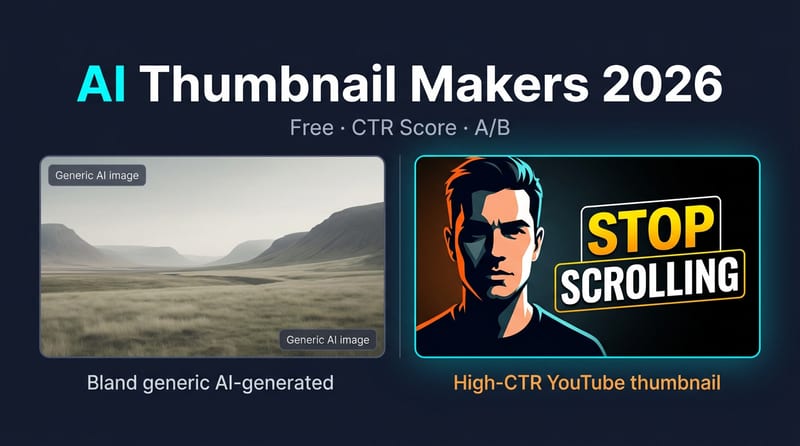
Which AI thumbnail maker actually lifts YouTube CTR in 2026? Compare Pikzels, Pixado, Fliki and Canva, with top picks for free, scoring and A/B tests.
 Eimantas Kazėnas Marketing & Tech
 - Updated
- 11 min read
On this page How we evaluated AI thumbnail makers
- How we evaluated AI thumbnail makers
- Quick comparison: AI thumbnail makers at a glance
- 1. Pikzels – the CTR-first AI thumbnail maker
- 2. Pixado – ThumbScore(TM) before you publish
- 3. ThriftyThumbs – real A/B on live videos
- 4. Fliki – free AI thumbnail maker (no sign-up path)
- 5. Canva Magic Studio – best editor, not a CTR specialist
- 6. Predis.ai – brand-consistent multi-version thumbnails
- 7. ThumbnailAI – cheap scoring + light generation
- 8. Adobe Express (Firefly) – brand kits + commercial comfort
- 9. Ideogram – text-in-image specialist (workflow tool)
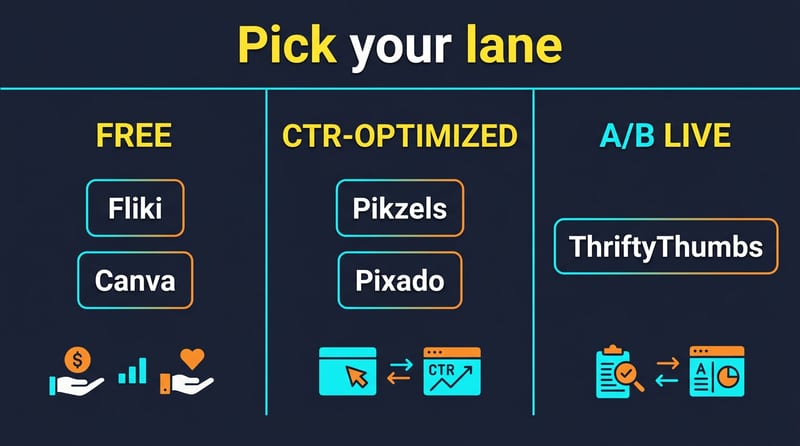
- How to choose: Free vs CTR-optimized vs A/B
- FAQ: AI thumbnail makers
- Verdict: top picks by use case
Independent and reader-supported. Some links may earn us a commission; it never changes our rankings. Editorial policy
Searching for an AI thumbnail maker usually means one thing: you need more clicks before the video even starts. YouTube’s recommendation loop rewards CTR and watch time together-so a weak cover kills reach even when the content is solid.
This guide is not another “10 random image AIs” list. Most “AI thumbnail generators” are general image models with a 1280×720 export button bolted on. Canva is excellent design software-it is not a YouTube CTR specialist. If your bottleneck is packaging that competes with big channels, you want tools built around faces, text hierarchy, predicted scores, and A/B proof-not pretty Midjourney stills alone.
I split the field the way creators actually shop:
- Free / no-friction makers – ship something tonight without a credit card
- CTR-optimized generators – trained or scored for YouTube click patterns
- A/B / live-test workflows – measure real impressions, not vibes
Pricing below is a Sep 2026 snapshot-confirm on each vendor before you commit. For the wider YouTube stack (scripts, clips, publishing), see How to Build a YouTube Channel with AI, Automating YouTube Success, and our Opus Pro alternatives roundup for long→short clipping.
How we evaluated AI thumbnail makers
Six practical checks-not awards fluff:
| Criterion | What “good” looks like |
|---|---|
| Job fit | Does it design YouTube packaging (face + headline + contrast) or just an image? |
| CTR signals | Predicted scores, niche recreation, persona/face lock, or live A/B |
| Text hierarchy | Legible at mobile postage-stamp size |
| Time-to-first usable | Prompt → downloadable 16:9 in under a few minutes |
| Free-tier honesty | Watermarks, daily caps, “trial that needs a card” |
| Edit depth | Can you fix the AI miss without exporting to Photoshop? |
Browse more reviews on the AI tools hub.
Quick comparison: AI thumbnail makers at a glance
| Tool | Lane | Best for | Pricing (approx.) |
|---|---|---|---|
| Pikzels | CTR-optimized | YouTube faces + bulk variants | Trial; paid ~$14-$20/mo |
| Pixado | CTR-optimized | Pre-publish ThumbScore picks | Free; paid ~$30-$40/mo |
| ThriftyThumbs | A/B live test | Proof on real viewers | Free; Starter ~$19/mo |
| Fliki | Free / speed | No-signup drafts + video+cover | Free; paid ~$28/mo |
| Canva | Templates / edit | Brand kits, polish, teams | Free; Pro ~$15/mo |
| Predis.ai | Brand multi | Multi-version brand thumbnails | Trial; Core ~$19-$32/mo |
| ThumbnailAI | Score / cheap | Rate existing thumbs + cheap gens | Free analysis; Pro ~$10/mo |
| Adobe Express | Brand / IP | Commercial Firefly safety | Free; Premium ~$10/mo |
| Ideogram | Text specialist | Readable text baked into image | Free limited; paid ~$8/mo |
1. Pikzels – the CTR-first AI thumbnail maker
Lane: CTR-optimized YouTube specialist.
Pikzels is the product most searchers for youtube thumbnail ai generator actually want: models tuned on thumbnail patterns, bulk variants for testing, title helpers, and Persona / FaceSwap so your face stays consistent across the channel grid. Recreate-from-URL lets you reverse-engineer a niche winner’s structure without cloning pixels illegally-then adapt it to your brand.
In our Pikzels tool review, the standout was not “pretty art.” It was packaging: outlined headlines, high contrast, expression exaggeration-the visual grammar that wins mobile CTR.
Who it’s for: Face-forward YouTubers, agencies running multiple channels, anyone A/B-ing covers every upload.
Strengths
- YouTube-specific generation (not generic Dream Lab output rebranded)
- Persona training for on-brand face consistency
- Bulk / quick generation for Test & Compare workflows
- Title generator sits next to the thumbnail job
Limits
- Credit packs burn on heavy bulk days
- Not a general graphic-design suite-pair with Canva for channel art, end screens, etc.
- Trial is limited; continuous use needs paid
Pricing note (Sep 2026): Public plans commonly start around ~$14-$20/month depending on annual vs monthly and credit depth. Confirm live on Pikzels-tiers move.
When to pick: Default for best AI thumbnail generator intent when CTR is the KPI. Skip if you only need one free draft tonight (use Fliki) or live rotation proof (use ThriftyThumbs).
2. Pixado – ThumbScore(TM) before you publish
Lane: CTR-optimized + predictive score.
Pixado’s pitch is blunt: generate ~10 niche-aware variants, then ThumbScore(TM) rates 50+ visual signals (face dominance, contrast, hierarchy, curiosity gap) so you ship the highest-scoring cover before burning impressions. That sits between “hope Canva works” and “wait for YouTube A/B.”
Who it’s for: Channels that want a data layer without wiring the YouTube API for live swaps.
Strengths
- Pre-publish scoring reduces “guess and pray”
- Face / expression tools for personal brands
- Agency tier with API / bulk / client folders (higher plans)
Limits
- Paid entry (~$30/mo class) is steeper than Pikzels or ThumbnailAI
- Score ≠ your audience-still validate with YouTube Test & Compare when available
- YouTube-focused; not a full Canva replacement
Pricing note (Sep 2026): Free tier reported; Starter ~$29.99/mo (≈50 images), Creator Pro ~$39.99, Studio Agency ~$79.99. Treat as approximate.
When to pick: You already generate fast but pick winners poorly. Pair Pixado score → YouTube Test & Compare for confirmation.
3. ThriftyThumbs – real A/B on live videos
Lane: A/B / live measurement (not just generation).
Most AI thumbnail makers stop at “here are five PNGs.” ThriftyThumbs rotates thumbnails (and optionally titles) on live YouTube videos via API, tracks impressions/CTR, and declares a winner with statistical confidence-plus a 0-100 AI score for drafts.
Who it’s for: Channels with enough impressions for a test to converge; teams tired of fake “viral” predictors.
Strengths
- Real viewers, not simulated CTR
- Hourly/daily rotation + combo testing on higher plans
- AI generation included so you are not stuck importing from three apps
Limits
- Small channels may never get statistical certainty
- Requires connecting YouTube; operational overhead
- Generation quality may lag specialist generators-use Pikzels/Pixado to create, ThriftyThumbs to prove
Pricing note (Sep 2026): Free (3 AI thumbs/mo, 1 active test); Starter ~$19; Pro ~$34; Business ~$69.
When to pick: You publish often enough that packaging ROI is measurable. Combine with a CTR generator above.
4. Fliki – free AI thumbnail maker (no sign-up path)
Lane: Free / speed; video + cover in one stack.
Fliki runs a dedicated AI thumbnail maker with 50+ preset styles, reference-thumbnail matching, and photo overlay for your face/product. Critically for free ai thumbnail maker searches: you can generate and download without creating an account (free forever credits apply; paid unlocks more models and commercial rights).
Who it’s for: Faceless or hybrid creators already making video in Fliki; anyone who needs a clean draft in under a minute.
Strengths
- No-signup path; watermark-free downloads called out on free tries
- 16:9 / 9:16 / 1:1 for YouTube, Shorts, Reels
- Multi-model roster on paid (text-heavy models for headlines)
- Same project can hold the video and the cover
Limits
- Free volume is capped-serious channels outgrow it weekly
- Presets can look “template-y” vs Pikzels persona lock
- Full commercial clarity sits on paid plans
Pricing note (Sep 2026): Free forever credits; paid video plans commonly from ~$28/mo (annual billing varies). Thumbnail usage rides the same credit economy-check Fliki’s live pricing.
When to pick: First draft tonight, or one-app video+thumbnail. Graduate to Pikzels/Pixado when CTR plateaus.
5. Canva Magic Studio – best editor, not a CTR specialist
Lane: Templates / brand polish.
Canva (Magic Studio / Magic Design / Dream Lab) remains the default AI thumbnail maker for non-designers: YouTube-sized templates, background removal, Brand Kit, Magic Write for headlines, and team sharing. It is also the tool people over-index on for CTR.
Call-out: Canva does not score your thumbnail against YouTube click patterns. You still choose composition. That is fine for tutorials and brand-safe education channels; it is a ceiling for face-reaction gaming/vlog niches competing with agency packaging.
Who it’s for: Teams that need brand consistency across thumbnails, posts, and ads; creators who finish AI gens in a real editor.
Strengths
- Deepest template + asset library
- Strong free tier for learning the craft
- Brand Kit, resize, collaboration
- Great finishing layer after Pikzels / Ideogram / Midjourney
Limits
- No native CTR prediction or YouTube live A/B
- AI gens can look generic without a tight prompt + manual hierarchy
- Pro AI credits are metered
Pricing note (Sep 2026): Free; Canva Pro ~$15/mo (~$120/yr). Teams pricing per seat.
When to pick: Always as an editor. Rarely as your only CTR strategy if packaging is the growth bottleneck.
6. Predis.ai – brand-consistent multi-version thumbnails
Lane: Social/brand stack with YouTube thumbnail flow.
Predis is broader than thumbnails (posts, video, scheduling), but its YouTube thumbnail path is useful when you describe the video objective/audience and generate multiple branded versions with editable templates and multilingual text.
Who it’s for: Agencies and SMBs already using Predis for social; creators who want brand kit + batch variants without a separate design app.
Strengths
- Brand colors/templates across many assets
- Multi-version output for light A/B
- Editor for non-designers
- Fits a full content calendar, not a one-off PNG
Limits
- Credit math is video-heavy-thumbnails are not the cheapest use of the plan
- Less “YouTube CTR science” than Pikzels/Pixado
- Overkill if you only need covers
Pricing note (Sep 2026): Core ~$19/mo annual (~$32 monthly); Rise and Enterprise+ scale credits. 7-day trial commonly advertised.
When to pick: You already live in Predis. Otherwise buy a specialist first.
7. ThumbnailAI – cheap scoring + light generation
Lane: Score / budget feedback.
ThumbnailAI leans on rating an uploaded thumbnail for click potential (with improvement notes) and, on Pro, generating alternatives. It is closer to a packaging coach than a full studio.
Who it’s for: Small channels that already design in Canva and want a second opinion before upload.
Strengths
- Low Pro price (~$10/mo class)
- Useful free analysis quotas
- Fast feedback loop for beginners learning hierarchy/contrast
Limits
- Generation depth trails Pikzels / Pixado / Fliki
- Generic CTR heuristics ≠ niche audience truth
- Not an agency bulk platform
Pricing note (Sep 2026): Free analysis tiers; Pro ~$9.99/mo with higher daily analyses and monthly generations (limits vary-confirm live).
When to pick: Budget QA layer on Canva exports. Not your sole generator at scale.
8. Adobe Express (Firefly) – brand kits + commercial comfort
Lane: Brand / IP-conscious design.
Adobe Express with Firefly is the safe pick when legal/brand risk matters more than MrBeast energy: brand kits, Firefly generative fill, and Adobe’s commercial-use story for Firefly-trained assets.
Who it’s for: Marketing teams already in Creative Cloud; educators and brands that cannot risk sketchy training-data vibes.
Strengths
- Firefly licensing narrative for many commercial workflows
- Clean templates + generative edit tools
- Fits Adobe handoff (Photoshop/Premiere) when needed
Limits
- Defaults feel “brand deck,” not “YouTube face slap”
- Still no YouTube CTR model
- Premium credits/features gated
Pricing note (Sep 2026): Free; Premium commonly ~$9.99/mo. Firefly credit packs / Creative Cloud bundles vary-check Adobe.
When to pick: Corporate or agency brand safety. Pair with Pikzels only if the channel also needs aggressive CTR packaging.
9. Ideogram – text-in-image specialist (workflow tool)
Lane: Text rendering companion (not a full maker alone).
Ideogram wins when the thumbnail is the headline-“7 Mistakes,” “$0 to $10K,” “I Was Wrong.” Many general models still mush letters; Ideogram’s strength is readable type inside the render. Export → finish hierarchy/safe zones in Canva.
Who it’s for: Listicle, finance, news, and tutorial channels where copy is the click.
Strengths
- Best-in-class text fidelity among image gens
- Fast ideation for word-led covers
- Affordable entry tiers
Limits
- Not a YouTube packaging suite (no persona, no CTR score, no live A/B)
- You still compose for 16:9 safe areas manually
Pricing note (Sep 2026): Free limited daily; paid from roughly ~$8/mo.
When to pick: Text-led niches. Combine with Canva (layout) + YouTube Test & Compare.
How to choose: Free vs CTR-optimized vs A/B
Use this decision tree:
- Need a file in the next 10 minutes with $0? → Fliki (no signup) or Canva Free.
- Face-forward channel, CTR is the bottleneck? → Pikzels first; add Pixado if you want pre-publish scores.
- You already design in Canva but guess wrong? → Keep Canva; add ThumbnailAI or Pixado scoring.
- Enough impressions to test statistically? → Generate in Pikzels/Pixado → prove with ThriftyThumbs or YouTube Studio Test & Compare.
- Brand/legal first? → Adobe Express; finish viral variants elsewhere if needed.
- Text is the product? → Ideogram → Canva.
- Also generating the video? → Fliki or Crreo AI for prompt-to-video (Crreo includes thumbnail helpers in its production flow)-then specialist thumbs if CTR stalls.
Reality check: The winning 2026 workflow is rarely one app. It is generate (specialist) → polish (Canva/Express) → measure (YouTube / ThriftyThumbs).
FAQ: AI thumbnail makers
What is the best AI thumbnail maker for YouTube in 2026?
For CTR-focused YouTube packaging, Pikzels is the strongest specialist starting point. Pixado adds predictive ThumbScore. Canva is best as the editor/brand layer-not as your only CTR engine.
Is there a free AI thumbnail maker with no watermark?
Fliki advertises no-signup generation with clean downloads on free tries (volume-capped). Canva Free works for template edits; watch Pro-locked assets. Always re-check license terms for commercial use.
Is Canva good enough for YouTube thumbnails?
For many education and brand channels, yes. For competitive face/reaction niches, Canva alone usually underperforms dedicated AI thumbnail generator tools that bias toward contrast, expression, and bulk variants.
Do AI-generated thumbnails actually improve CTR?
They improve iteration speed. CTR lifts when you ship stronger packaging and test. Predictive scores help triage; live A/B (YouTube Test & Compare or ThriftyThumbs) is the ground truth.
What size should a YouTube thumbnail be?
Use 16:9. YouTube’s modern guidance leans toward high-res (commonly discussed at up to 3840×2160); minimum practical width is 640px. Keep critical faces/text inside safe margins for mobile.
Pikzels vs Canva – which should I pay for?
Pay Pikzels when clicks are the job. Pay Canva Pro when brand kits, templates, and multi-format design are the job. Many serious channels pay for both: Pikzels to generate, Canva to finish.
Can I use the same AI thumbnail style across Shorts and long-form?
Reuse brand language (colors, face, fonts), not the identical 16:9 crop. Generate 9:16 covers for Shorts/Reels/TikTok so UI chrome does not eat your headline.
Verdict: top picks by use case
| Use case | Top pick | Runner-up |
|---|---|---|
| Best overall YouTube CTR packaging | Pikzels | Pixado |
| Best free / no-signup start | Fliki | Canva Free |
| Best pre-publish score | Pixado | ThumbnailAI |
| Best live A/B proof | ThriftyThumbs | YouTube Studio Test & Compare |
| Best brand editor | Canva | Adobe Express |
| Best text-in-image | Ideogram (+ Canva) | Fliki paid models |
| Best if you also make the video | Fliki | Crreo AI |
Bottom line: Stop treating “AI thumbnail maker” as synonymous with Canva. Use free tools to draft, CTR specialists (Pikzels / Pixado) to compete, and A/B systems to prove. Pair packaging with a real upload system-clips, titles, and cadence matter as much as the PNG. Start with the guides linked above, then lock a two-tool stack and measure for two weeks before you buy a third subscription.
Found this useful? Share it with someone comparing AI tools.
Free AI Logo Generator: 7 Best Picks (2026)
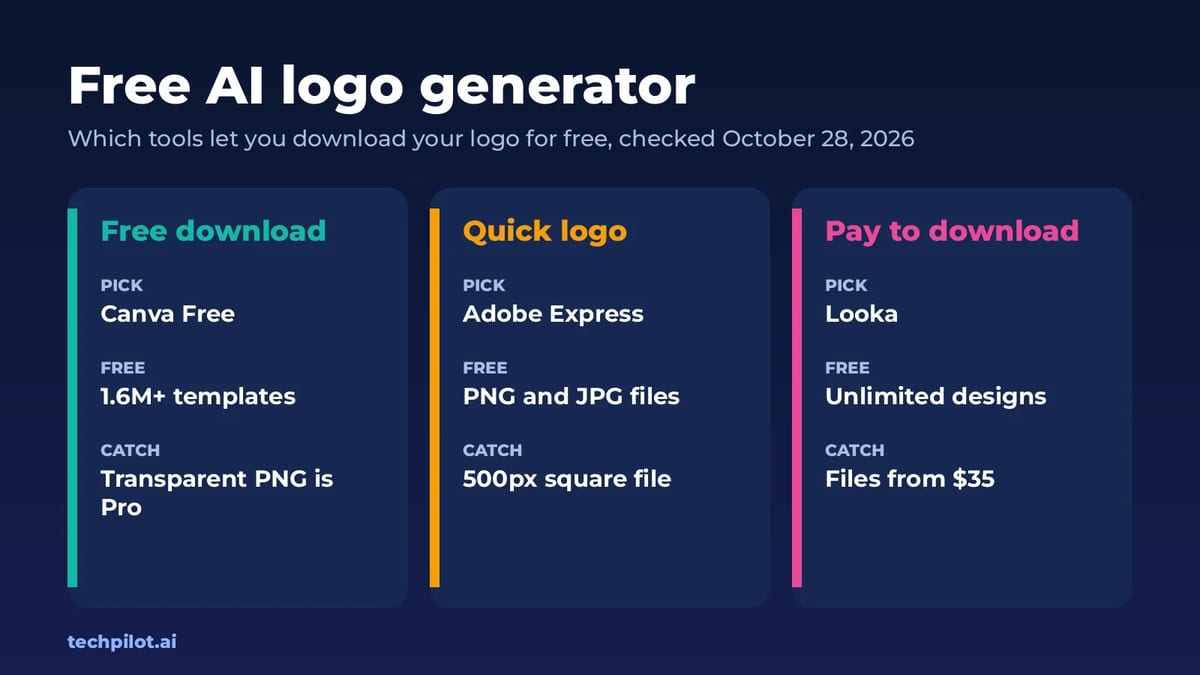
Free AI logo generator tools are easy to find, but many let you design for free and then charge to download. We compare 7 and show which are truly…
 Eimantas Kazėnas · 7 min read

10 Innovative Ways Marketers and Designers Are Using AI-Generated Images in 2026
Discover how AI image generators transform visual content creation. Explore 10 practical ways marketers and designers can use AI design tools to…
 Mihai (Mike) Bizz · 5 min read