Home / Guides / Productivity
AI Apps Free: 8 Best for Phone and Desktop
 Eimantas Kazėnas Marketing & Tech
 - Published
- 6 min read
On this page Free AI apps by platform
Independent and reader-supported. Some links may earn us a commission; it never changes our rankings. Editorial policy
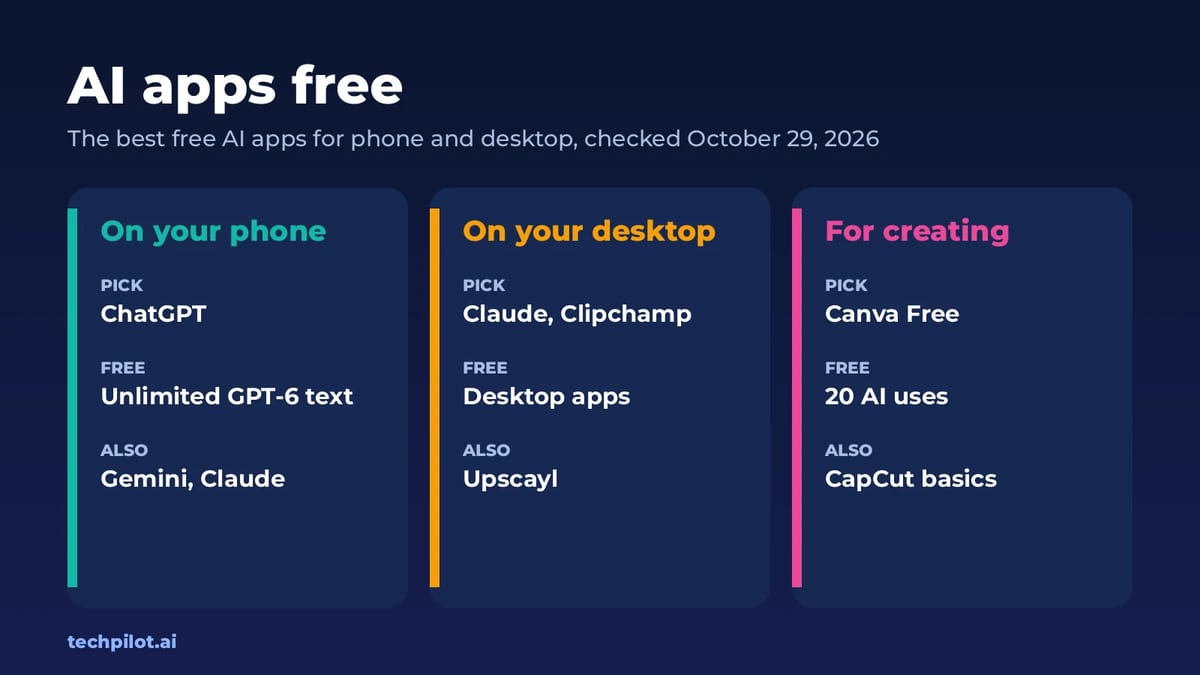
AI apps free to download and worth keeping: 8 picks for iPhone, Android, Mac and Windows, with what each free plan includes and where the limits kick in.
Quick answer: the free AI apps worth installing are ChatGPT on your phone (unlimited text chats with GPT-6), Gemini for voice and Google apps, and Claude on your desktop for long documents. For creating, add Canva (20 free AI uses) and Clipchamp (watermark-free 1080p video). For offline work, Upscayl upscales photos with no limits. We checked each free plan on the vendor’s own pages on October 28 and 29, 2026.
This guide is about apps you install, not websites. That matters more than it sounds: phone apps add voice, camera and photo access, desktop apps can see your files and screen, and some free plans behave differently in the app than on the web. If you’d rather browse free AI tools by task, including web-only ones, start with our free AI tools hub.
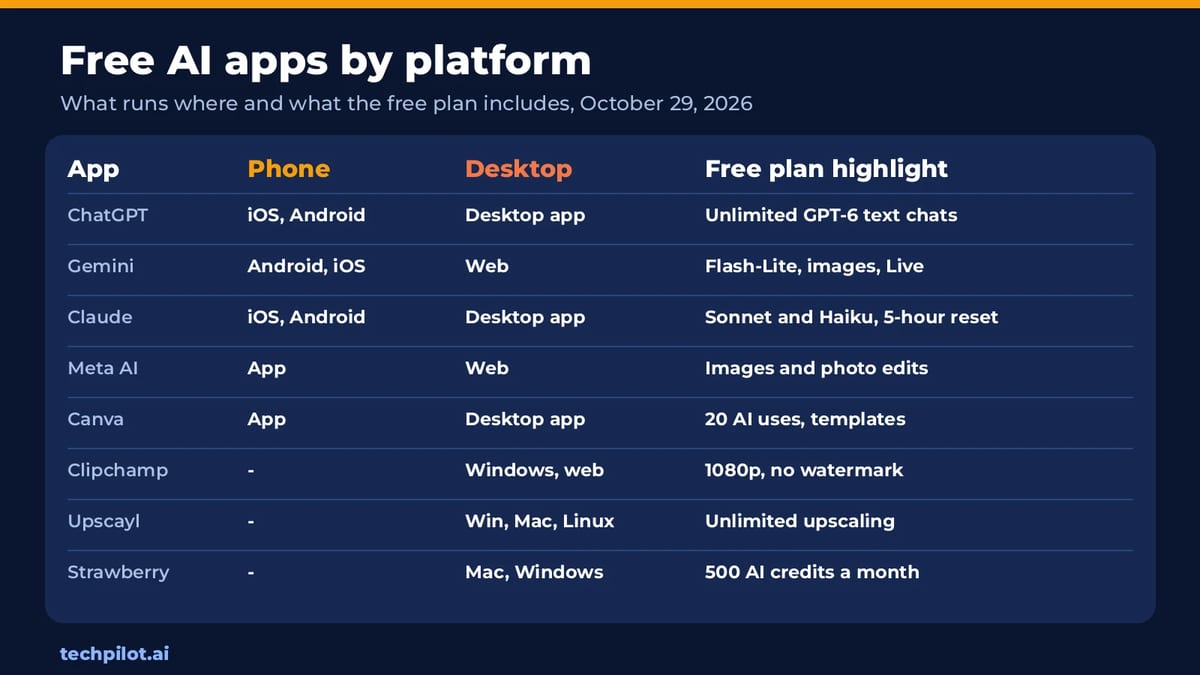
Free AI apps by platform
Best free AI apps for your phone
1. ChatGPT: the free AI app most people should start with
OpenAI’s iOS and Android apps run the same free plan as the web: unlimited text chats with GPT-6, subject to abuse guardrails, plus limited uploads, image creation, voice chats and deep research. On a phone, voice mode is the killer feature: you can talk through a problem while walking, or point the camera at something and ask about it. The limits bite on uploads, images and voice, and the cheapest upgrade is ChatGPT Go at $8 a month.
2. Gemini: best free AI app on Android
Google’s free plan uses the Flash-Lite model and includes image generation and editing, Deep Research, Gemini Live voice chats, Canvas and Gems, plus 15 GB of storage. On Android it ties into Gmail, Calendar and the rest of your Google account, which makes it the most connected free assistant. Video generation isn’t free: it starts with Google AI Plus at $4.99 a month.
3. Meta AI: best free app for quick images
Meta AI is free in its own app and on the web. Beyond chat, it makes images from a conversation and edits photos, such as changing or removing a background. It’s weaker than ChatGPT or Claude for long writing, but there’s no paid plan to push you toward.
Best free AI apps for your desktop
4. Claude: best free AI app for writing and documents
Anthropic’s free plan works on web, desktop, iOS and Android, with Sonnet and Haiku, web search, file creation with code, memory, connectors and up to 5 projects. The desktop app is where it shines: drag in a long PDF and get an edit or summary that reads like a person wrote it. Usage resets on a rolling five-hour window, and Pro is $17 a month billed yearly or $20 monthly. Our is Claude AI free guide covers the limits in detail.
5. Clipchamp: best free AI video app on Windows
Microsoft’s editor comes with Windows and also runs in a browser. Its free plan includes AI video and audio editing tools and exports watermark-free video up to 1080p, which is rare. 4K, premium stock and a brand kit come with Microsoft 365 Personal or Family. Compare it with other editors in our free AI video editor picks.
6. Upscayl: best free offline AI app
Upscayl is an open-source desktop app that enlarges and sharpens images on your own computer, with no account, no watermark and no usage cap, because your hardware does the work. It’s the simplest way to see what local AI can do. For more, see our free AI upscaler guide.
7. Strawberry Browser: free AI browser for Mac and Windows
Strawberry is a full browser with AI companions that can research, fill spreadsheets and draft emails inside your tabs. The free plan includes 500 AI credits a month, and normal browsing never uses credits. Paid plans start at $20 a month. Read our Strawberry Browser review before you give it your logins.
Best free AI app for creating
8. Canva: best free AI design app
Canva’s free plan, on phone, desktop and web, includes up to 20 standard or premium AI uses, alongside its full editor and template library. That’s enough for a few social posts or a quick logo a month. CapCut is the alternative for short video, but its own pricing page lists AI features on Pro at $19.99 a month, with only templates and basic editing free.
What “free” really means in AI apps
- Limits reset on different clocks. Claude resets every five hours, Canva and Google Vids monthly. Learn yours before a deadline.
- Apps ask for more access. Microphone, camera, photos and contacts permissions are optional; grant only what the feature needs.
- In-app upgrades are easy to tap by mistake. Subscriptions bought through Apple or Google are managed in your phone’s settings, not the app.
- Offline apps are the only unlimited ones. Cloud apps cap you; apps like Upscayl don’t, but they need a decent computer.
Common problems with free AI apps
- “You’ve hit your limit.” Switch to your second app instead of paying; keeping ChatGPT and Claude covers most days.
- Fake look-alike apps. Search the developer name: OpenAI, Google, Anthropic, Meta, Canva or Microsoft. Look-alikes may push paid subscriptions.
- Features missing on mobile. Some tools, like Google Vids, only work in a desktop browser.
Our verdict
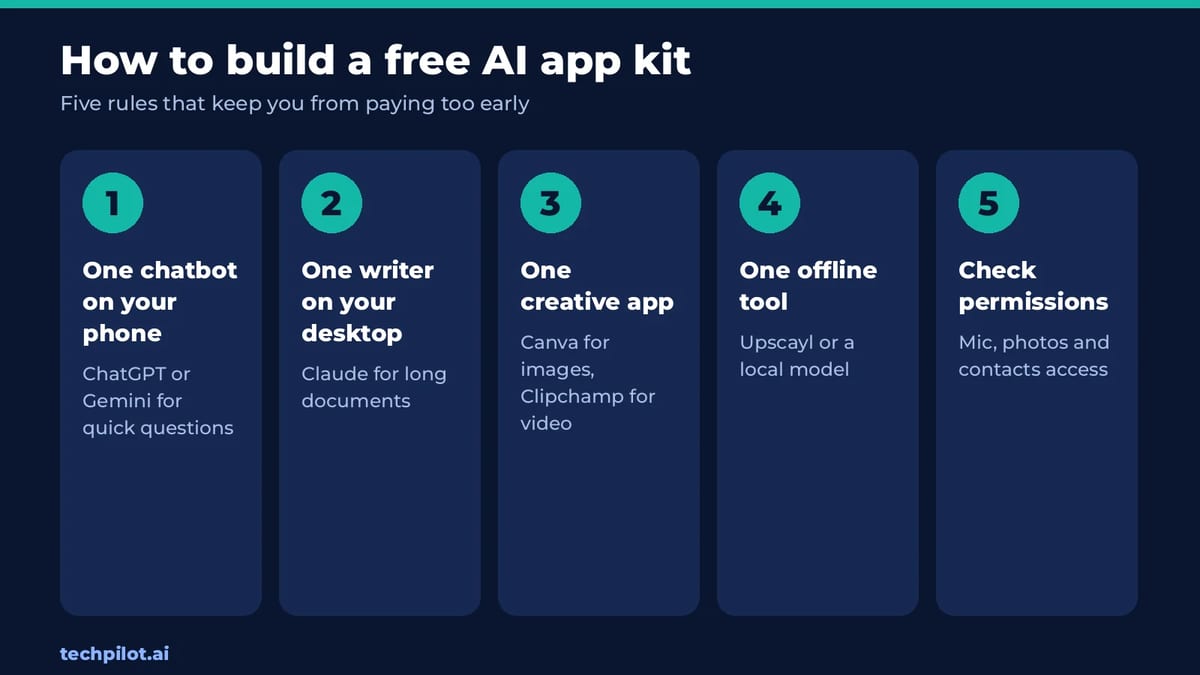
The best free AI app kit in 2026 is small: ChatGPT or Gemini on your phone, Claude on your desktop, Canva and Clipchamp for creating, and Upscayl for offline work. Install those, learn their limits, and only pay when one limit costs you time every day. For chatbots specifically, see our best free AI chatbot picks by task.
Frequently asked questions
What is the best free AI app?
ChatGPT for most people. Its free plan has unlimited text chats with GPT-6 on iOS and Android, plus limited voice, uploads and image creation.
Are AI apps really free?
Most have free plans with limits. Chatbots cap uploads, images and voice, design apps cap AI uses, and only offline apps like Upscayl have no usage limit.
What is the best free AI app for Android?
Gemini. Its free plan includes Flash-Lite, image generation and editing, Gemini Live and Deep Research, and it connects to your Google apps.
Which free AI apps work offline?
Apps that run models on your own computer, such as Upscayl for upscaling images. Cloud apps like ChatGPT, Gemini and Claude need an internet connection.
Is there a free AI app for video editing?
Yes. Microsoft Clipchamp’s free plan includes AI editing tools and exports watermark-free video up to 1080p on Windows and in the browser.
Found this useful? Share it with someone comparing AI tools.
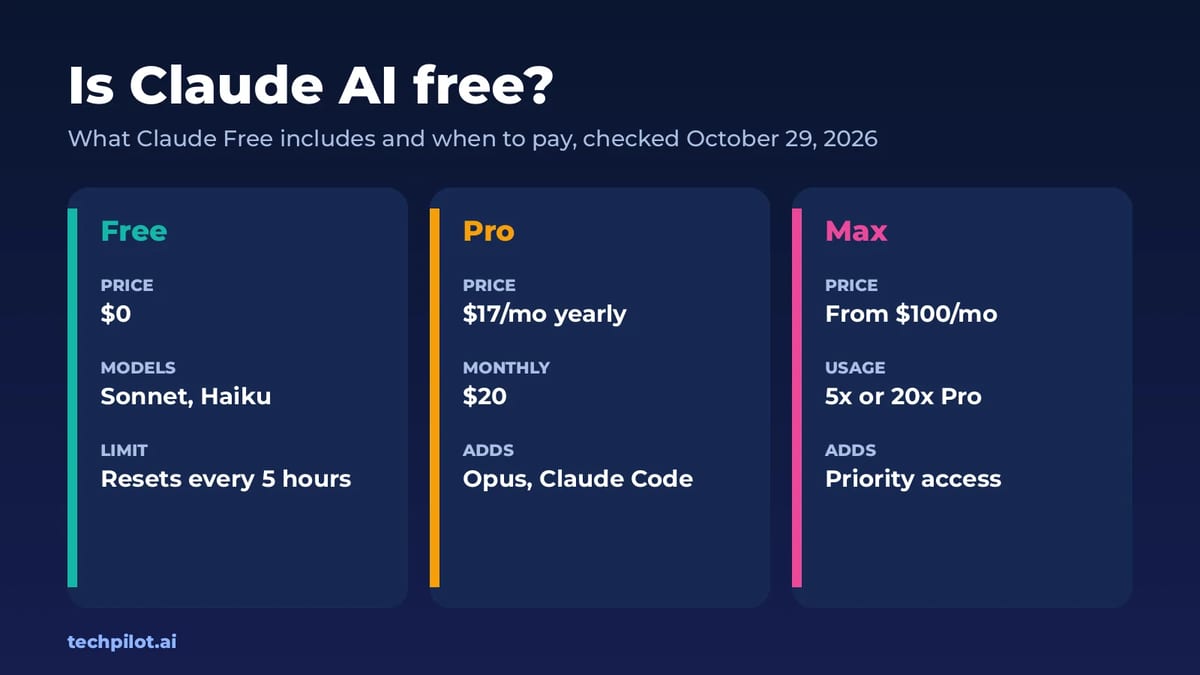
Is Claude AI Free? Limits, Plans & Pricing
Is Claude AI free? Yes. Claude Free gives you Sonnet and Haiku on web, desktop and mobile, with limits that reset every 5 hours. Pro is $17 a month…
 Eimantas Kazėnas · 4 min read
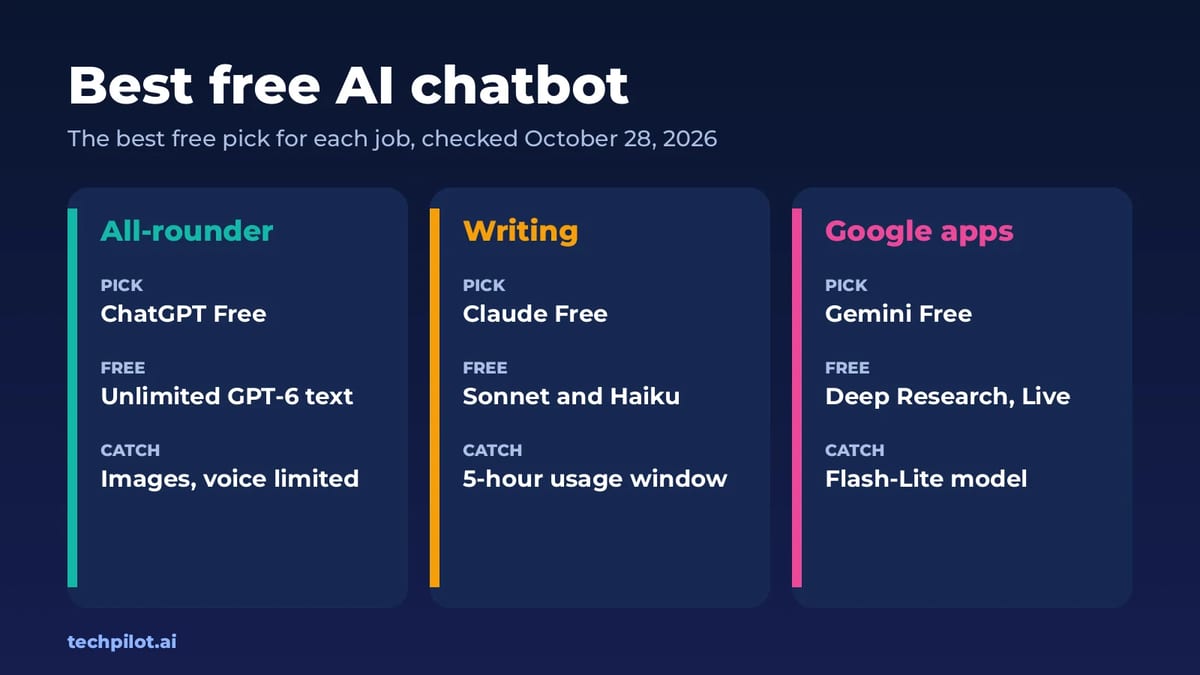
Best Free AI Chatbot: 7 Top Picks by Task
The best free AI chatbot depends on the job. We match 7 free plans to real tasks, from writing and research to coding, and show the limits before you…
Eimantas Kazėnas · 6 min read